53
D717 User Manual Using the Phone
Speed dialing
Setting speed dial numbers: See "Speed dial" on page 101. Mapping a speed dial number onto one
of the freely programmable function keys: See "Configuring the function keys", "Example 3, Speed
dialing" on page 82.
• Speed dial number on speed dial list
1. Enter the speed dial number (0-30) or character (#, *) assigned to the phone number you wish
to dial.
2. Press to dial.
• Speed dial number mapped onto a freely programmable function key 1-3: Press the key.
Calling emergency numbers
Numbers specified as emergency numbers can be dialled even when the keyboard is locked. See
"Emergency numbers" on page 93 on how to set emergency numbers. Several numbers (911, 112,
110, 999) have been preconfigured.
• On an unlocked keyboard: Enter the number and press to dial.
• On a locked keyboard: Enter the number. The phone dials the number as soon as you have
entered all the digits of one of the programmed emergency numbers.
Call completion
Note: This function depends on whether it is available in your network or not. On Snom
phones call completion means that when a called number is busy or not available, you
can have your phone call you back as soon as the dialed number is not busy anymore or
available again. The default setting is "o".
Changing the setting to turn on call completion : See "Call completion" on page 97.
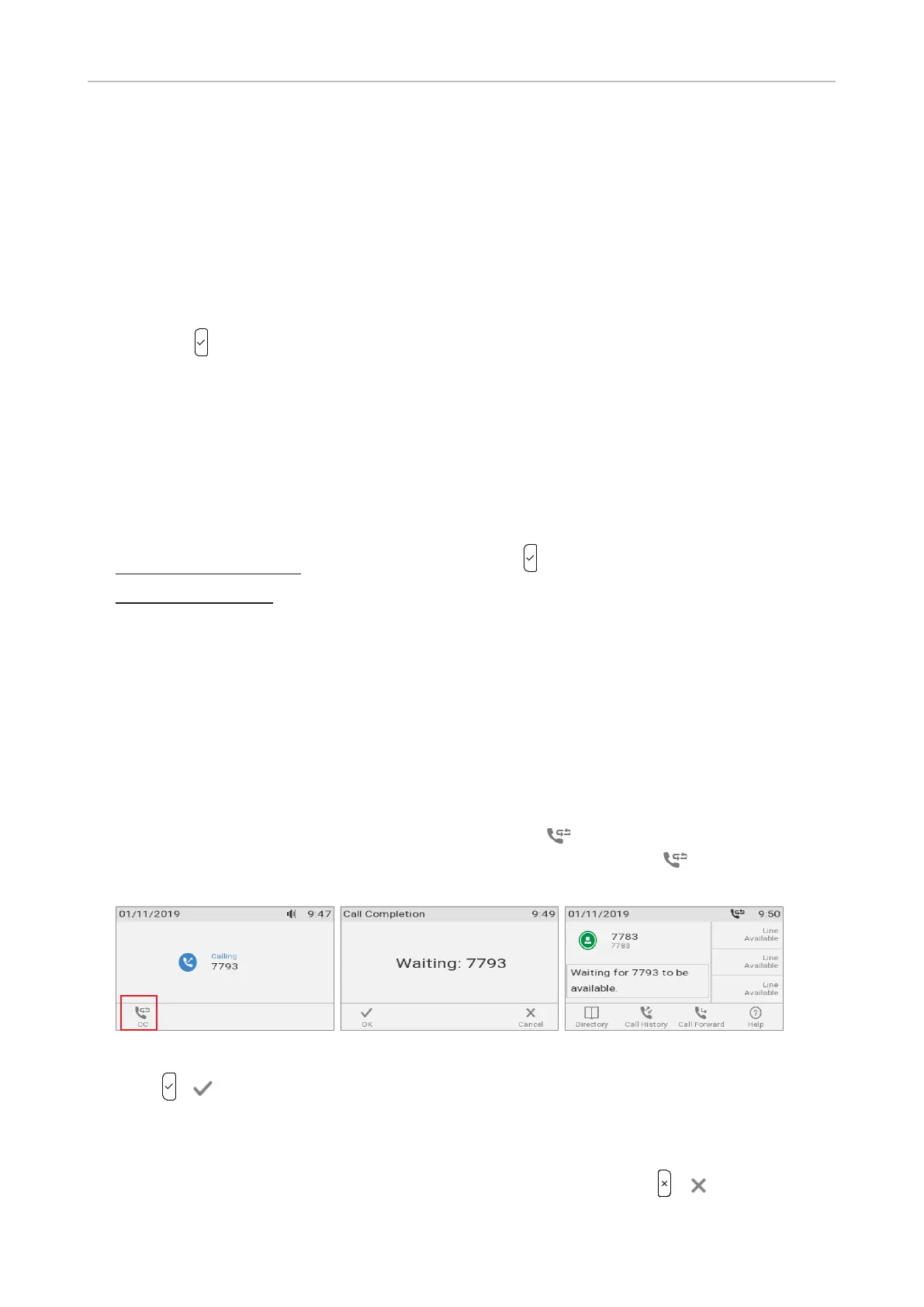
1. When call completion is available and enabled, the symbol appears in the function key line
when you are calling a number (Fig. 1). Press the function key underneath to activate call
completion for this call.
Fig. 1 Fig. 2 Fig. 3
2. Press / if you wish to dial another number while waiting for call completion (Fig. 2). You
can now hang up the handset to return to the idle screen (Fig. 3); use handset, headset, or
speakerphone to dial another number; receive calls etc. Call completion will not interfere with the
normal operation of your phone.
Note: If you want to turn o call completion for this call (Fig. 2), press / .



 To Next Page