65
D717 User Manual Using the Phone
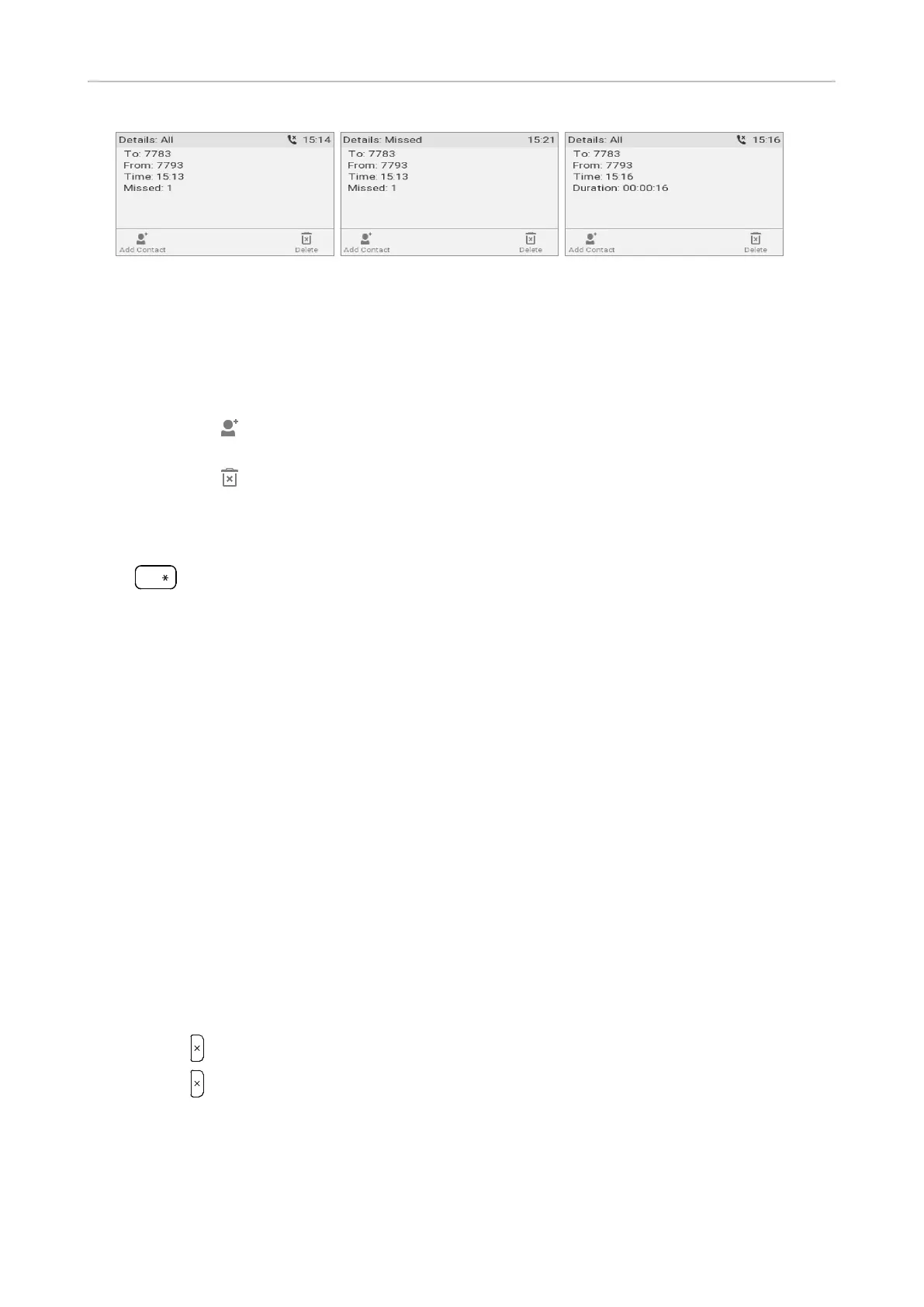
Fig. 5 Fig. 6 Fig. 7
- Missed calls: To, from, time (and date if not today), total number of missed calls from
caller (Fig. 5 and 6).
- Received and dialed calls: To, from, time (and date if not today), duration of call (Fig. 7).
◦ When viewing the details of a call:
- Press to add the caller/callee to the phone's directory. See "Editing existing entry" on
page 44 for information on adding a name and other data to the new directory entry.
- Press to delete the call.
Locking and unlocking the keyboard
Press
a » A
for three seconds to lock and unlock the keyboard; you may need to enter a PIN to unlock,
if a PIN has been set. When the keyboard is locked, only the emergency numbers configured on the
Preferences page of the phone's web user interface can be dialed.
Setting a timer for automatically locking the keyboard after inactivity, setting a PIN for locking and
unlocking the keyboard, and disabling keyboard locking: see "Keyboard locking" on page 94. For
more information on dialing and setting emergency numbers, see "Calling emergency numbers" on
page 53 and "Emergency numbers" on page 93.
Rejecting or redirecting incoming calls
This includes manual and automatic rejection and redirection and automatic rejection of anonymous
calls.
Manually
If you do not want to pick up a ringing call, you have three options: Letting the call ring and not
picking it up, rejecting it manually, or transferring it manually to a third party.
• Rejecting a ringing call manually.
◦ Press . The caller will hear the busy signal.
◦ Press for two seconds to reject the call and additionally place the caller on the "Deny" list of
the phone's directory so that calls from that number will never ring on your phone; the caller
will always hear the busy signal. For more information on the "Deny" list and how to edit or
remove entries from it, see "Contact Types" on page 42.
• Transferring the ringing call to another phone (blind transfer). See "Blind transfer of ringing call"
on page 62.



 To Next Page