86
D717 User Manual Configuring the Function Keys
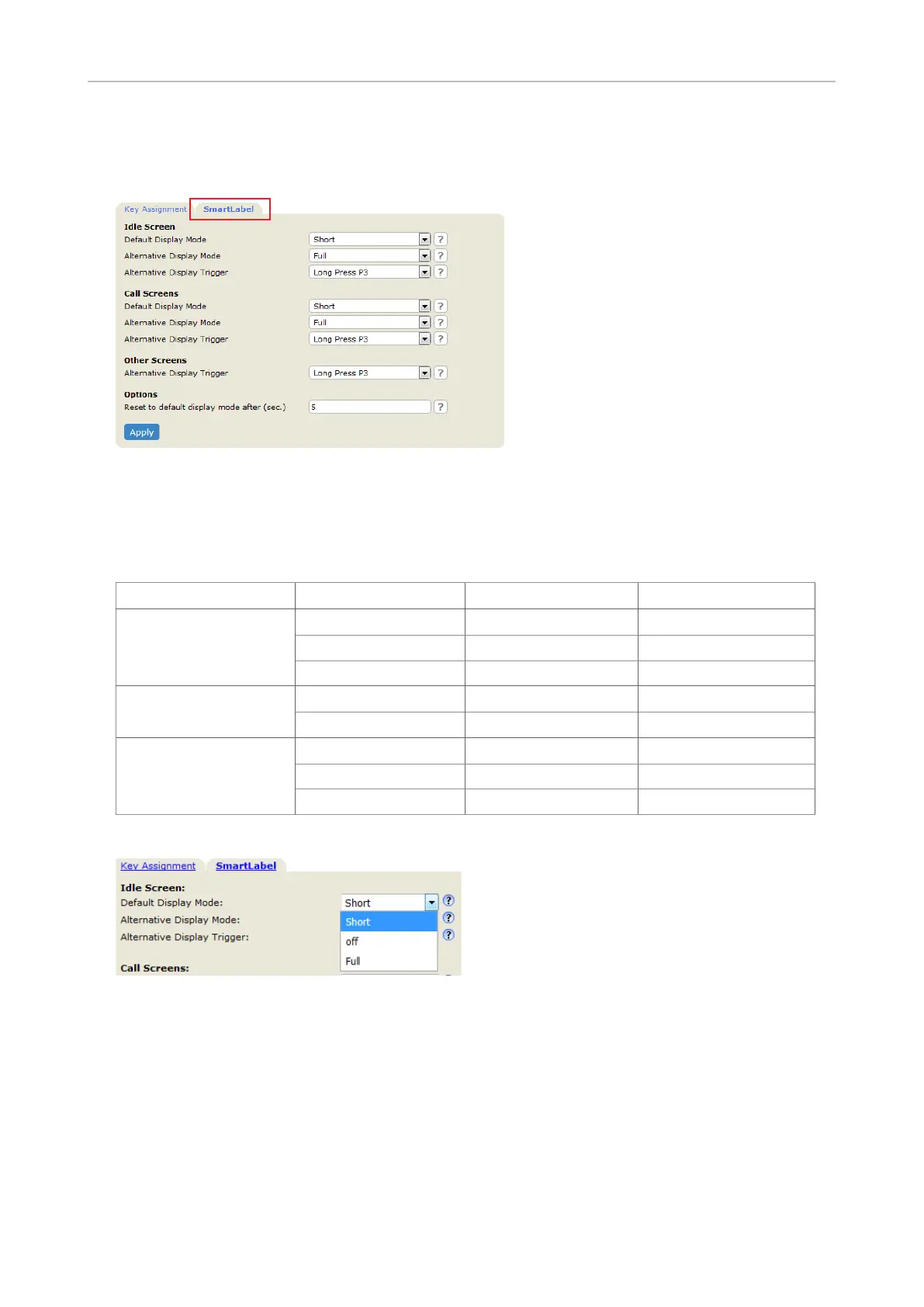
Settings on the web interface
1. On the phone's web interface, click on Function Keys in the menu on the left.
Fig. 8
2. Click the SmartLabel tab.
3. The default settings are indicated in bold italic in the table. The available options for the three
dierent screens are:
Idle screen Call screens Other screens
Default display mode
Short Short
-
O O -
Full - -
Alternative display
mode
Full Full
-
Short Short -
Alternative mode
trigger
O O
O
Short-press P3 Short-press P3 Short-press P3
Long-pressP3 Long-press P3 Long-press P3
4. Click the drop-down list of the setting you want to change and select a setting.
5. If you want to change the default timer setting for returning the display mode to the default, type
the number of seconds into the text field.
6. Click Apply and Save before closing the page or opening another page on the phone's web
interface.



 To Next Page