94
D717 User Manual Customizing the Phone Settings
Keyboard locking
In the default setting, the keyboard can be locked for outgoing calls except for calls to the numbers
defined as emergency numbers (see "Emergency numbers" on page 93) by pressing
a » A
for 3
seconds; it is unlocked by pressing the star key again for 3 seconds. Setting a PIN for locking and
unlocking the keyboard is optional. On the web interface, the ability to lock the keyboard can be
turned o. You can also define a time period of inactivity after which the keyboard will be locked
automatically.
Setting a PIN for locking and unlocking
Valid values are the digits 0–9. When you enter the digits—both on the phone and on the web
interface—they are replaced by asterisks.
On the phone
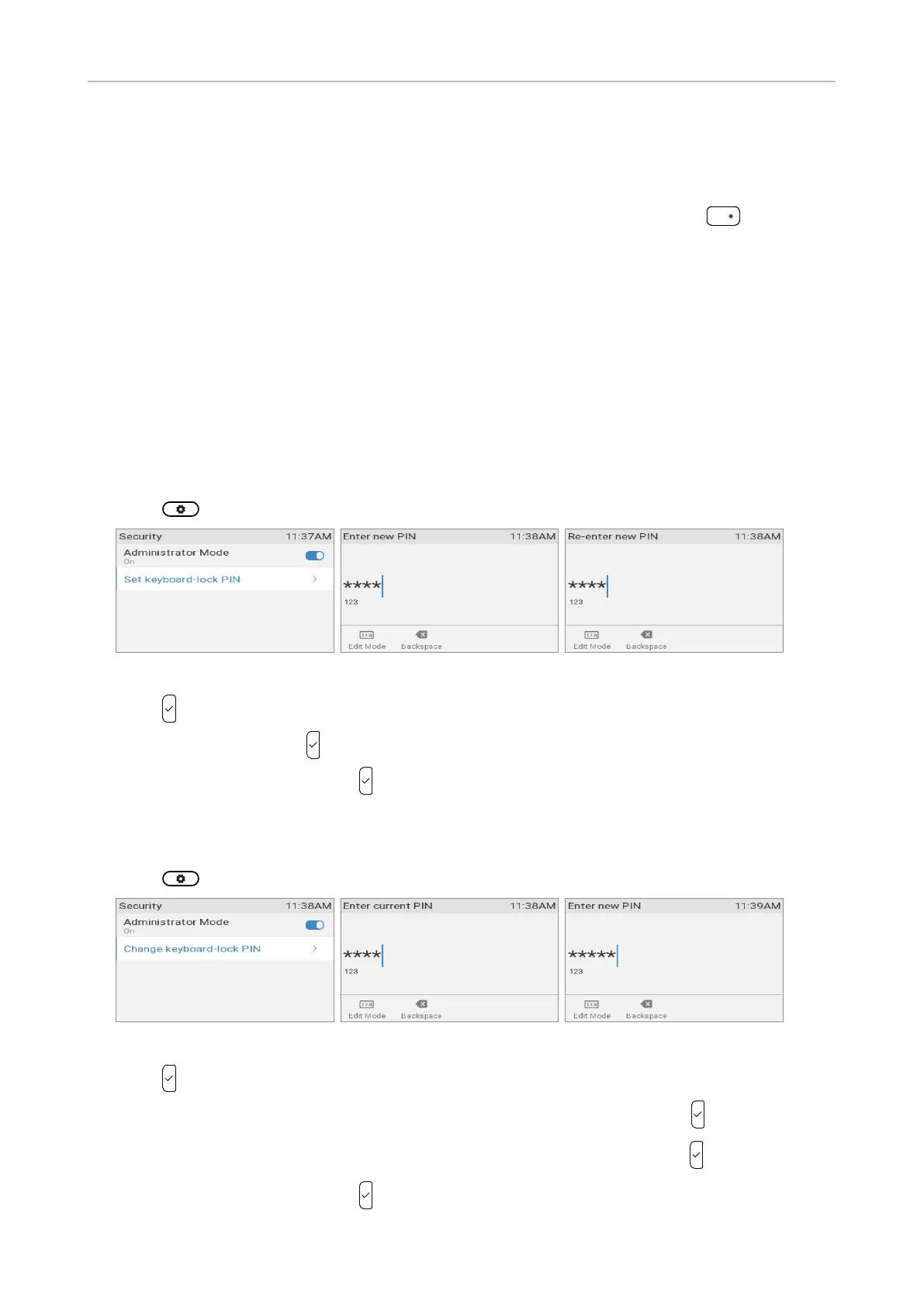
1. Press and select Maintenance > Security > Set keyboard lock PIN (Fig. 1).
Fig. 1 Fig. 2 Fig. 3
2. Press .
3. Enter a PIN (Fig. 2). Press .
4. Repeat the PIN (Fig. 3) and press to save and return to the idle screen.
Changing the PIN
1. Press and select Maintenance > Security > Change keyboard lock PIN (Fig. 4).
Fig. 4 Fig. 5 Fig. 6
2. Press .
3. You will be prompted to enter the current PIN (Fig. 5). Enter the PIN and press .
4. You will then be prompted to enter a new PIN (Fig. 6). Enter the PIN and press .
5. Repeat the PIN (Fig. 7) and press to save and return to the idle screen.



 To Next Page