28
D717 User Manual Getting to Know Your Phone
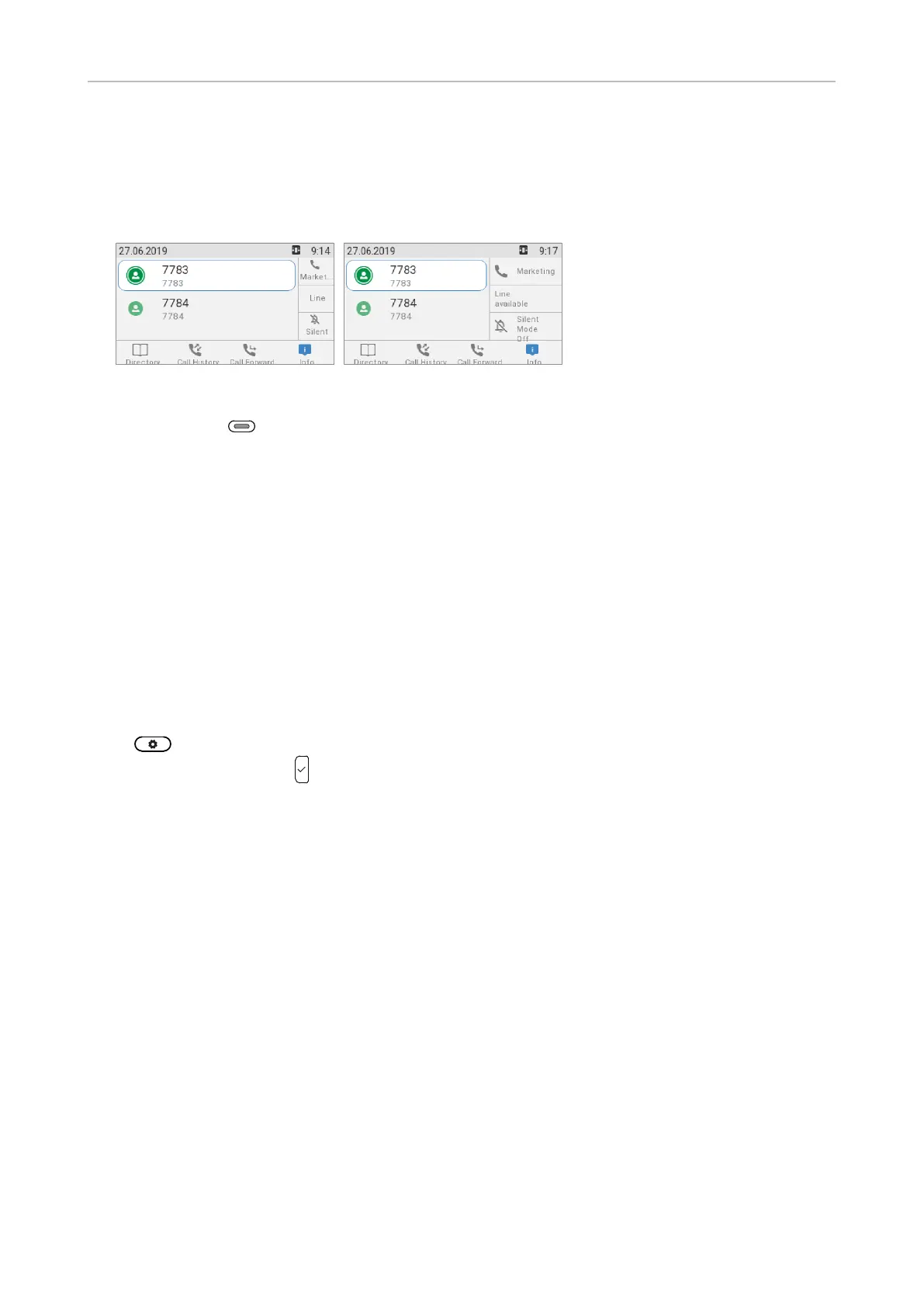
(Fig. 3). By pressing LED key P3 (see "At a glance" on page 18) for 2 seconds, the labels will be
displayed in the alternative display mode, full label (Fig. 4), for 3 seconds. You can turn the display
modes o, switch default and alternative display mode, and set a dierent timespan for returning to
default mode on the phone and on the phone's web interface; see "Configuring the function keys" on
page 70 for more information.
Fig. 3 Fig. 4
The LED of the key associated with the label will react in accordance with the label's mapping;
pressing the key may aect what you see on the label.
The function keys can be mapped on the phone and, faster and more comfortably, on the phone's web
interface. For information on programming the function keys, see "Configuring the function keys" on
page 70.
Settings
A comparatively small number of settings can be adjusted on the phone; many more are available on
the phone's web interface.
Phone settings
Press to open the settings menu on the display. To open submenus and settings, scroll to the
submenu/setting and press .
Settings available in administrator mode
All settings of the phone menu and on the phone's web interface are accessible.



 To Next Page