67
D717 User Manual Using the Phone
Call forwarding
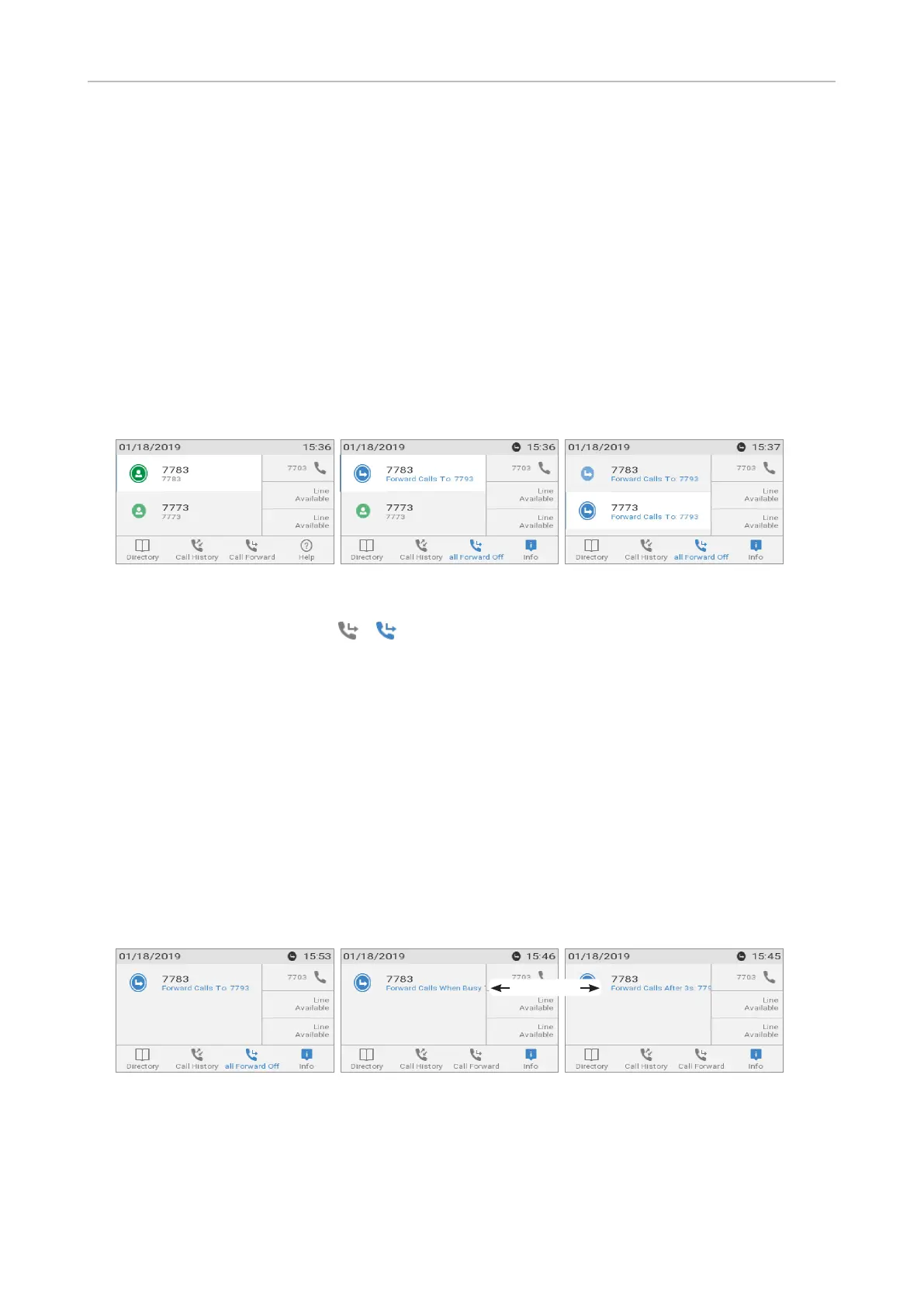
The phone can be set to forward incoming calls, either always (Fig. 2, 3, and 4) or under certain
conditions (Fig. 5 and 6). The settings can be done on the phone and on the web interface.
Note: Call forwarding is set separately for each configured identity. When the setting
is done on the phone, it applies to the identity selected as outgoing identity. To turn on
call forwarding for several configured identities (Fig. 3), select each one in turn as the
outgoing identity and repeat the setting.
For information on using the web interface for these settings, see "Call forwarding" on page 96.
Forward All: Forwarding all incoming calls to the number of the phone, extension, or mailbox
specified as this function’s target.
Fig. 1 Fig. 2 Fig. 3
In the default setting, the symbol / is available in the function key line and can be used to
turn forwarding of all calls for the current outgoing identity on and o, respectively, by pressing the
function key underneath the symbol, but you can also map the function onto another function key or
use the settings menu as shown in the table below.
If forwarding of all calls is not available in the function key line, it can be set in the phone's setting
menu like the other two forwarding events.
Forward when Busy: Forwarding calls ringing while the phone is busy to the number of the phone,
extension, or mailbox specified as this function’s target.
Forward after Timeout: When a call starts ringing, the phone will wait for the number of seconds
specified in the setting "Call forwarding time". If the call has not been accepted by the end of this time
period, it is forwarded to the number of the phone, extension, or mailbox specified as this function’s
target.
Fig. 4 – Forwarding all calls Fig. 5 – Forwarding when busy Fig. 6 – Forwarding when call has not been
answered after time set in seconds
Scrolling line



 To Next Page