84
D717 User Manual Configuring the Function Keys
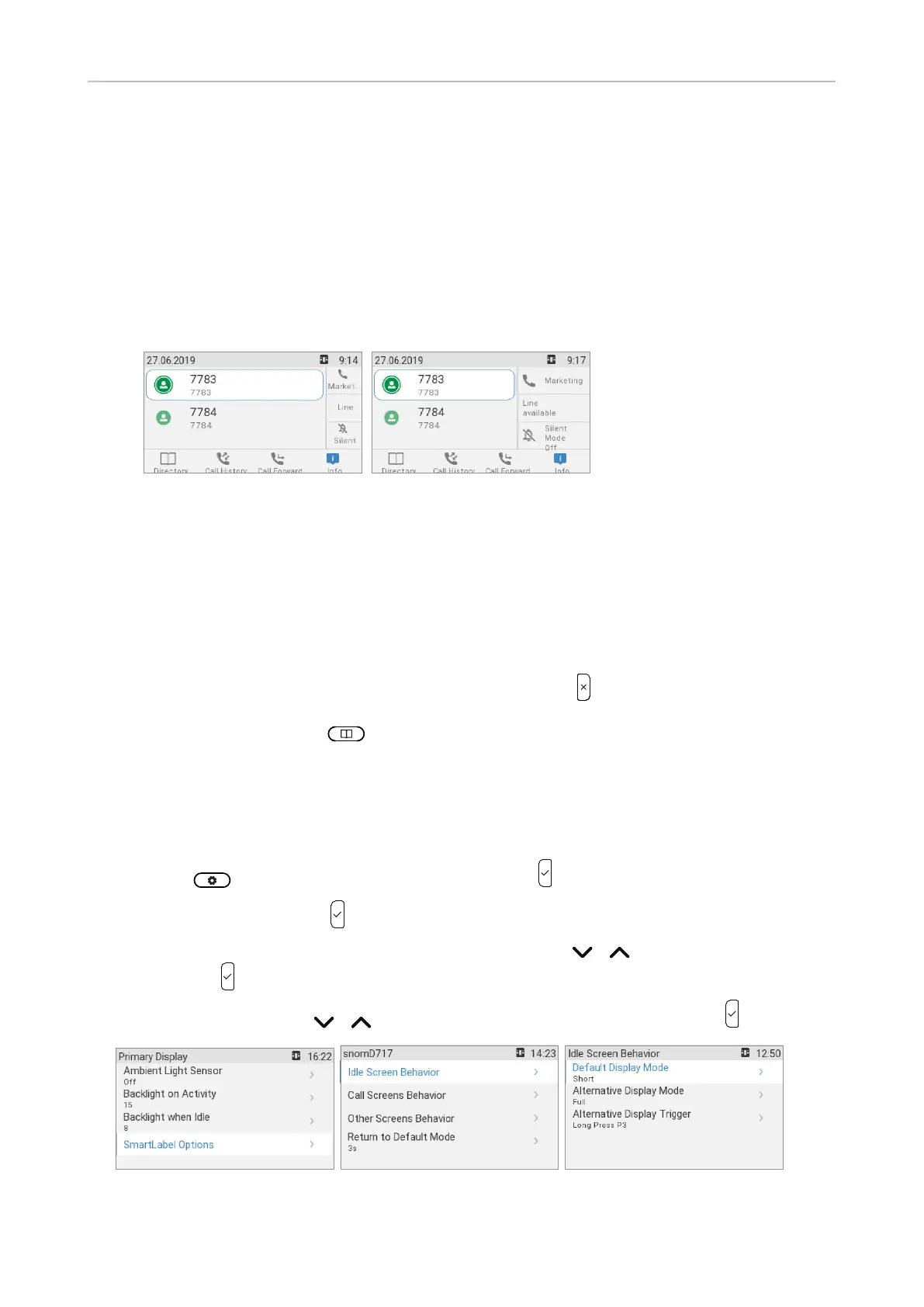
Display options for SmartLabel keys
A number of settings control the appearance of the SmartLabels on the display; they can be set on the
phone and on the phone's web interface. There are separate settings for the idle screen, call screens,
and other screens. Settings options:
◦ Default display mode and Alternative display mode. The display will revert to the default
mode after the number of seconds set in Back to default display mode have elapsed.
The factory defaults are Short label for the Default display mode, and Full label for the
Alternative display mode. You can also turn either one or both of them o.
Short label Full label
◦ Alternative display trigger. This setting defines how the appearance of the Smart Labels is
switched from the default to the alternative appearance. The default setting is long pressing
function key P3.
◦ Return/Reset to default mode timer after (sec.). This setting defines after how many seconds
the appearance of the SmartLabels will automatically return to the default. Valid values are 0
to 360 seconds, the default is 3 seconds. Entering 0 turns automatic reversion o.
Manually returning the display mode to the default: Press . The display mode will also
return to the default setting when another key is pressed, e.g., a number key to open the dial
screen, the directory key to access the phonebook, etc.
Settings on the phone
• Display mode settings
1. Select and Preferences, if necessary, and press
2. Select Display and press .
3. If any expansion modules are connected to the phone, use / to select Primary display
and press .
4. Use the navigation key / to select SmartLabel options (Fig. 1) and press .
Fig. 1 Fig. 2 Fig. 3



 To Next Page