85
D717 User Manual Configuring the Function Keys
5. Select Idle Screen Behavior (Fig. 2), Call Screen Behavior, or Other Screens Behavior and press
to open the screen behavior menu (Fig. 3). The default settings are indicated in bold italic in
the following table. The available options for the three dierent screens are:
Idle screen Call screens Other screens
Default display mode O O -
Short Short
-
Full - -
Alternative display
mode
Short Short -
Full Full
-
Alternative mode
trigger
O O
O
Short-press P3 Short-press P3 Short-press P3
Long-press P3 Long-press P3 Long-press P3
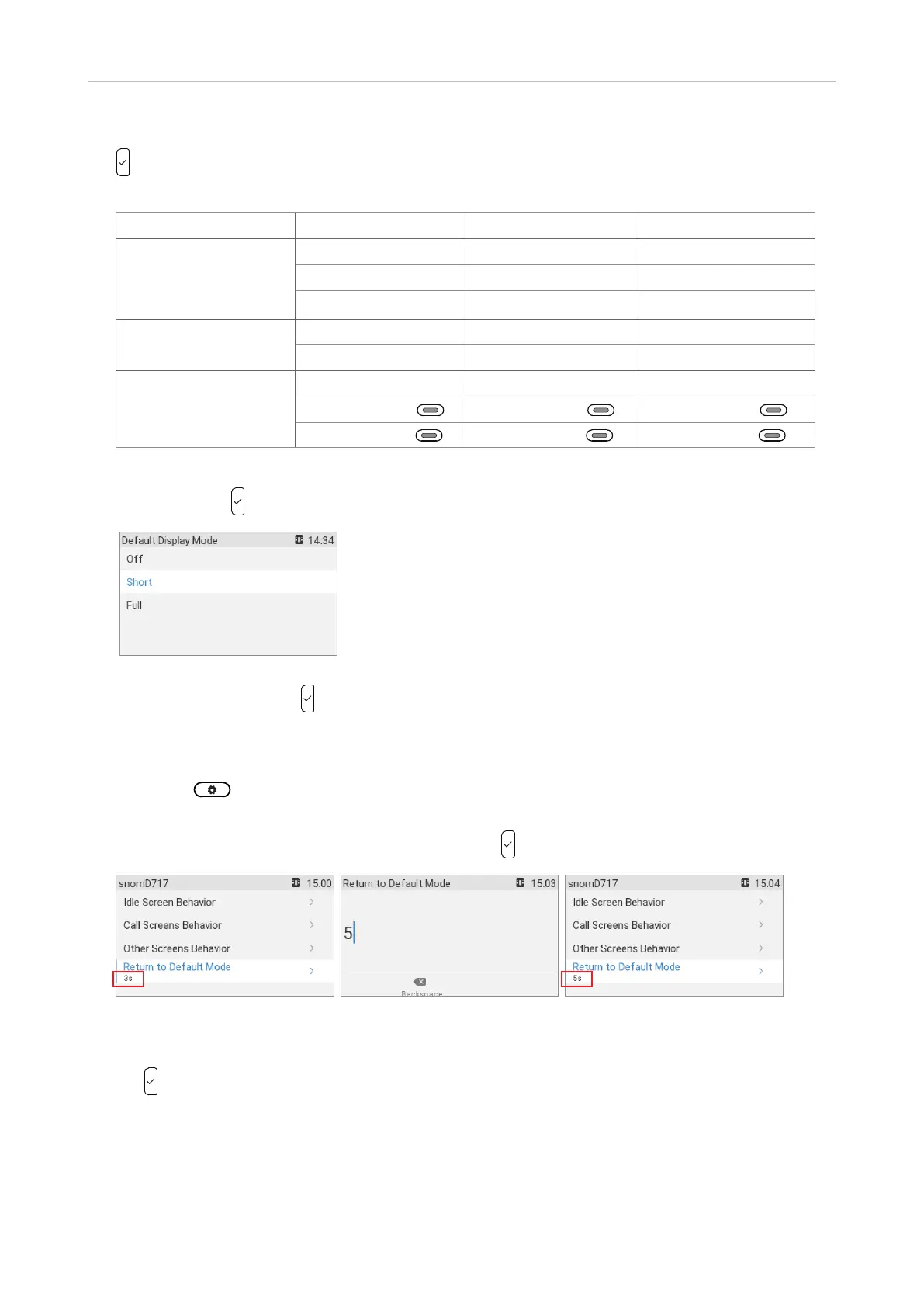
6. The configuration of the settings for all screens is done the same way: With the display mode
selected, press to open the display mode menu (Fig. 4).
Fig. 4
7. Select a mode and press to save and return to the previous screen.
• Timer setting for returning the display mode to the default
1. Select -> Preferences -> Display -> Primary display (available only when there is at
least one connected expansion module) -> SmartLabel options.
2. Select Return to default mode (Fig. 5) and press . The preset default is 3 seconds.
Fig. 5 Fig. 6 Fig. 7
3. Enter a number of seconds between 1 and 360 (Fig. 6) on the alphanumeric keypad and press
to save and return to the SmartLabel options menu (Fig. 7). The timer now shows the new
setting.
Note: If you enter 0, the SmartLabels will not revert to the default automatically. They
can be reverted manually and by rebooting the phone.



 To Next Page