76
D717 User Manual Configuring the Function Keys
7. Enter the extension number and press (Fig. 30) to save and return to the Key 1 Function menu
(Fig 31).
8. Entering a label (Short Label and Full Label) is optional. This is the data displayed on the key's
label area on the phone's display (see "SmartLabels" on page 27). If you do not enter data for
each label type, the number will be displayed in the label area instead. Select Short Label (Fig. 31,
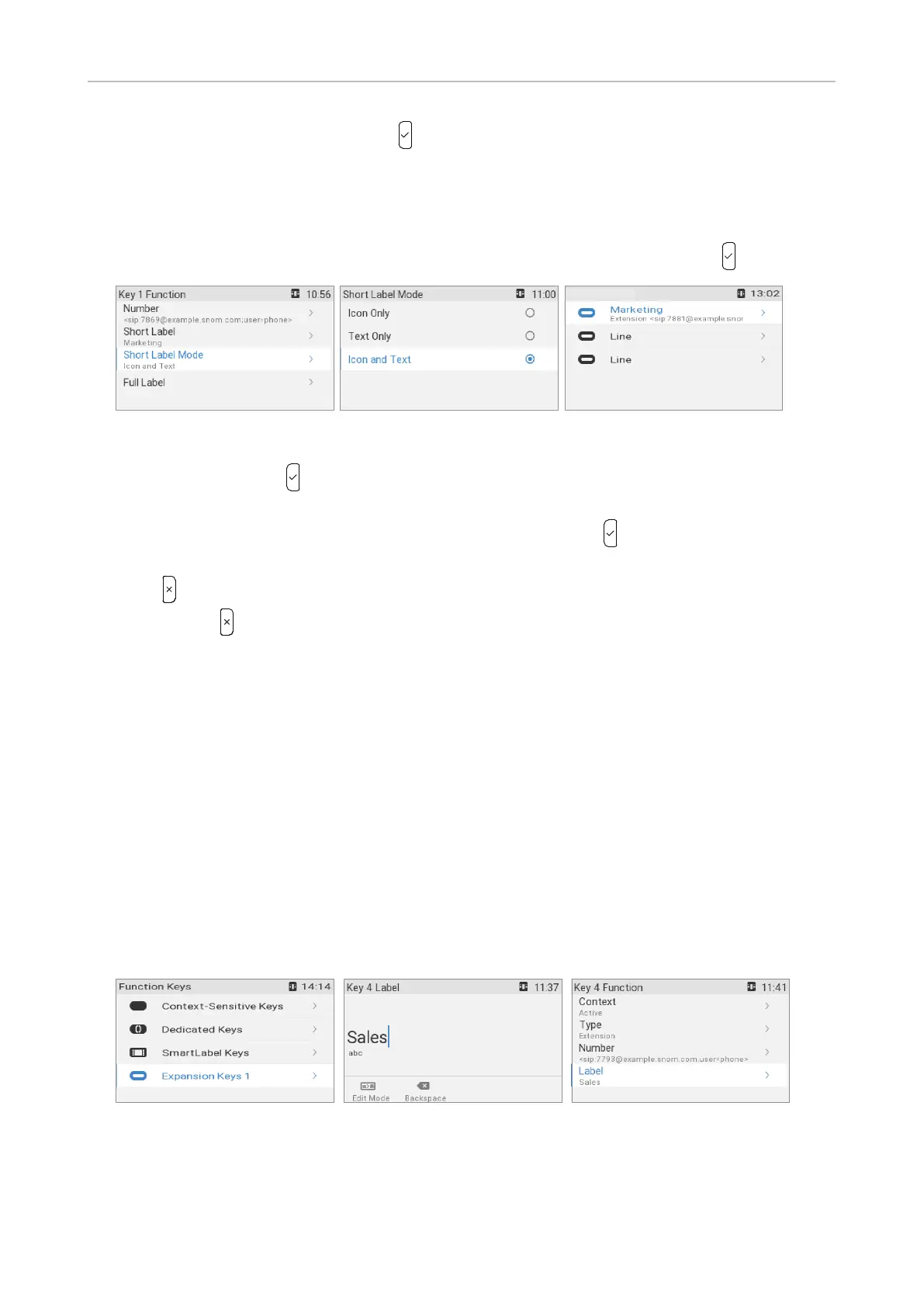
above) and/or Full Label, enter a name or other descriptive text (Fig. 32), and press .
Fig. 33 Fig. 34 Fig. 35
9. In the Key 1 Function menu, select a mode for Short Label Mode and Full Label Mode (Fig. 33),
respectively, and press . The defult is icon nd text; you cn lso select text only - see "Short/
Full Lbel Mode (phone)" on pge for more informtion.
10. To change the label mode, select the menu item (Fig. 34) and press to save and return to the Key
1 Function menu (Fig. 33).
11. Press briefly to return to the SmartLabel keys menu (Fig. 35) which now shows the new
setting; press for 3 seconds to return to the idle screen.
The top LED key to the right of the display can now be used to dial the extension by briefly pressing
the key and to pick up calls ringing on the extension; the LED will indicate the call status of the
extension, i.e., idle, ringing, and in call. See "Example 1, Extension monitoring and call pick-up" on
page 80 for more information on how to configure and use extension monitoring.
Expansion module keys
1. If a D7 expansion module is connected to the phone, select Expansion keys 1 (Fig. 22 on the
preceding page) (or Expansion 2 or 3, if there are two or three modules connected to the phone).
In the phone menu, the keys are numbered consecutively from 1 to 57:
◦ SmartLabel keys on the phone: keys 1–3
◦ First D7 in daisy chain: keys 4–21
◦ Second D7 in daisy chain: keys 22–39
◦ Third D7 in daisy chain: keys 40–57
Fig. 36 Fig. 37 Fig. 38
2. Continue as described in steps 2–7 of "SmartLabel keys" on page 75.
3. Entering a Label is optional. This is the data displayed on the key's label area on the expansion
module's display. If you do not enter data in this text field, the extension number or the function
SmartLabel keys



 To Next Page