Lunap.
iuj
t
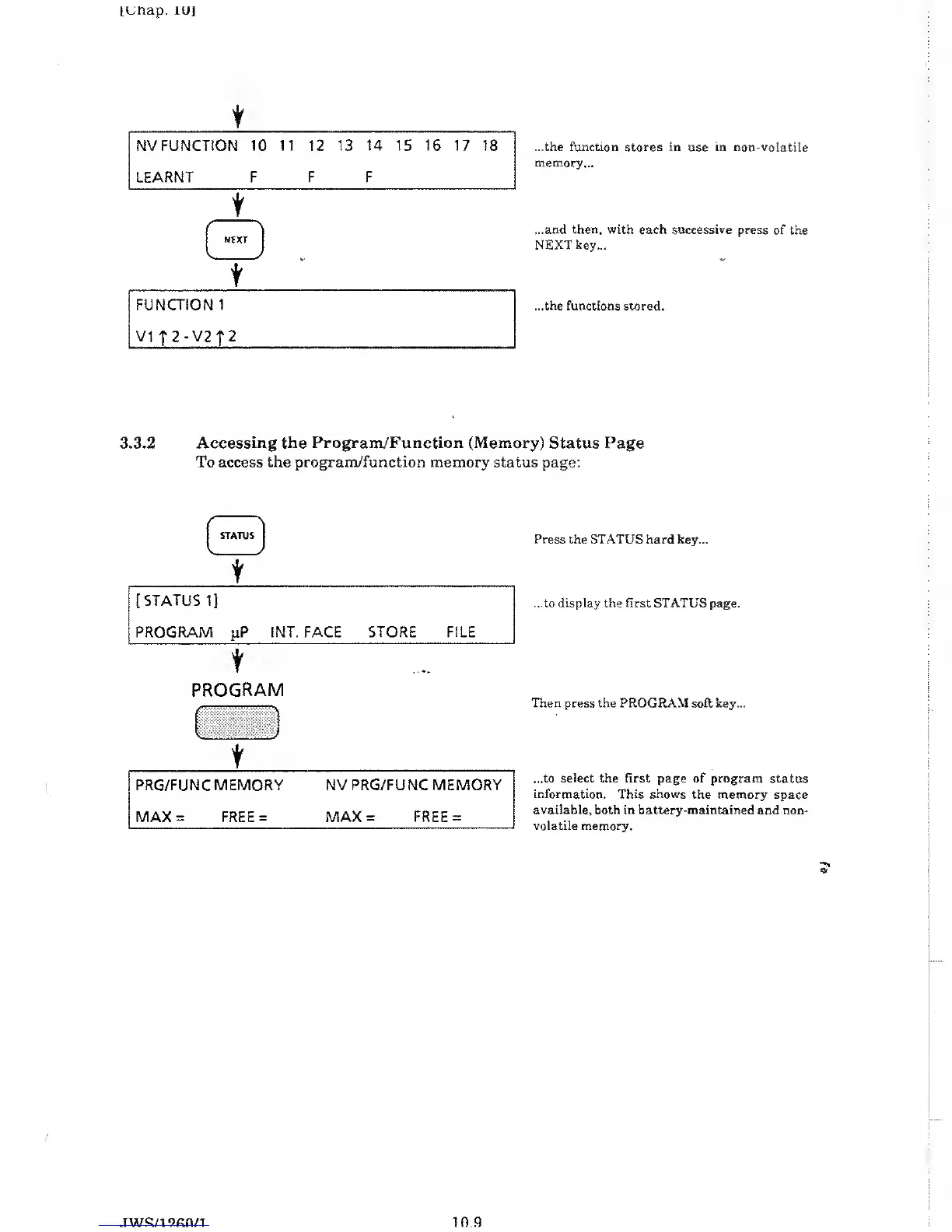
...the function stores in use in non-voiatiie
memory...
...and then, with each successive
press of the
NEXT key...
...the functions stored.
3.3.2
Accessing the Program/Function (Memory)
Status Page
To access the
program/function memory
status page:
t
Press
the STATUS hard key...
...to display the first STATUS page.
PROGRAM
t
PRG/FUNC MEMORY NV
PRG/FUNC
MEMORY
MAX
=
FREE
=
MAX
=
FREE
=
Then
press the PROGRAM soft key...
...to
select
the first page of program status
information. This shows the memory
space
available, both in battery-maintained
and non-
volatile
memory.
10.9



 To Next Page