4-58
BVW-55 P2
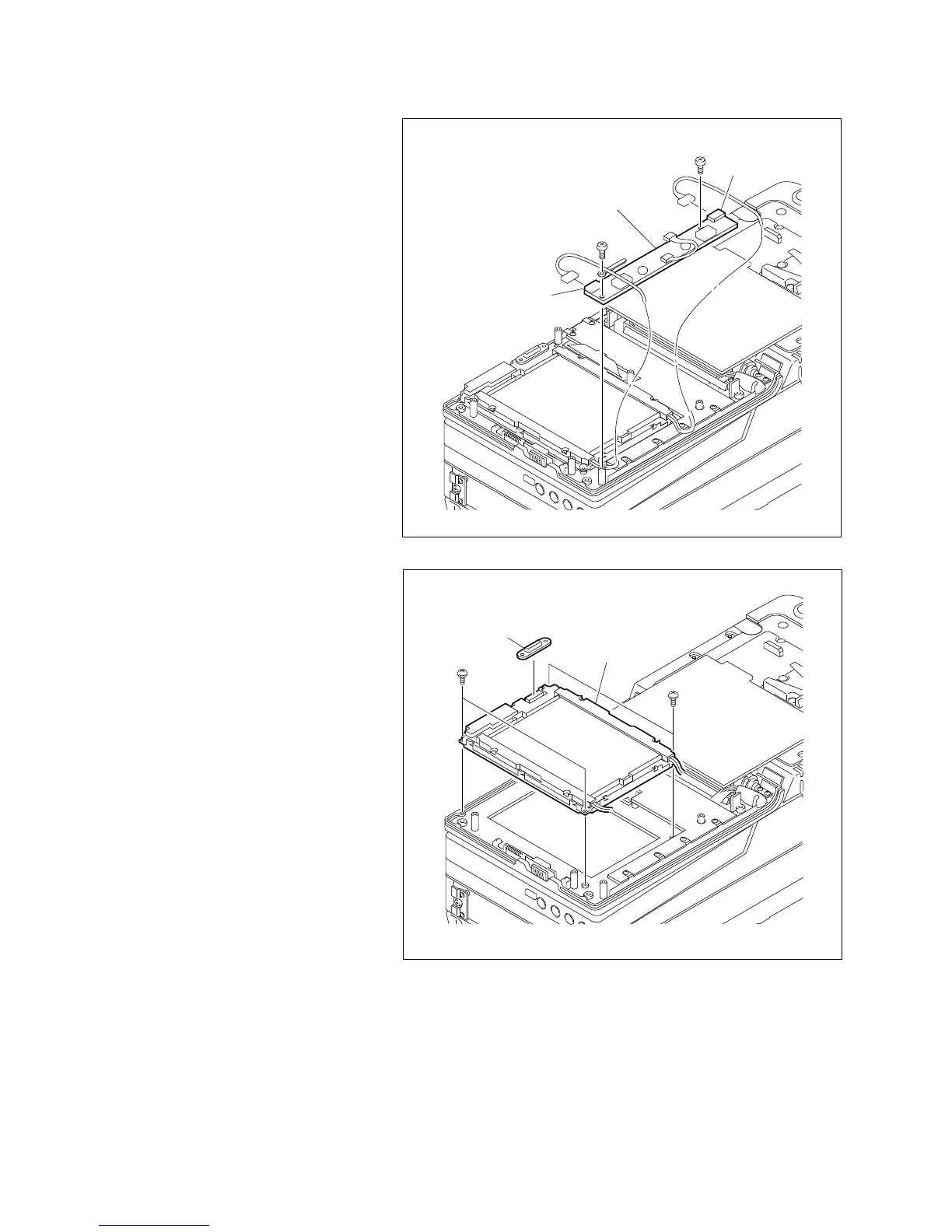
B2 x 4
CN3
B2 x 4
CN2
Inverter board
B2 x 4
B2 x 4
CN-1541 board
LCD monitor
2. Inverter board removal
(1) Remove the two screws, then remove the
inverter board.
(2) Disconnect the two harness connectors of the
backlights connected to CN2 and CN3 on the
inverter board.
4-17-2. LCD Monitor Replacement
3. LCD monitor removal
(1) Disconnect the CN-1541 board from the
LCD monitor.
To re-use the CN-1541 board, be careful not
to lose this board.
(2) Remove the four screws to remove the LCD
monitor.
4. LCD monitor installation
(1) Install a new LCD monitor with the four
screws.
(2) Connect the connector CN1 (A side) of the
CN-1541 board to the LCD monitor.






 To Next Page