10.White Balance Check
Subject Clear chart
(Color reproduction adjustment frame)
Filter Filter C14 for color temperature
correction
ND filter 1.0 and 0.4 and 0.1
Measurement Point Video output terminal
Measuring Instrument Vectorscope
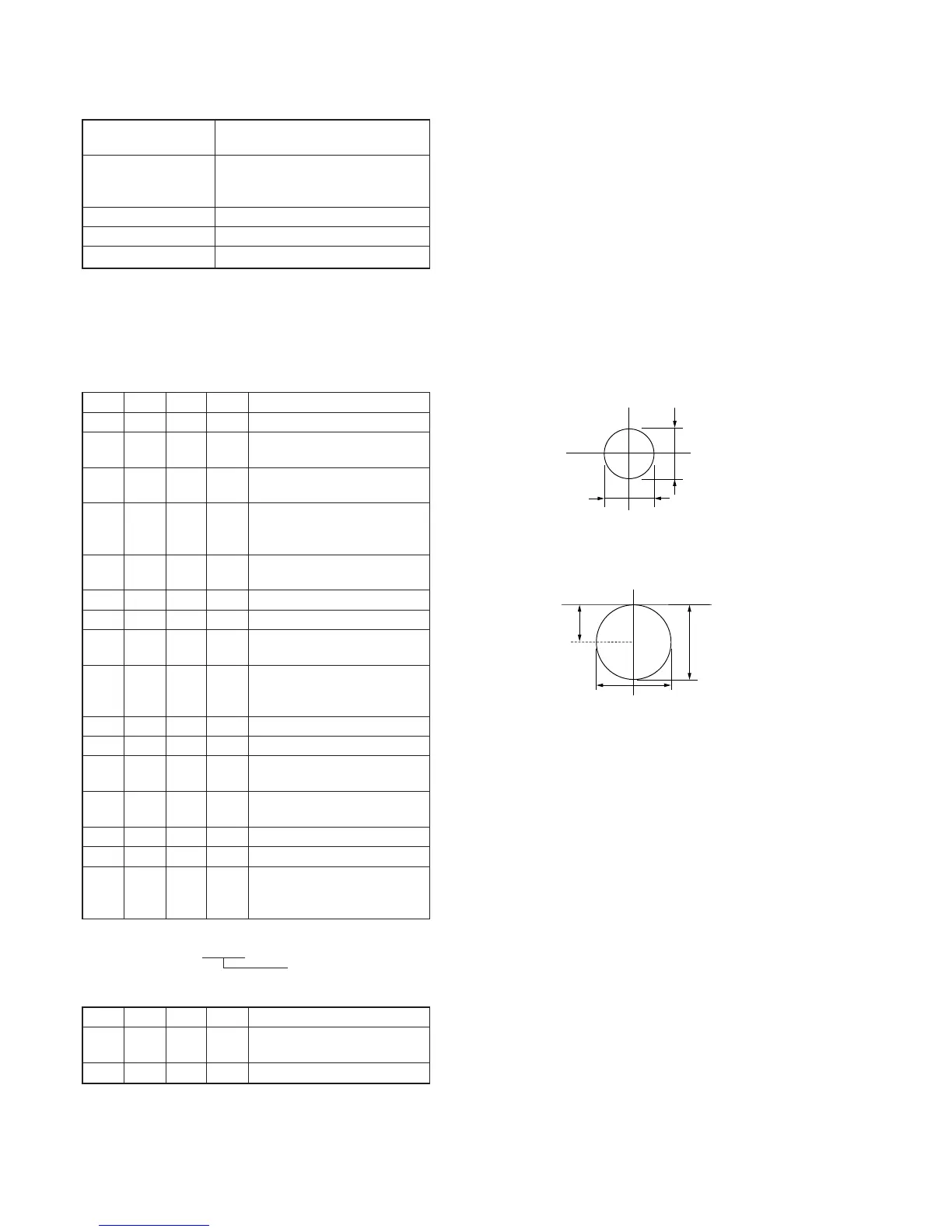
Specified Value Fig. 5-1-13. A to B
Switch setting:
1) NIGHT SHOT (Lens block) ............................................OFF
2) DIGITAL ZOOM (Menu display) ...................................OFF
3) STEADY SHOT (Menu display) .....................................OFF
4) LIGHT (FK-1000 block)..................................................OFF
Checking method:
Order Page
Address
Data Procedure
Indoor white balance check
1 Check that the lens is not
covered with either filter.
2 6 01 0F Set the data, and press PAUSE
button.
3 Check that the center of the white
luminance point is within the
circle shown Fig. 5-1-13. A.
4 6 01 00 Set the data, and press PAUSE
button.
Outdoor white balance check
5 Place the C14 filter on the lens.
6 6 01 3F Set the data, and press PAUSE
button.
7 Check that the center of the white
luminance point is within the
circle shown Fig. 5-1-13. B.
8 Remove the C14 filter.
LV data check
9 Place the ND filter 1.5
(1.0+0.1+0.4) on the lens.
10 6 01 0F Set the data, and press PAUSE
button.
11 Wait for 2 sec.
12 0 03 06 Set the data.
13 1
Check that the display data (Note)
satisfies the specified value.
Specified value: 0000 to 0BC0
Note: Displayed data of the adjustment remote commander.
1 : XX : XX
Display data
Processing after Completing Adjustments
Order Page
Address
Data Procedure
1 6 01 00 Set the data, and press PAUSE
button.
2 0 03 00 Set the data.










 To Next Page