5-56
7. Switch check (4)
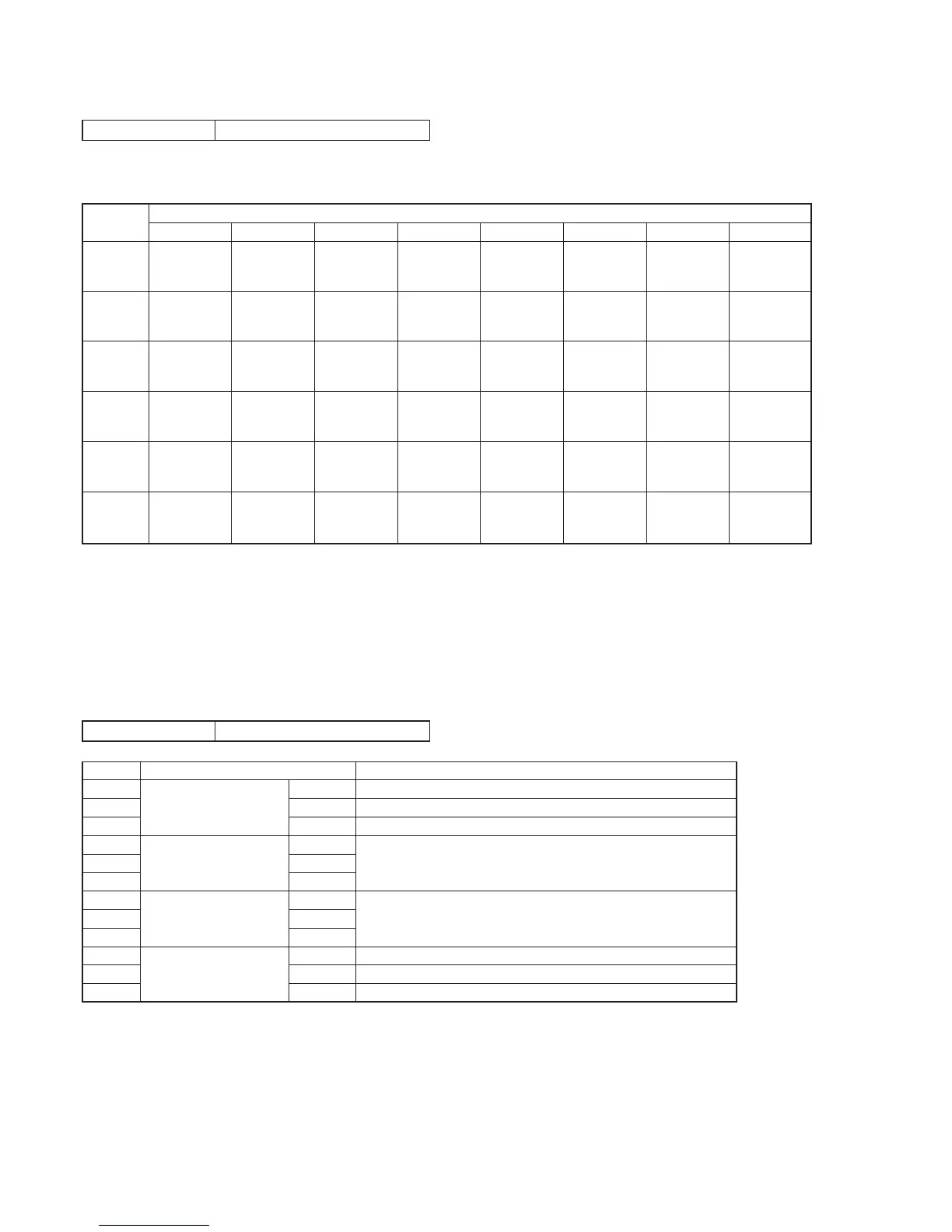
Page 2 Address 60 to 65
Using method:
1) Select page: 2, address: 60 to 65.
2) By discriminating the display data, the pressed key can be discriminated.
*1: LASER LINK model (CCD-TRV98)
*2: Video light model (CCD-TR618/TR618E/TR718E/TR728E/TR818/TRV49/TRV49E/TRV58/TRV58E/TRV59E/TRV68/TRV78/
TRV78E/TRV88/TRV98/TRV98E)
*3: TRV model (CCD-TRV49/TRV49E/TRV58/TRV58E/TRV59E/TRV68/TRV78/TRV78E/TRV88/TRV98/TRV98E)
*4: CF-1000 block: TRV model
CF-077 board: TR model
8. Record of Use check
Note: When replacing the drum assembly, initialize the data of address: A2 to A4.
When replacing the video light, initialize the data of address: E0 to E2.
Page 2 Address A2 to AA, E0 to E2
Using method:
1) The record of use data is displayed at page: 2, addresses: A2 to AA and E0 to E2.
Note: This data will be erased (reset) when the cabinet (R) assembly (VC-251 board CN709 (24P)) is removed.
Initializing method:
1) Using the adjustment remote commander, select the object address and set data: 00.
Address
60
(KEY AD0)
(IC4803 od)
61
(KEY AD1)
(IC4803 of)
62
(KEY AD2)
(IC4803 og)
63
(KEY AD3)
(IC4803 oh)
64
(KEY AD4)
(IC4803 oj)
65
(KEY AD5)
(IC4803 ok)
00 to 0C
SUPER
LASER LINK
(FK-1000) *1
MENU
(CF-077 S002)
(CF-1000) *4
TIME
(CF-077 S003)
(CF-1000) *4
PANEL
REVERSE
(PR-10500) *3
0D to 24
LIGHT
(FK-1000)
*2
EXPOSURE
(CF-077 S004)
(CF-1000) *4
DATA
(CF-077 S005)
(CF-1000) *4
25 to 3F
STOP
(FK-1000)
PAUSE
(FK-1000)
MENU EXECUTE
(CF-077 S006)
(CF-1000) *4
END SEARCH
(CF-1000)
*4
40 to 5D
FF
(FK-1000)
REW
(FK-1000)
TITLE
(CF-077 S007)
(CF-1000) *4
DISPLAY
(CF-1000)
*4
5E to 81
PLAY
(FK-1000)
VOLUME +
(CF-1000)
*4
82 to AA
VOLUME –
(CF-1000)
*4
COUNTER RESET
(CF-077 S008)
(CF-1000) *4
FADER
(CF-077 S011)
(CF-1000) *4
Data
AB to D7
BACKLIGHT
(CF-077 S009)
(CF-1000) *4
PANEL
CLOSE
(S902) *3
FOCUS
(CF-077 S010)
(CF-1000) *4
D8 to FF
No key input
No key input
No key input
PANEL
OPEN
(S902) *3
No key input
PANEL
NORMAL
(PR-10500) *3
Address
A2
A3
A4
A5
A6
A7
A8
A9
AA
E0
E1
E2
Function
Drum rotation Hour (H)
counted time Hour (L)
(BCD code) Minutes
User initial power Year
on date Month
(BCD code) Day
Final condensation Year
occurrence date Month
(BCD code) Day
Video light Hour (H)
counted time Hour (L)
(BCD code) Minutes
Remarks
1000th place digit and 100th place digit of counted time (decimal digit)
10th place digit and 1st place digit of counted time (decimal digit)
After setting the clock, set the date of power on next
1000th place digit and 100th place digit of counted time (decimal digit)
10th place digit and 1st place digit of counted time (decimal digit)










 To Next Page