5-46
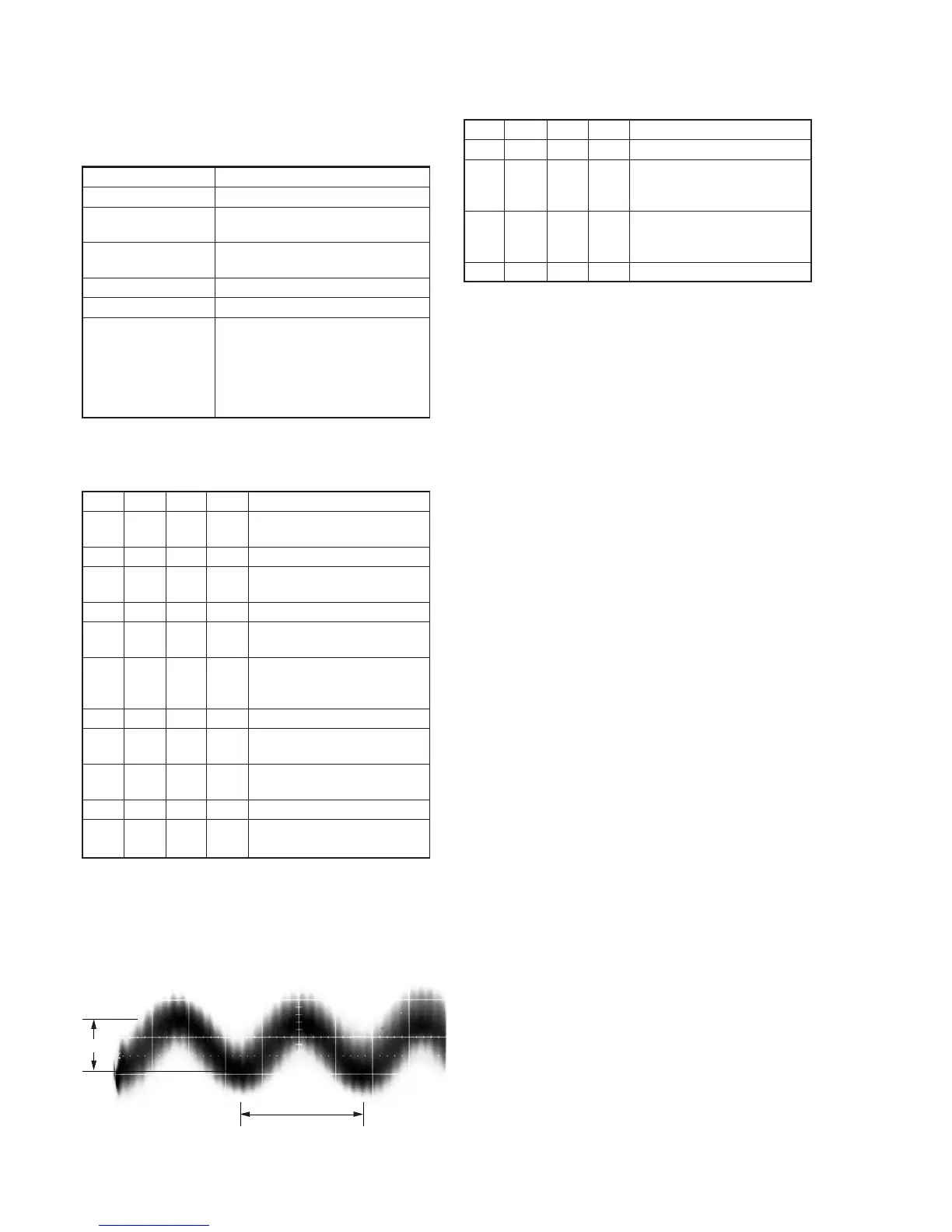
A
0.67
µ
sec
Center of the luminance line width
Fig. 5-3-11.
7-3. REC AFM Current Adjustment (VC-251 board)
Set the recording levels of the REC AFM signal. If the level is too
low, the audio S/N will be deteriorated. If too high, color beets will
be produced on the self-recording / playback image.
Mode VTR recording (SP mode)
Signal No signal
Measurement Point REC RF (Pin qg of CN713 or Pin qg
of CPC connector of FP-262 flexible)
Measuring Instrument Oscilloscope
(20 MHz BW LIMIT: OFF)
Adjustment Page F
Adjustment Address 71
Specified Value NTSC model:
A= (REC Chroma signal level) × 0.292
± 0.9mV (Note)
PAL model:
A= (REC Chroma signal level) × 0.309
± 0.9mV (Note)
Note1: REC chroma signal level is written down at step 9 of “REC C
Current Check”.
Adjusting method:
Order Page
Address
Data Procedure
1 Insert a Hi8 ME tape, and set to
recording mode. (Note2)
2 0 01 01 Set the data.
3 2 01 41 Set the data, and press PAUSE
button.
4 E FB Write down the data.
5 E FB 07 Set the data, and press PAUSE
button.
6 F 71 Change the data and set the REC
AFM signal level (A) to the
specified value.
7 F 71 Press PAUSE button.
8 E FB Set the data written down at step
4, and press PAUSE button.
9 2 01 00 Set the data, and press PAUSE
button.
10 0 01 00 Set the data.
11 Perform “Processing after
completed adjustment”.
Note2: Use the REC buttons of the adjustment remote commander (with
the HOLD switch set in the OFF position).
7-4. Processing after completed adjustment
Order Page
Address
Data Procedure
1 0 01 01 Set the data.
2 D 14 Set the data written down at step
2 of “7-1. Preparations”, and
press PAUSE button.
3 D 15 Set the data written down at step
4 of “7-1. Preparations”, and
press PAUSE button.
4 0 01 00 Set the data.










 To Next Page