— 8 —
SERVICE NOTE
1. POWER SUPPLY DURING REPAIRS
In this unit, about 10 seconds after power is supplied (8.4V) to the
battery terminal using the service power cord (J-6082-223-A), the
power is shut off so that the unit cannot operate.
This following method is available to prevent this.
Method:
Use the DC IN terminal. (Use the AC power adaptor.)
7
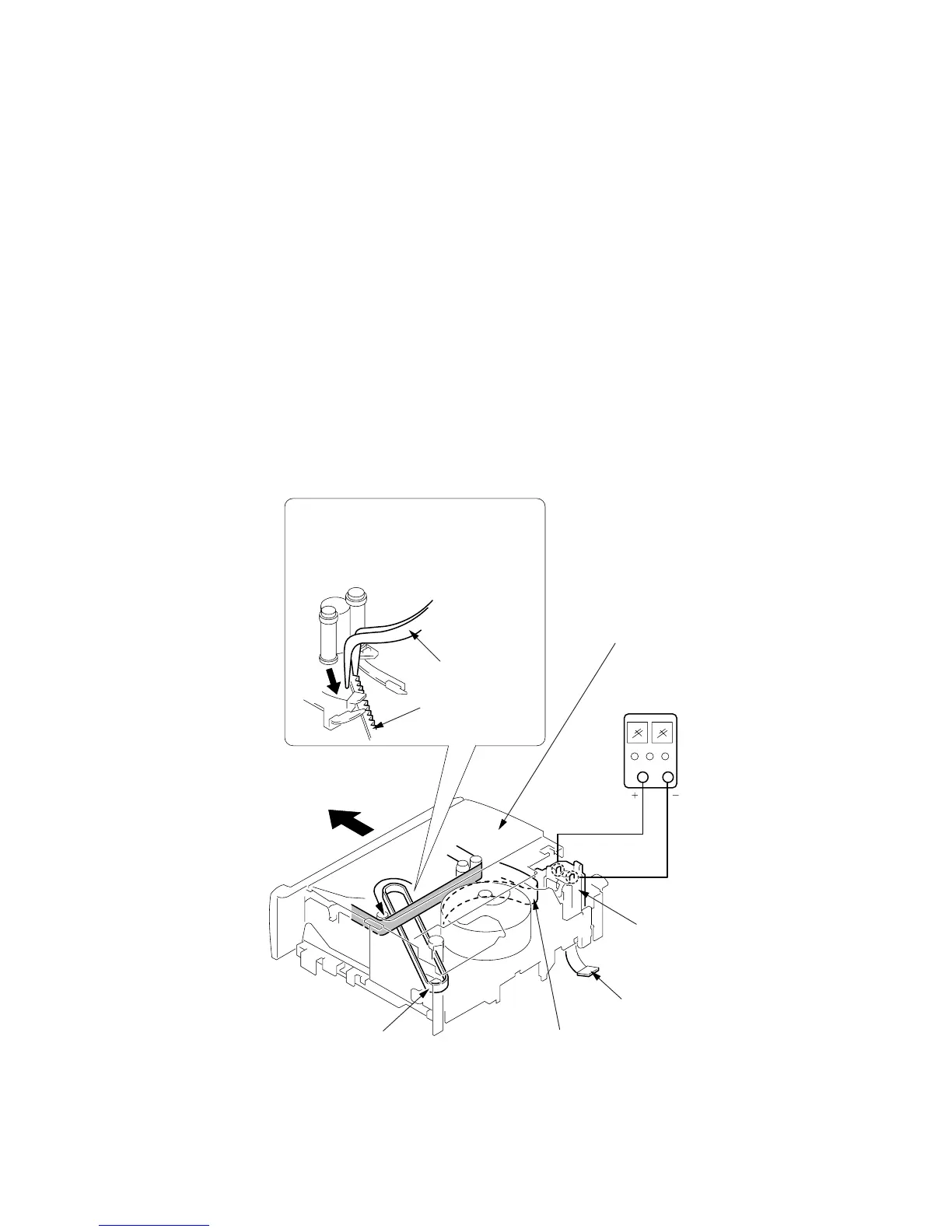
Pull the timing belt in the direction of
arrow
A
with a pincette while pressing
the cassette compartment (take care
not to damage) to adjust the bending
of a tape.
8
Let go your hold the cassette
compartment and rise the cassette
compartment to take out a cassette.
Pincette
Timing belt
Timing belt
Press the cassette compartment not to
rise the cassette compartment
[DC power supply]
(+5V)
Adjust the bending of a tape
Disconnect CN704
of VC-251 board.
Loading motor
A
A
2. TO TAKE OUT A CASSETTE WHEN NOT EJECT (FORCE EJECT)
1 Refer to 2-3. to remove the front panel assembly.
2 Refer to 2-5 (TR model). or 2-6 (TRV model). to remove the
cabinet (R) assembly.
3 Open the control switch block (FK-1000).
4 Refer to 2-4. to remove the cabinet (L) assembly.
5 Disconnect CN704 (8P) of VC-251 board.
6 Add +5V from the DC POWER SUPPLY and unload with a
pressing the cassette compartment.










 To Next Page