5-24
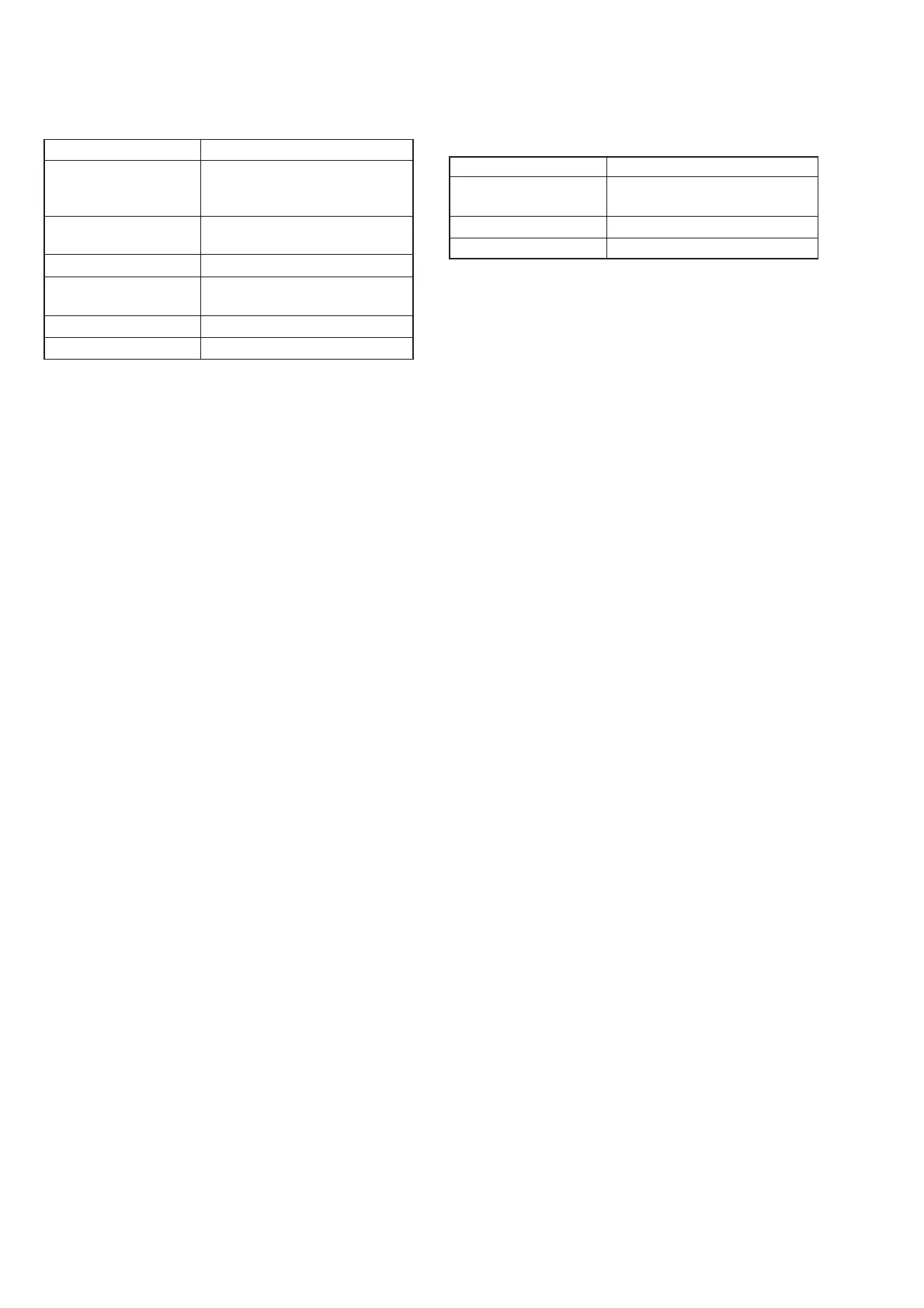
18.Strobe White Balance Adjustment
Adjust the white balance when the strobe light flashed.
Mode STILL
Subject Flash adjustment box (Note 5)
(1.0 m from the front of lens)
Adjustment Page F
Adjustment Address 4D, 4E, 68, 69, 6A, 6B
Note 1: Perform “HALL Adjustment”, “Flange Back Adjust-
ment”, “Light Level Adjustment” and “Auto White Bal-
ance Adjustment” before this adjustment.
Note 2: Perform this adjustment in the Flash adjustment box.
Note 3: Any light other than the strobe light should not light up
the plate.
Note 4: Check that the data of page: 6, address: 02 is “00”.
If not, turn the power of unit OFF/ON.
Note 5: Refer to “4. Preparing the Flash Adjustment Box” (See
page 5-8).
Adjusting method:
1) Select page: 0, address: 01, and set data: 01.
2) Select page: E, address: 52, after noting down the data, set
data: 1B, and press the PAUSE button of the adjusting remote
commander.
3) Select page: 6, address: 10, and set data: 58.
4) Select page: 6, address: 90, and set data: 00.
5) Select page: 6, address: 91, and set data: 00.
6) Select page: 6, address: 92, and set data: 00.
7) Select page: 6, address: 93, and set data: 60.
8) Select page: 6, address: 2C, and set data: 01.
9) Select page: 6, address: 01, set data: 79, and press the PAUSE
button of the adjusting remote commander.
10) Select page: 6, address: 01, set data: B9, and press the PAUSE
button of the adjusting remote commander.
(The strobe white balance adjustment is performed and the
adjustment data is stored in page: F, address: 4D, 4E, 68, 69,
6A and 6B)
11) Select page: 6, address: 02, and check that the data is “01”.
Processing after Completing Adjustments:
1) Select page: 6, address: 01, set data: 00, and press the PAUSE
button of the adjusting remote commander.
2) Select page: 6, address: 2C, and set data: 00.
3) Select page: 6, address: 93, and set data: 00.
4) Select page: 6, address: 10, and set data: 00.
5) Select page: E, address: 52, set data noted down at step 2) and
press the PAUSE button of the adjusting remote commander.
6) Select page: 0, address: 01, and set data: 00.
17.White Balance Check (FD88)
Mode STILL
Subject Clear chart
(Color reproduction adjustment
frame)
Filter Filter C14 for color temperature
correction
ND filter 1.0, 0.4 and 0.1
Measurement Point Video terminal of A/V OUT jack
(75 terminated)
Measuring Instrument Vectorscope
Specified Value Fig. 5-1-20 (A) to (C)
Checking method:
1) Check that the lens is not covered with either filter.
2) Select page: 6, address: 10, and set data: 58.
3) Select page: B, address: 41, set data: 30, and press the PAUSE
button of the adjusting remote commander.
4) Select page: 6, address: 01, set data: 0F, and press the PAUSE
button of the adjusting remote commander.
5) Check that the center of the white luminance point is within
the circle shown Fig. 5-1-20 (A).
6) Select page: 6, address: 1C, set data: 03, and press the PAUSE
button of the adjusting remote commander.
7) Wait for 1 second.
8) Check that the center of the white luminance point is within
the circle shown Fig. 5-1-20 (A).
9) Select page: 6, address: 1C, set data: 00, and press the PAUSE
button of the adjusting remote commander.
10) Select page: 6, address: 01, set data: 23, and press the PAUSE
button of the adjusting remote commander.
11) Place the C14 filter on the lens.
12) Check that the center of the white luminance point settles in
the circle shown Fig. 5-1-20 (B).
13) Remove the C14 filter, and place the ND filter 1.5 (1.0 + 0.4 +
0.1) on the lens.
14) Check that the white luminance point stopped moving, and
then remove the ND filter 1.5.
15) Check that the center of the white luminance point settles within
the circle shown Fig. 5-1-20 (C).
16) Select page: 6, address: 1C, set data: 00, and press the PAUSE
button of the adjusting remote commander.
17) Place the C14 filter on the lens.
18) Check that the center of the white luminance point settles in
the circle shown Fig. 5-1-20 (B).
19) Remove the C14 filter, and place the ND filter 1.5 (1.0 + 0.4 +
0.1) on the lens.
20) Check that the white luminance point stopped moving, and
then remove the ND filter 1.5.
21) Check that the center of the white luminance point settles within
the circle shown Fig. 5-1-20 (C).
Processing after Completing Adjustments:
1) Select page: 6, address: 10, and set data: 00.
2) Select page: B, address: 41, set data: 00, and press the PAUSE
button of the adjusting remote commander.
3) Select page: 6, address: 01, set data: 00, and press the PAUSE
button of the adjusting remote commander.











 To Next Page