5-32
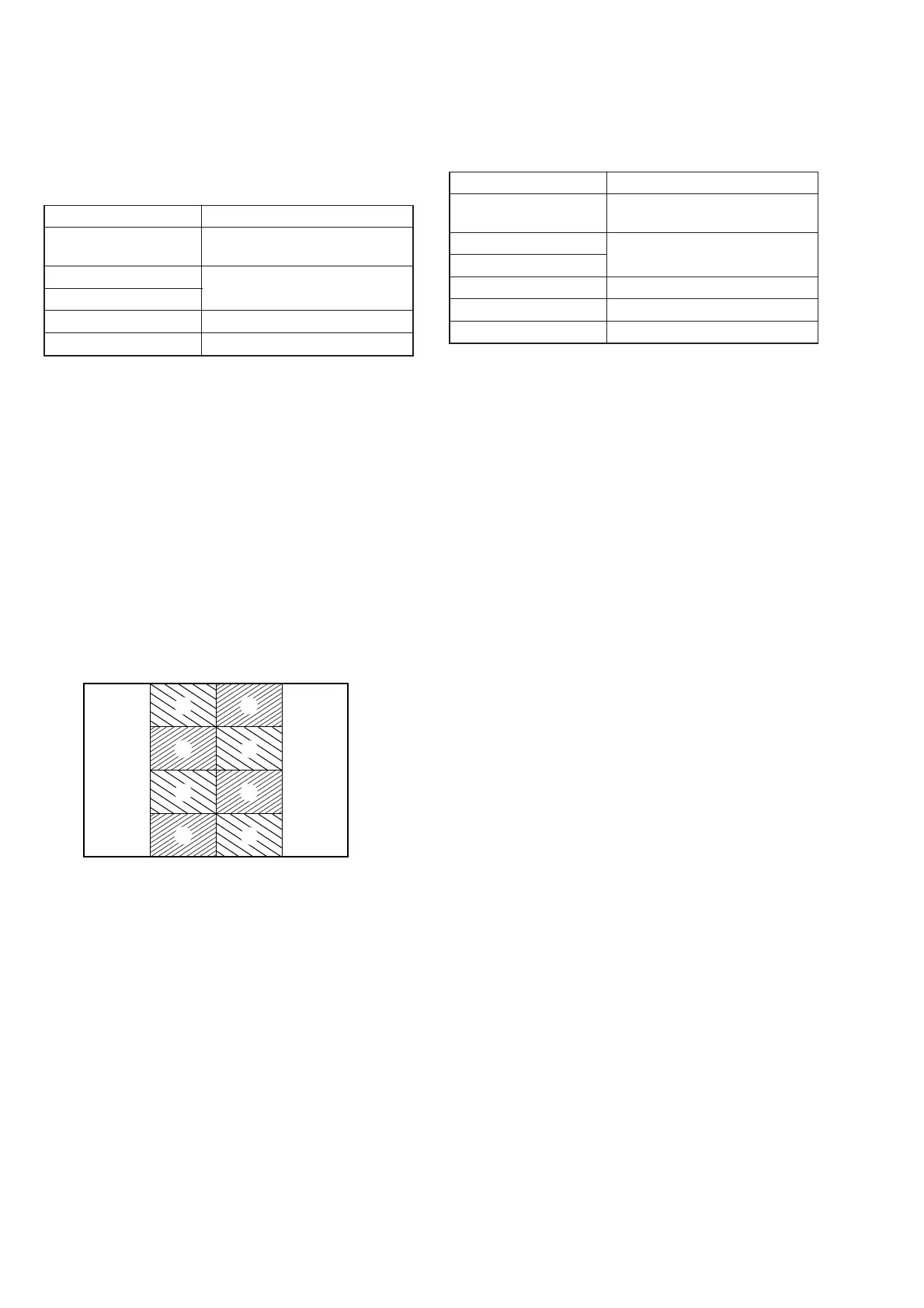
Fig. 5-1-27
A
A
A
A
B
B
B
B
9. V-COM Adjustment (PK-47/48 Board)
Set the DC bias of the common electrode drive signal of LCD to
the specified value.
If deviated, the LCD display will be move, producing flicker and
conspicuous vertical lines.
Mode PLAY
Signal V-COM adjustment signal (Test
signal)
Measurement Point Check on LCD screen
Measuring Instrument
Adjustment Page D
Adjustment Address 88
Note: Perform “Bright Adjustment” and “Contrast Adjustment”
before this adjustment.
Adjusting method:
1) Select page: 0, address: 01, and set data: 01.
2) Select page: 2, address: 06, and set data: 01.
3) Select page: 5, address: F1, and set data: 01.
4) Select page: 2, address: 10, and set data: 02.
5) Select page: D, address: 88, change the data so that brightness
of the section A and section B is equal.
6) Press the PAUSE button of the adjusting remote commander.
Processing after Completing Adjustments:
1) Select page: 5, address: F1, and set data: 00.
2) Select page: 2, address: 10, and set data: 00.
3) Select page: 2, address: 06, and set data: 00.
4) Select page: 0, address: 01, and set data: 00.
10.White Balance Adjustment (PK-47/48 Board)
Correct the white balance.
If deviated, the LCD screen color cannot be reproduced.
Mode PLAY
Signal 50 IRE (50%) white signal (Test
signal)
Measurement Point Check on LCD screen
Measuring Instrument
Adjustment Page D
Adjustment Address 82, 83
Specified Value LCD screen must not be colored
Note: Check the white balance only when replacing the follow-
ing parts.
If necessary, adjust them.
1. LCD panel
2. Light induction plate
3. IC802
Adjusting method:
1) Select page: 0, address: 01, and set data: 01.
2) Select page: 2, address: 06, and set data: 01.
3) Select page: 5, address: F1, and set data: 02.
4) Check that the LCD screen is not colored.
If colored, select page: D, addresses: 82 and 83.
then change data so that the LCD screen is not colored.
5) Press the PAUSE button of the adjusting remote commander.
Processing after Completing Adjustments:
1) Select page: 5, address: F1, and set data: 00.
2) Select page: 2, address: 06, and set data: 00.
3) Select page: 0, address: 01, and set data: 00.














 To Next Page