Version 5.2 Sourcefire 3D System Installation Guide 191
Hardware Specifications
Sourcefire 8000 Series Devices
Chapter 6
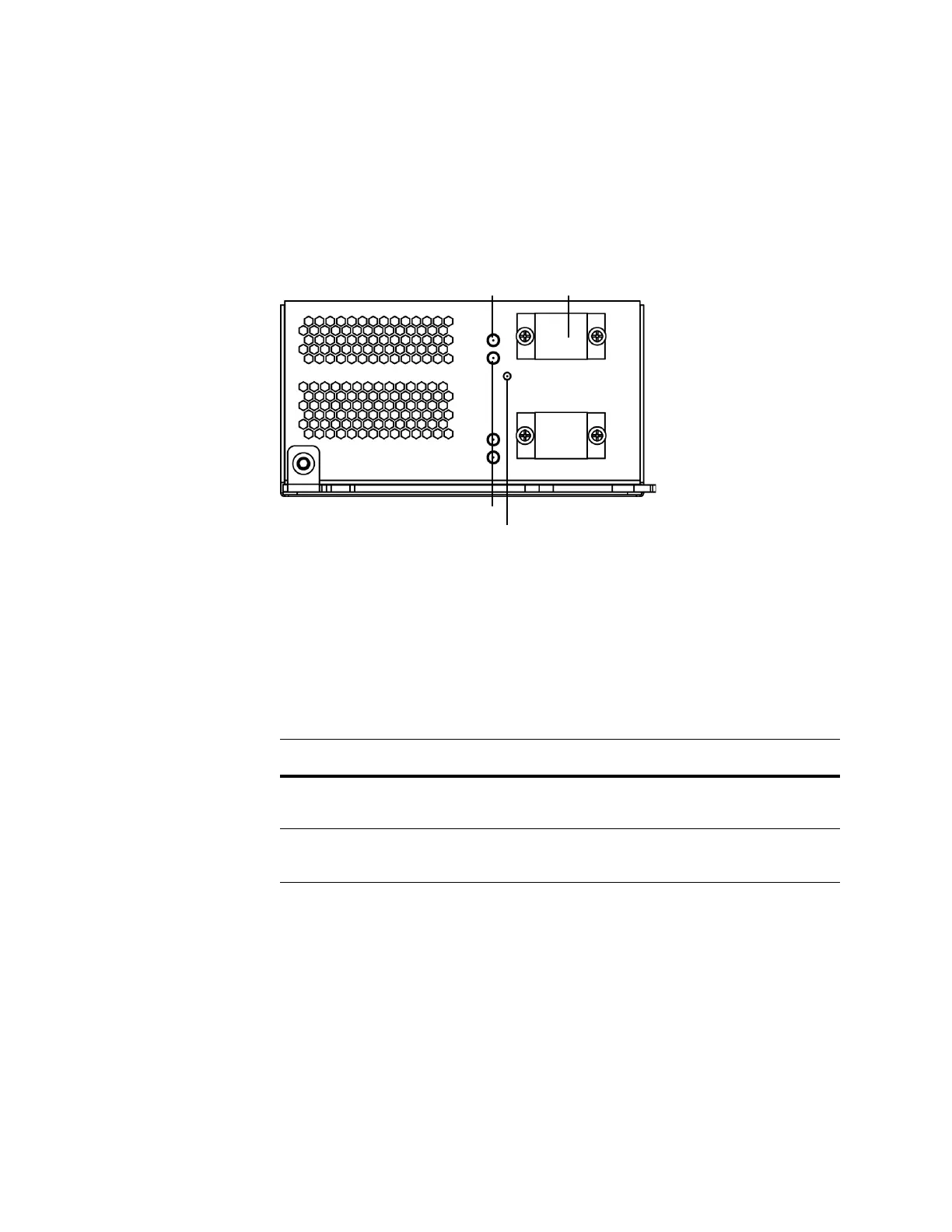
Dual-Port 40GBASE-SR4 Fiber Configurable Bypass NetMod
The dual-port 40GBASE-SR4 fiber configurable bypass NetMod contains two fiber
ports and link, activity, and bypass LEDs.
You can use the 40G NetMod only in the 3D8270/8290 or a 40G-capable
3D8250/8260. If you attempt to create a 40G interface on a device that is not
40G-capable, the 40G interface screen on its managing Defense Center web
interface displays red. A 40G-capable device displays 3D 8250-40G on the LCD
panel. See
8000 Series Modules on page 68 for placement information.
Use the Fiber Link/Activity LEDs table to understand link and activity LEDs of the
fiber interfaces.
Link LED
Activity LED
Bypass LED
Port
Fiber Link/Activity LEDs
STATUS DESCRIPTION
Top (activity) The light flashes when the interface has activity. If dark,
there is no activity.
Bottom (link) The light is on when the interface has link. If dark, there is
no link.



 To Next Page