4 Operation
Driving
Driving
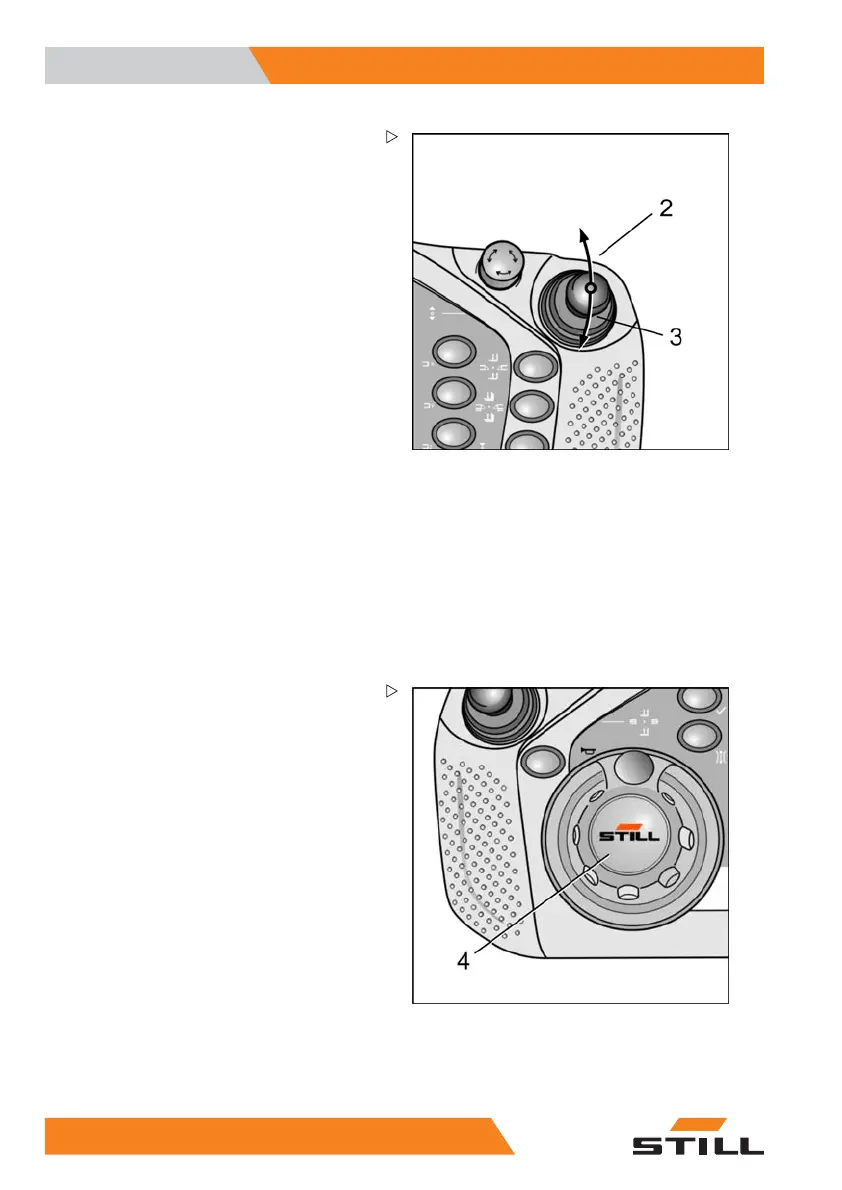
The drive direction and the driving speed are
selected using the right-hand operating lever.
Move the operating lever in th
e direction of the
fork (2) until the required dr
iving speed in the
fork direction has been reach
ed.
Move the operating lever in the direction of the
lift mast (3) until the required driving speed in
the direction of the lift mast has been reached.
If the operating lever is switched from one
drive direction directly to the other, the indus-
trial truck is braked and accelerated in the
opposite direction.
Speed
The controller limits th
e driving speed depend-
ing on the driving situat
ion and any options
installed. It is always p
ossible to have the
speed restricted by the a
uthorised service
centre, but not to increa
se it. The operator
can continuously cont
rol the speed within the
permitted area.
The authorised service centre can configure
the acceleration and braking characteristics.
Steering
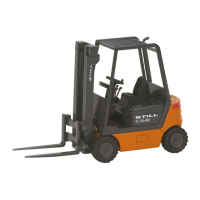
The operator's left hand is used to actuate
the steering knob (4) and thus determines the
course the truck takes. The steering knob
has a mechanical detent in the straight-ahead
position. From there, the steering knob can be
turned approx. 120° to the right and to the left.
The steering turntable rotates by 90°.
If the industrial truck is i
n a guidance (MZF
or IZF), the steering kno
bmustbeinthe
straight-ahead position.
62 5
231 804 2502 EN - 11/2017


 To Next Page