13
}
© STULZ GmbH – all rights reserved EN/06.2019/G57
C7000 INSTRUCTIONS FOR A/C UNITS
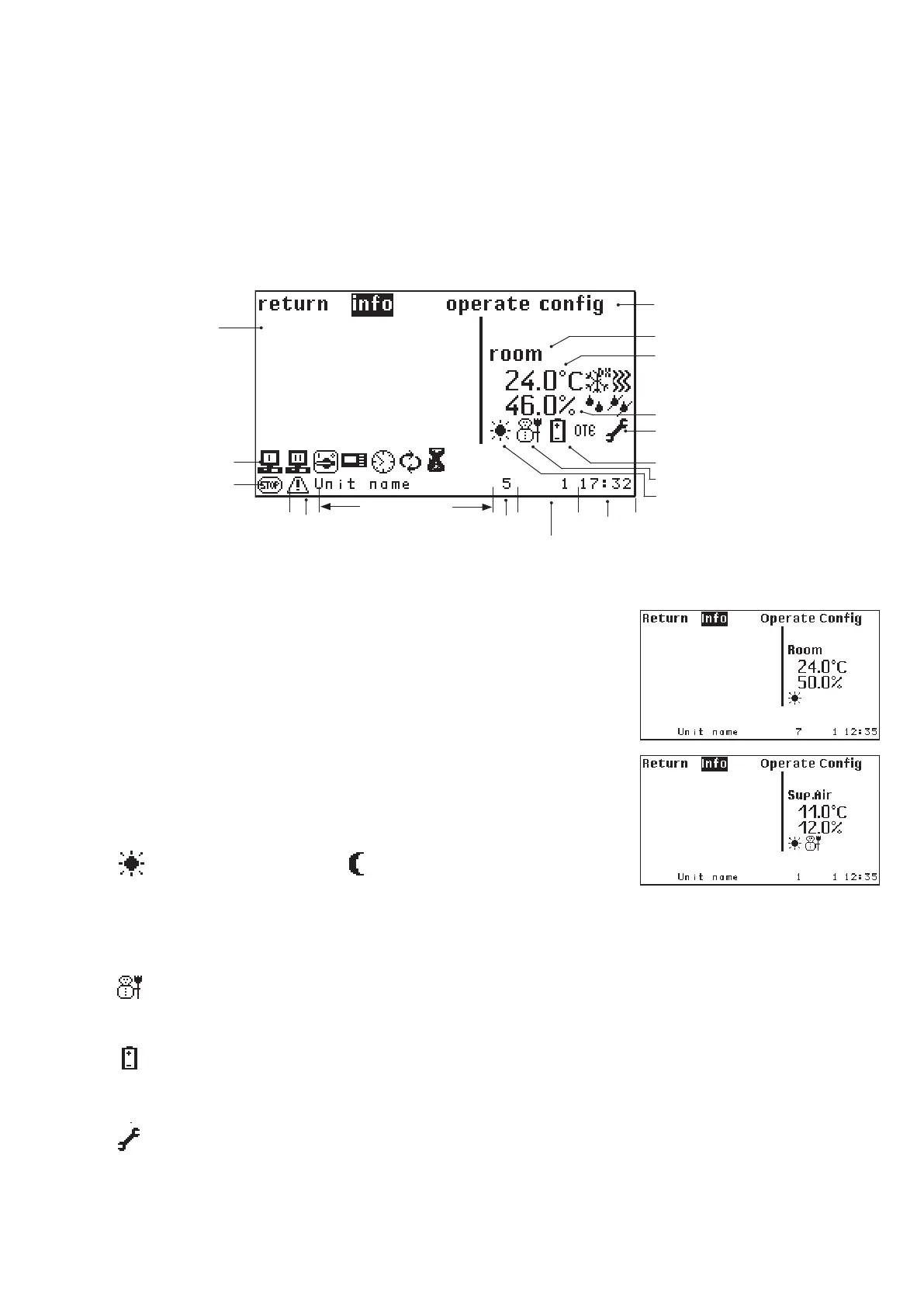
If you select a C7000IOC you will receive the main menu as shown right
with the possibility to choose one of the three submenus "Info", "Opera-
te" or "Config".
In the middle of the window the control type (Room or supply air) is dis-
played and the actual values (Room or Supply air) below.
Below the actual values a symbol indicates, whether the unit runs in day
or night operation. Day operation corresponds to operation at the first
temperature setpoint. Night operation corresponds to operation at the
second setpoint.
Day operation Night operation
Further Symbols
This symbols lights up, when the controller has switched over to
winter operation. At summer operation the symbol is not visible.
This symbols lights up, when a voltage is detected at the input for
UPS operation or if UPS operation is requested by a BMS.
This symbols lights up, when the maintenance interval which can
be adjusted in the config menu is expired.
Main menu for a C7000IOC
Alarm symbol Bus address Time
Alarm text
Stop cause
Stop symbol
Unit name
Global address
Menu line
Control mode
Temperature
Main function
Humidity
Maintenance symbol
UPS operation
Winter operation
Day/Night operation
With the third setting (password) the operate password is requested when the on/off key is pressed. Having
entered the correct password the switching operation will be executed.



 To Next Page