14 EN/06.2019/G57 © STULZ GmbH – all rights reserved
C7000 INSTRUCTIONS FOR A/C UNITS
Stop causes
The C7000IOC can be stopped by several functions or devices, which are displayed on the
C7000AT.
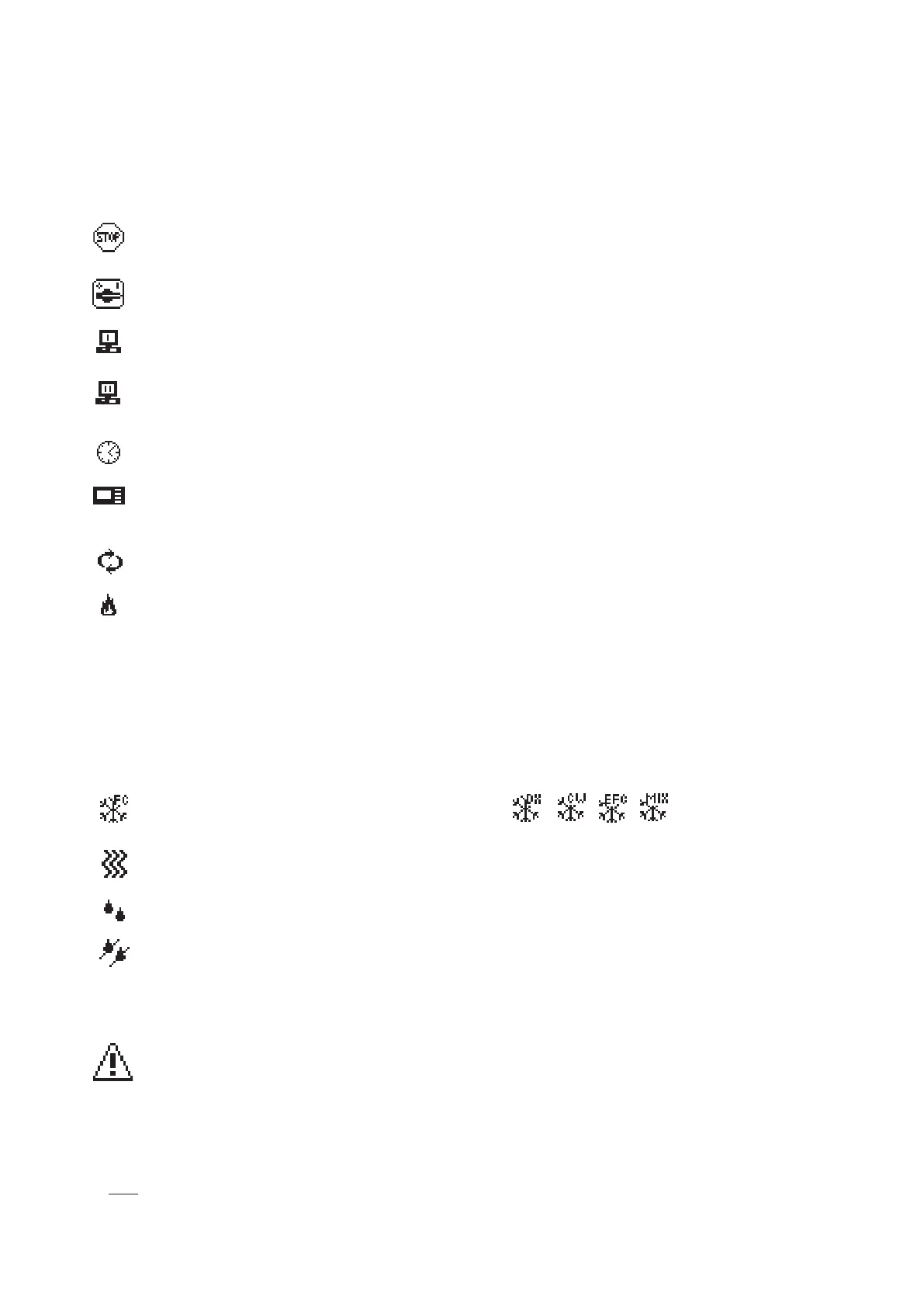
This symbol indicates, that the C7000IOC has been stopped.
The following symbols show the cause of the unit stop.
stopped by remote On/Off (remote switch connected to digital input)
stopped by BMS/WIB
stopped by WIB sequencing
(depending on the setting in the WIB)
stopped by internal timer (week program)
stopped by the on/off-key at the C7000AT or by the command "state stop" via the
C7000IOC service port.
stopped by the sequencing
stopped by fire alarm
Symbols for operating states
When the control is in operation, the following symbols indicate the unit status on the main
menu. These symbols are not displayed in the submenus.
Cooling, the cooling mode (DX, CW, FC, EFC, MIX)
is shown in the right top.
Heating
Humidification
Dehumidification
Symbols for alarm messages
When an alarm has occurred the following symbol is displayed in the left bottom corner.
Parameter values
Instead of numerical values two other displays are possible:
1. ??? - value requested at the C7000IOC, without response yet
2. XXX
- component not configured



 To Next Page