138
n
max
n
min
n
max ZDSM
EN/06.2019/G57 © STULZ GmbH – all rights reserved
C7000 INSTRUCTIONS fOR a/C UNITS
time
Setpoint
standby
unit
supply air
pressure
on
off
fan speed
SAPSM delay
SAPSM delay
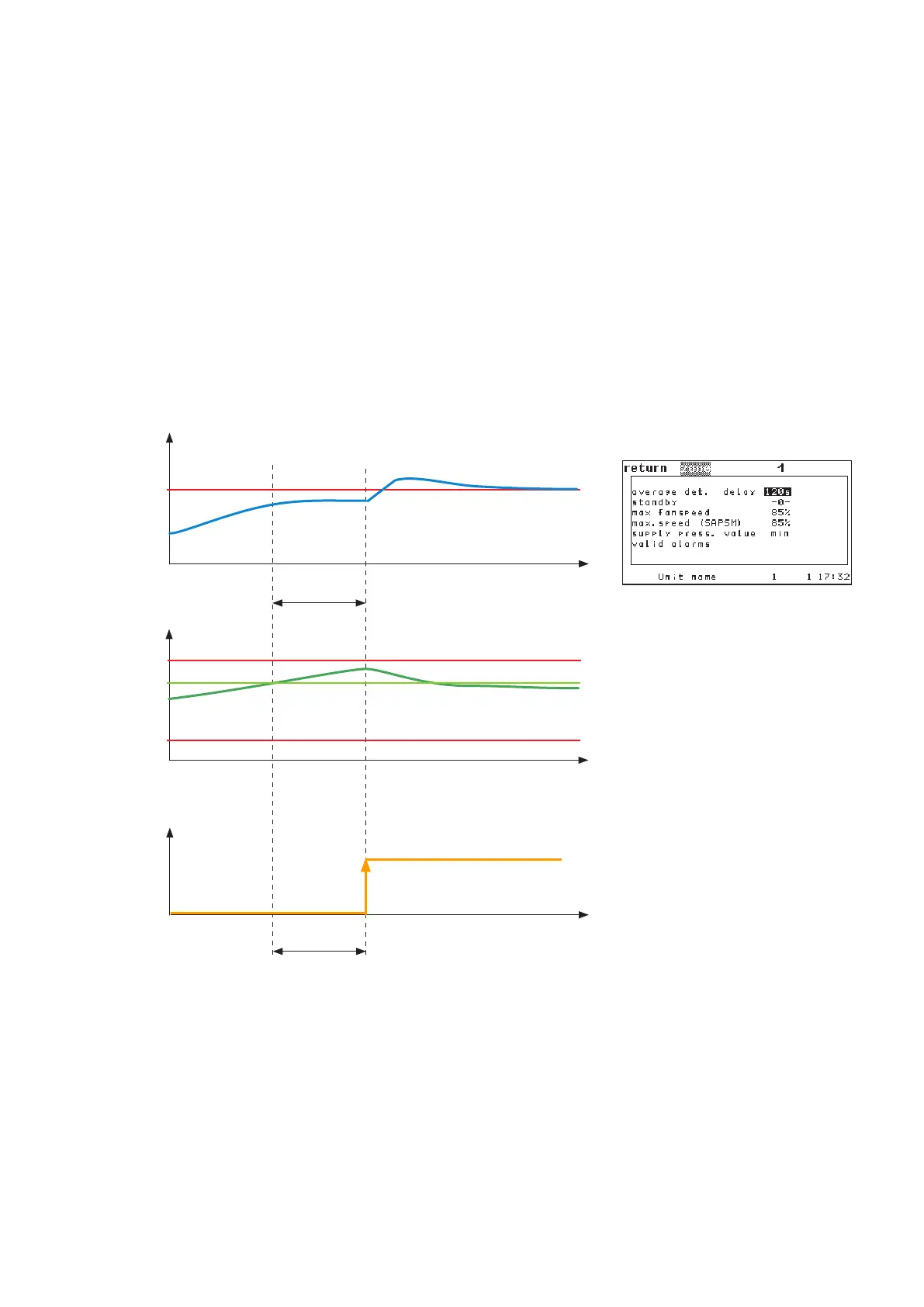
Reduction of energy demand
By the pre-set values when the pressure is too low, a standby unit is only switched on, if the fans run at maxi-
mum speed.
Under certain conditions it is favourable with regard to the energy demand to additionally put into operation
one or more units. On one hand this increases the heat exchanger surface, on the other hand the required air-
flow is distributed on more units, so that the fan speed can be reduced.
By the maximum fan speed for SAPSM an additional switching on of standby units can be advanced or actual-
ly be enabled. For this the maximum fan speed for SAPSM must be adjusted to a value between the minimum
and maximum fan speed. As soon as the fans have attained the maximum speed for SAPSM, the SAPSM delay
is started. After the expiration of the SAPSM delay the first standby unit is started, if the supply air pressure is
still too low.
Restrictions:
Additional switching on for additional charge takes priority over switching off by pressure
A standby unit which has been started for an additional charge (cooling, humidification or dehumidification),
will not be switched off, due to an excessively high supply pressure.
Switching off by pressure takes priority over free cooling
(in combination with DFC control or CW standby management)
A standby unit which has been stopped due to an excessively high supply pressure, is restarted only, if the
supply air pressure is too low, even if free cooling is possible (and standby units would be normally switched
on, as usual in DFC control or CW standby management).
Config/Zone/more/more
Command:
zone 1 nmaxsapsm 40 (in %)



 To Next Page