S CLASS™ cutter User’s Manual
Setup 1-2
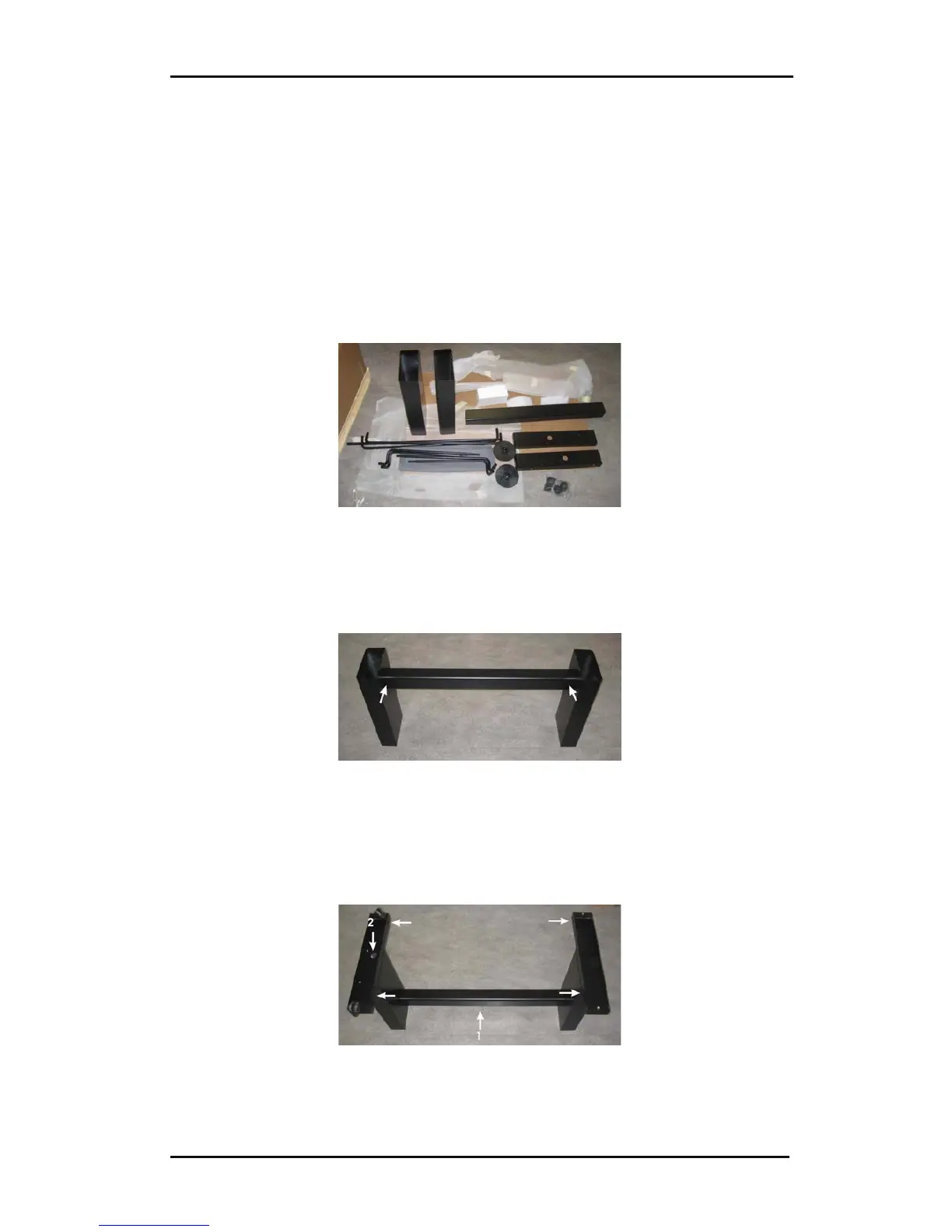
1.1.2 Setting up the stand
1. Verify that the stand is complete. The box containing the stand should contain
following:
a. 2 legs
b. 2 feet, left and right
c. Horizontal panel
d. Media flanges
e. Total of 7 tubes for [media] basket
f. Linen media basket
g. Bag of 4 casters, screws and other accessories to mount the stand
FIG 1-2
1-2 CONTENTS OF BOX STAND
2. Mount the horizontal panel between the two legs of the stand with 4 screws at
each side. Make sure the horizontal panel is mounted in the rear holes of the legs
of the stand.
FIG 1-3
1-3 MOUNTING HORIZONTAL PANEL
3. Turn the stand upside down and mount the 2 feet at each side with 4 screws. Take
care to position the horizontal panel (1) so that the hole in the foot corresponds to
the hole in the leg as in the picture (2), and the 4 holes in the feet all point towards
the middle. Screw in the 4 casters.
FIG 1-4
1-4 MOUNTING FEET AND CASTERS











 To Next Page