S CLASS™ cutter User’s Manual
Setup 1-23
1.6 Tool Installation
SAFETY WARNING: The S CLASS™ cutters use razor-sharp knives. To avoid serious
injury, use caution when installing, removing or otherwise handling the knife!
1.6.1 Cutters with drag head
1.6.1.1 Knife installation
A knife has been pre-installed in the cutter.
For safety reasons, the knife depth has been set to zero. Simply turn out the knife
(see FIG 1-22 yellow arrow clockwise) to start cutting. Below is the complete
description of the knife removal and knife installation.
¾ Removing the drag knife
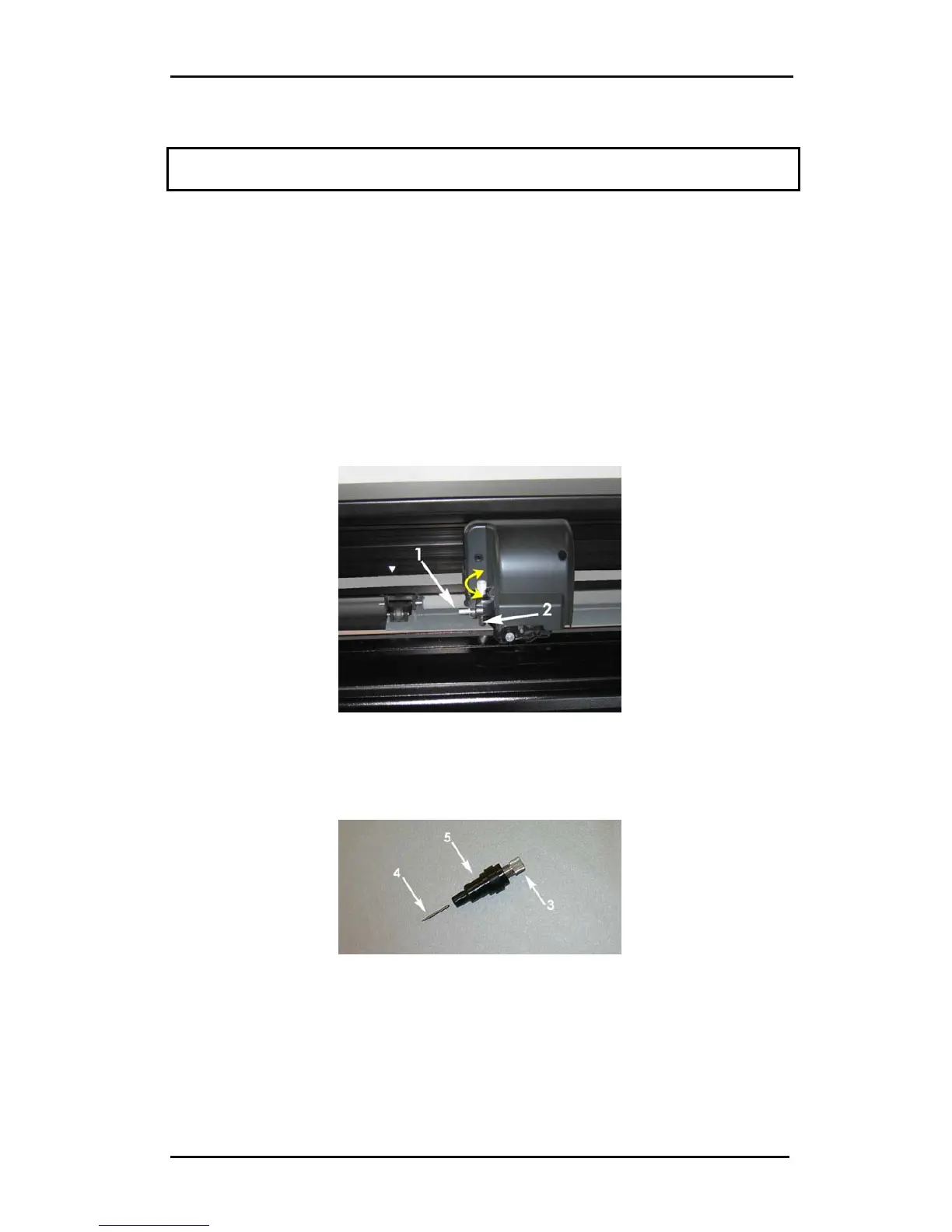
1. Loosen the head clamp screw (1), swing the clamp arm back and remove the knife
holder from the clamp (2).
FIG 1-24
1-24 REMOVING THE DRAG KNIFE HOLDER FROM THE CLAMP
2. Turn the knurled adjustment knob (3) clockwise to push the knife (4) out of the
holder (5).
FIG 1-25
1-25 REMOVING THE KNIFE FROM THE STANDARD DRAG KNIFE HOLDER
3. Carefully pull the knife from the holder.











 To Next Page