SWDE200B Operation & Maintenance Manual
2.4.6 IO Port Interface
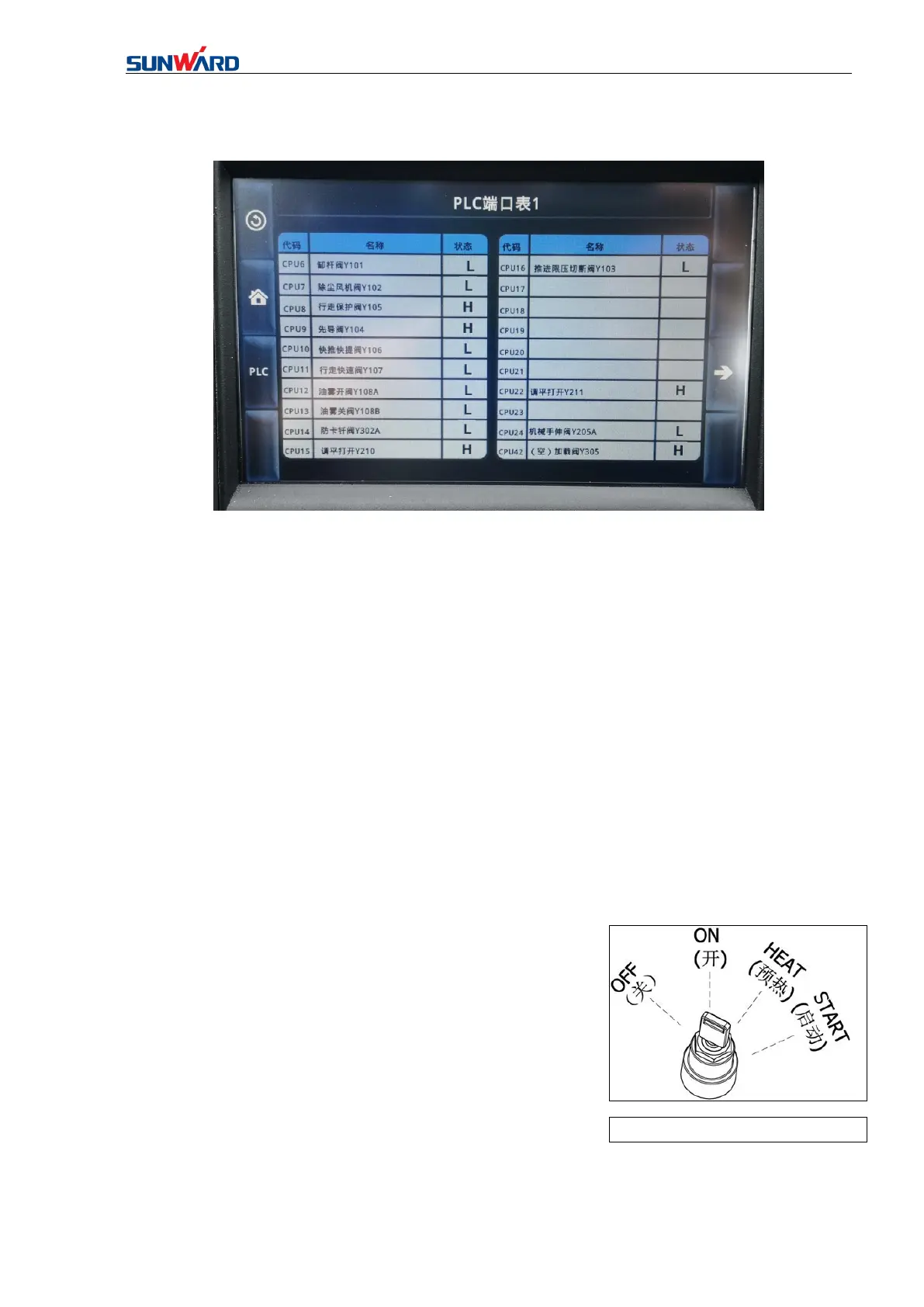
Figure 3.8 IO Port Interface
Press “IO Port” on main operating interface (figure 3.8)to enter “IO Port Interface”.
Click the corresponding button on the interface to perform corresponding operation:
This interface can search the numerical state of each port of the controller, such as“CPU6
hydraulic oil temperature”, the port value is 50ohms in this time.
2.5 STARTING SWITCH
The key switch is used to turn on/off the engine, mainly including three working positions:
(OFF),(ON), (HEAT) and(START).
OFF :Key can be inserted or pulled out. The position can cut off the power of all electrical
systems except the cab lights, and stop the engine.
ON :The position enables all electrical system to be
connected. When the engine is running normally, the start
switch should always be in this position. If abnormal, check
the electrical system immediately.
START :The starting position of the engine. When
starting the engine, keep the key in the position.
★ Notice: After the engine starts, release the key immediately, and the starting switch will
automatically return to ON.



 To Next Page