Once you have paired with Suunto app, your watch gets updated time, date, time zone and
daylight-saving time from mobile devices.
In the Settings, under General » Time/date, tap Auto time update to toggle the feature on
and o.
You can manually adjust time and date from the settings under General » Time/date where
you can also change time and date formats.
In addition to the main time, you can use dual time to follow the time at a dierent location, for
example, when you are traveling. Under General » Time/date, tap Dual time to set the time
zone by selecting a location.
3.9.1. Alarm clock
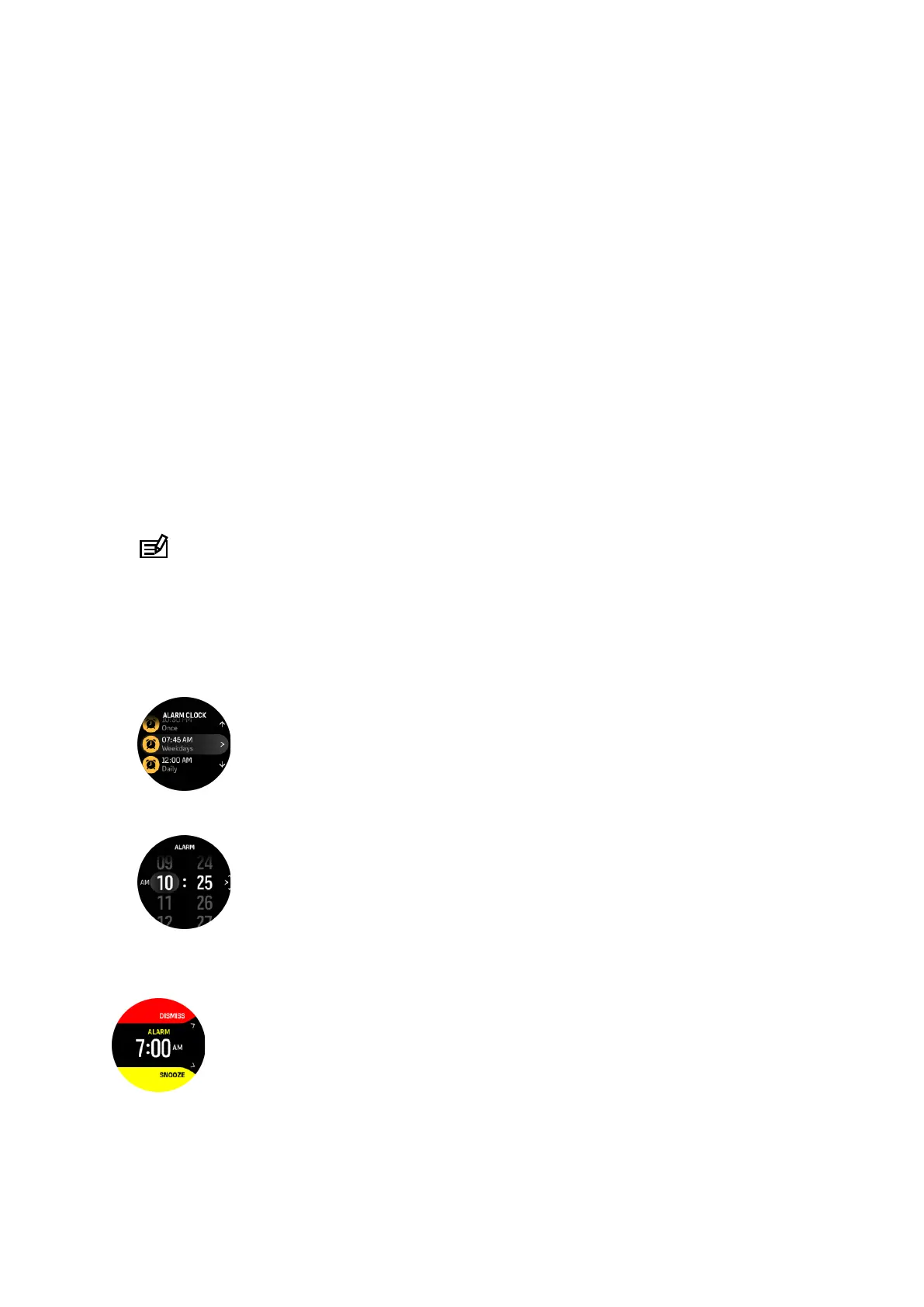
Your watch has an alarm clock that can sound once or repeat on
specific days. Activate the
alarm from the settings under Alarm clock.
To set a fixed alarm time:
1. From the watch face, long press the lower button to access the Control panel.
2. Select Alarm clock.
3. Select New alarm.
NOTE: Older alarms can be deleted or edited if selected in the list below New alarm.
4. Select how often you want the alarm to sound. The options are:
Once: alarm sounds once in the next 24 hours at the set time
Weekdays: alarm sounds at the same time Monday thru Friday
Daily: alarm sounds at the same time every day of the week
5. Set the hour and minutes and then exit the settings.
When the alarm sounds, you can dismiss it to end the alarm, or you can select the snooze
option. The snooze time is 10 minutes and can be repeated up to 10 times.
If you let the alarm continue to sound, it will automatically snooze after 30 seconds.
Suunto Ocean
15















 To Next Page