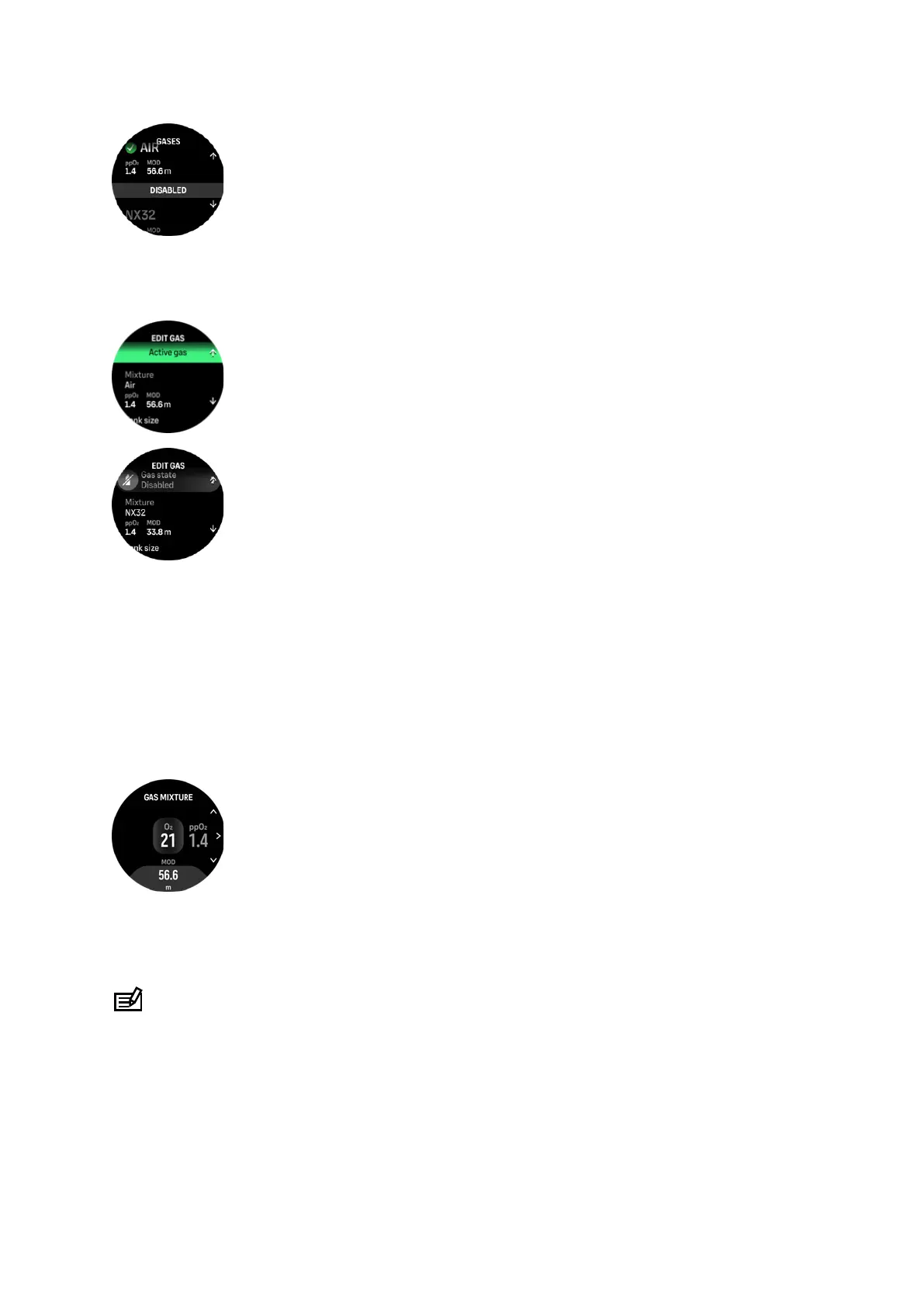
In Single gas mode, you can have only one active gas. When creating a new gas, you can
choose to make it your active gas or save your most used gas mixture (e.g., NX32) for easy
enabling once you need it.
5.5.1. Edit gas
When diving with nitrox gas mixture, both the percentage of oxygen in your tank and the
oxygen partial pressure limit must be entered into Suunto Ocean. This ensures correct
nitrogen and oxygen calculations and the correct maximum operating depth (MOD), which is
based on your entered values. The default oxygen percentage (O2%) setting is 21% (air) and
the oxygen partial pressure (ppO2) setting is 1.4 bar.
You can modify the oxygen percentage and the partial pressure of the active gas in the Edit
gas view by selecting the mixture.
The oxygen fraction can be modified between 21% and 100%.
The ppO2 setting limits the maximum operating depth (MOD) to which the gas mixture can be
safely used. You can set the ppO2 value to 1.0, 1.1, 1.2, 1.3, 1.4, 1.5 or 1.6.
NOTE: Do not change these values unless you fully understand the eect.
In the Edit gas menu you can also set your tank size. The default value is 12 liters / 80 cu ft.
Make sure you set your correct tank size to ensure correct gas consumption calculations
when diving with Suunto Tank POD.
Suunto Ocean
53















 To Next Page