6. Freediving
With the Freedive mode, Suunto Ocean can be used as a freediving instrument. You can find
the freedive mode from the shortlist called Freediving (Depth). Many of the functions are the
same as in the other diving modes, but there are also many functionalities specific only for
freediving.
WARNING: Freediving is not recommended after scuba diving. Wait at least 12 hours
after a single scuba dive before doing a freedive.
6.1. Freedive views
In the pre-dive screen of Freediving, a set of icons appears. See 5.2.4. Pre-dive screen and
dive options for the meaning of the icons.
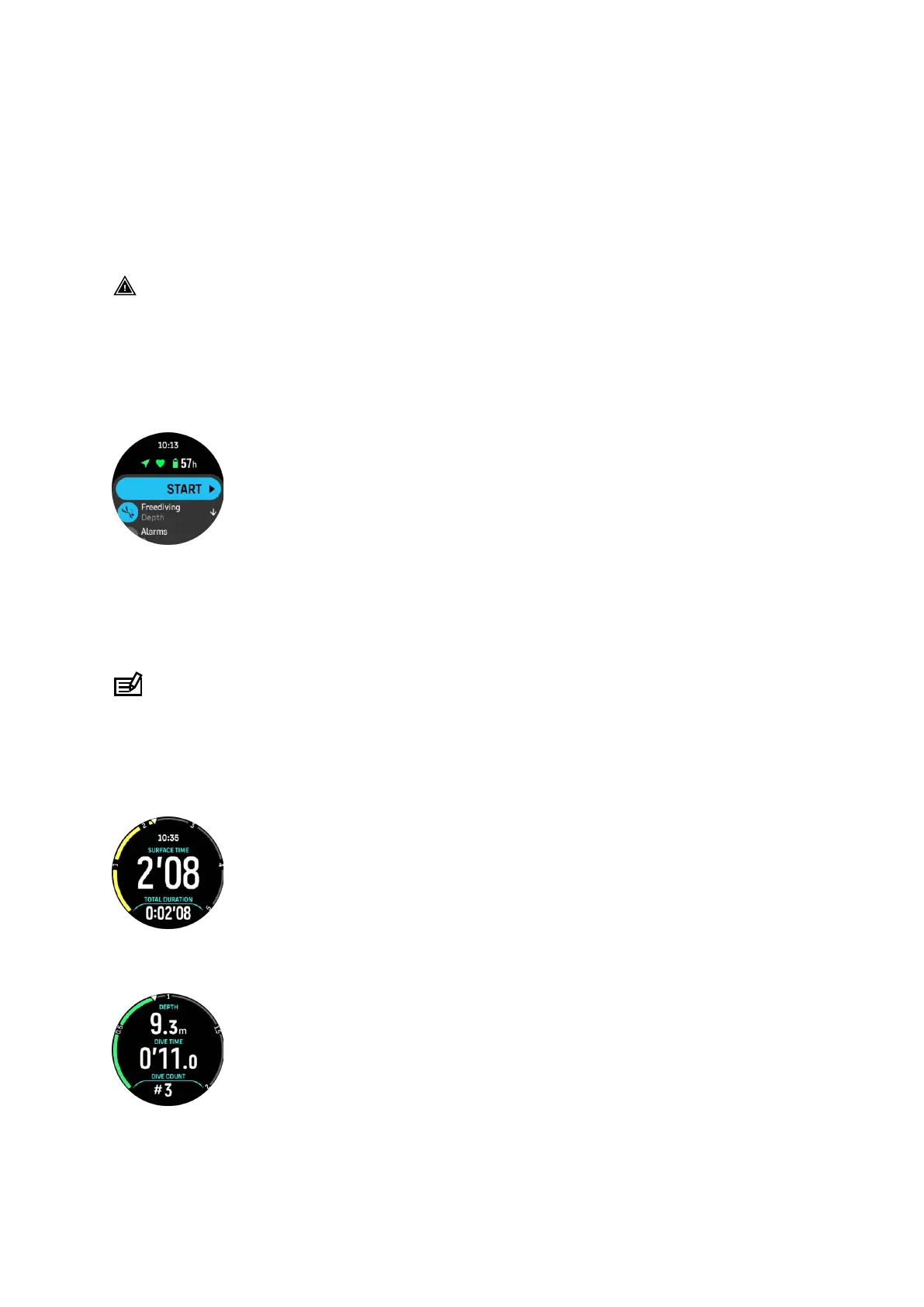
Freedive mode has dierent displays that focus on dive related data. Once you start the
exercise, you can scroll through the surface views by pressing the middle button. Suunto
Ocean has water contact functionality that recognizes when the device is submerged in water
and will automatically switch to dive state from any surface screen. You can define the dive
start depth under the exercise option list. The default start depth is 1.2 m (4 ft).
NOTE: Automatic start is not available for freediving. Freediving should always start by
selecting Start after entering Freediving mode.
The displays are the following:
Surface: The display shows the surface time, a switch window with changeable data and arch
showing the elapsed surface time.
Dive: The display shows the depth, the ascent and descent speed in m/s (ft/s), dive time and a
switch window with changeable data.
Navigation view: See 8. Navigation for available navigation options.
Suunto Ocean
72















 To Next Page