To delete a POI in your watch:
1. Swipe up or press the lower button and select Map.
2. Press the lower button to open Navigation options.
3. Select POIs and press the middle button.
4. Scroll to the POI you want to remove from the watch and press the middle button.
5. Scroll to the end of the details and select Delete.
When you delete a POI from your watch, the POI is not permanently deleted.
To permanently delete a POI, you need to delete the POI in Suunto app.
8.5.2. Navigating to a POI
You can navigate to any POI that is in your watch POI list.
NOTE: When navigating to a POI, your watch uses full power GPS.
To navigate to a POI:
1. Swipe up or press the lower button and select Map.
2. Press the lower button to open Navigation options.
3. Select POIs and press the middle button.
4. Scroll to the POI you want to navigate to and press the middle button.
5. Press the upper button or tap Select.
6. Select Start exercise if you want to use the POI for exercising or select Navigate only if
you only want to navigate to the POI.
NOTE: If you only navigate to the POI, nothing will be saved or logged in Suunto app.
7. If you only navigate the route, press the lower button and select End navigation to stop
navigating. If you navigate during an exercise, press the lower button and select
Breadcrumb to stop navigating without quitting the exercise.
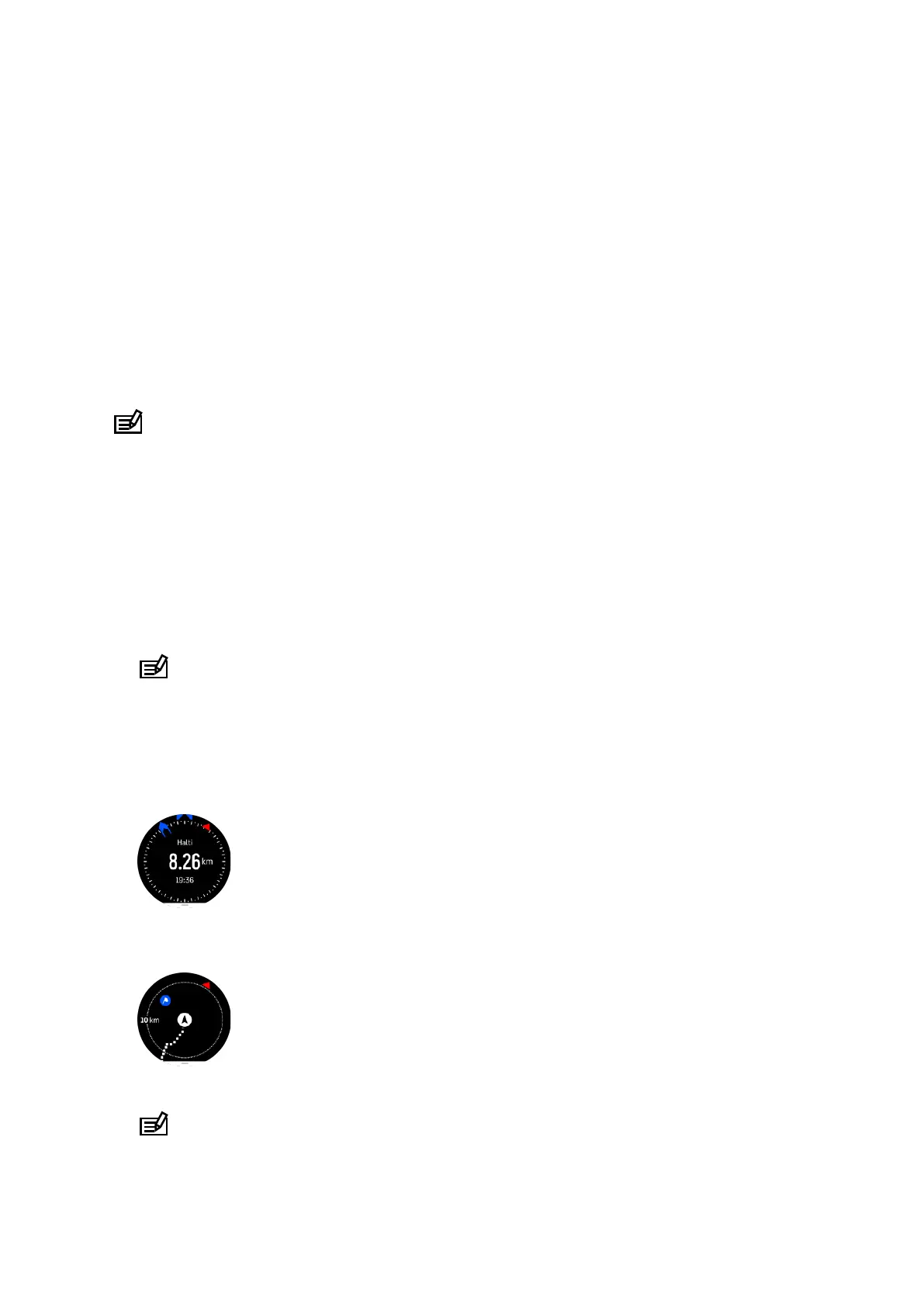
The POI navigation has two views:
•
POI view with direction indicator and distance to the POI
•
map view showing your current location relative to the POI and your breadcrumb trail (the
track you have traveled)
•
Press the middle button, to switch between views.
NOTE: If oine maps are activated the map view will display a detailed map of your
surroundings.
Suunto Ocean
83















 To Next Page