In the map view, other POIs nearby are shown in gray. In the map view, you can adjust the
zoom level by pressing the middle button and then zooming in and out with the upper and
lower buttons.
TIP: While in the POI view, tap on the screen to see additional information in the lower
row such as altitude dierence between current position and POI and estimated time of
arrival (ETA) or en route (ETE).
While navigating, you can press the lower button to open a list of shortcuts. The shortcuts
give you quick access to POI details and actions such as saving your current location or
selecting another POI to navigate to, as well as ending navigation.
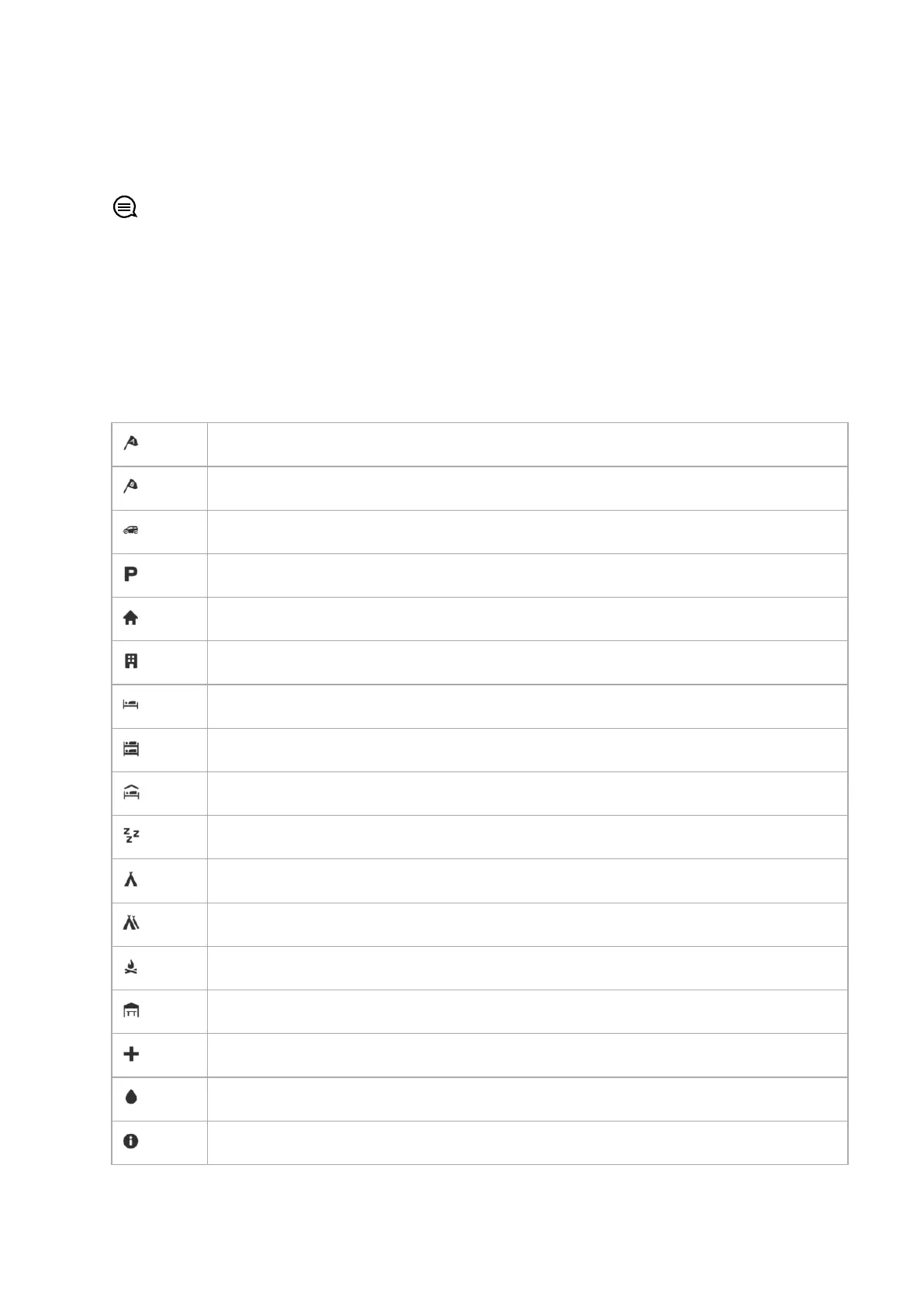
8.5.3. POI types
The following POI types are available in Suunto Ocean:
Begin
End
Car
Parking
Home
Building
Hotel
Hostel
Lodging
Bedding
Camp
Camping site
Camp fire
Aid station
Emergency
Waterpoint
Information
Suunto Ocean
84















 To Next Page