WARNING: If there are several divers using Tank PODs, always check before you dive
that the POD number of your selected gas corresponds to the serial number on your POD.
NOTE: You can find the serial number on the metal base and also on the cover of the
Tank POD.
Repeat the procedure above for additional Tank PODs and select
dierent gases for each
POD.
To unlink and remove your Tank POD from a specific gas:
1. Select the gas you want to remove the Tank POD from in the Gases menu.
2. De-select the Tank POD you want to remove (check the serial number).
3. Your Tank POD is removed from the selected gas list.
You can also unlink the Tank POD from the Tank POD menu.
NOTE: You can only unlink your Tank POD once it is active and transmitting.
NOTE: Always use a backup analog submersible pressure gauge as a redundant source
of gas pressure information.
NOTE: For Suunto Tank POD related information, please see the instructions provided
with the product.
5.6.2. Tank pressure
Once your Suunto Ocean is linked to a Suunto Tank POD, you can follow the tank pressure
both in the switch window and on the arch in the tank pressure view. See 5.2.6. Key
information during diving on how tank pressure is shown on the arch.
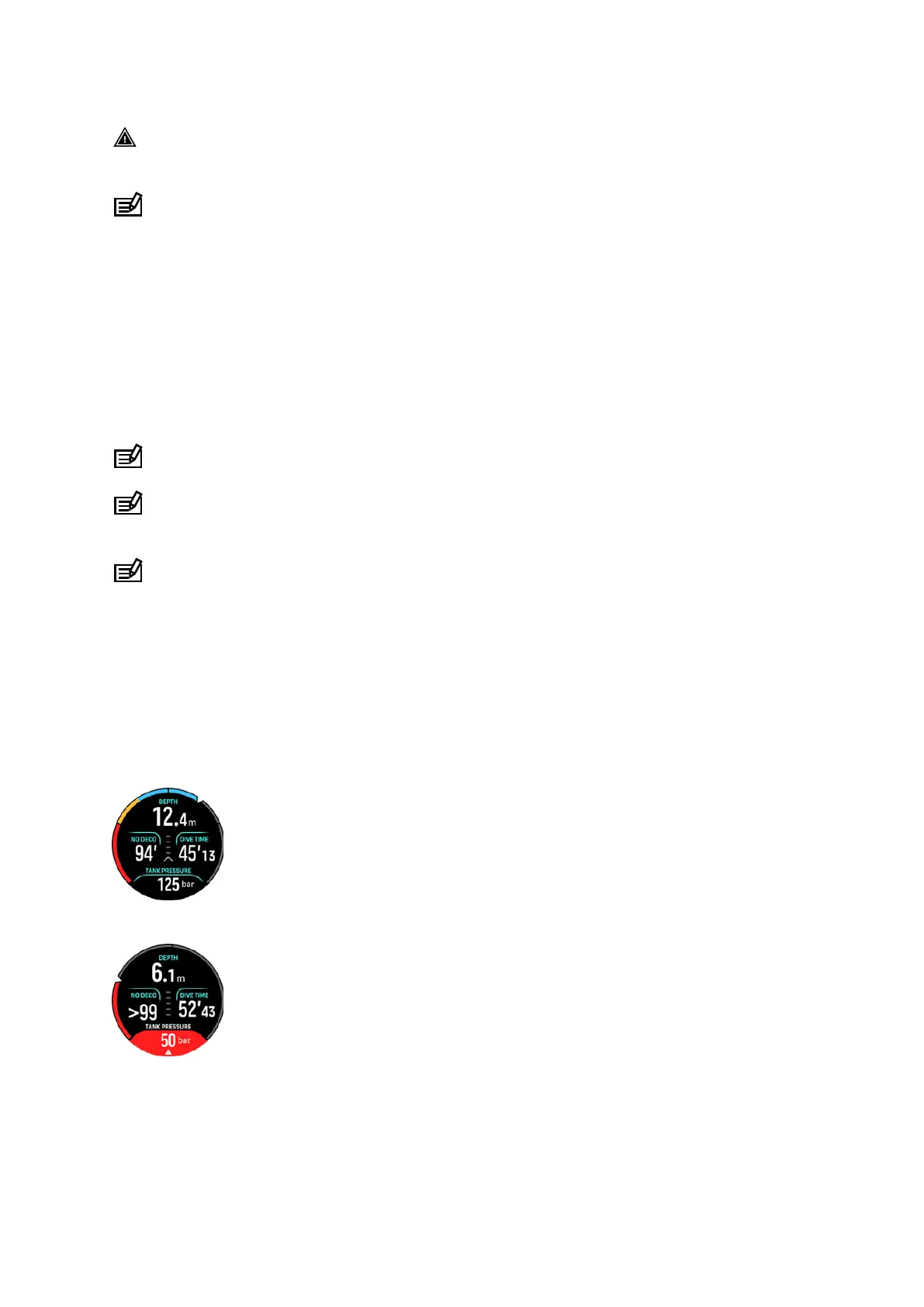
The following examples show
dierent tank pressures:
Tank pressure is 125 bar:
Tank pressure is 50 bar:
An extra tank pressure alarm is set to 100 bar:
Suunto Ocean
56















 To Next Page