Timer: Start and reset stopwatch.
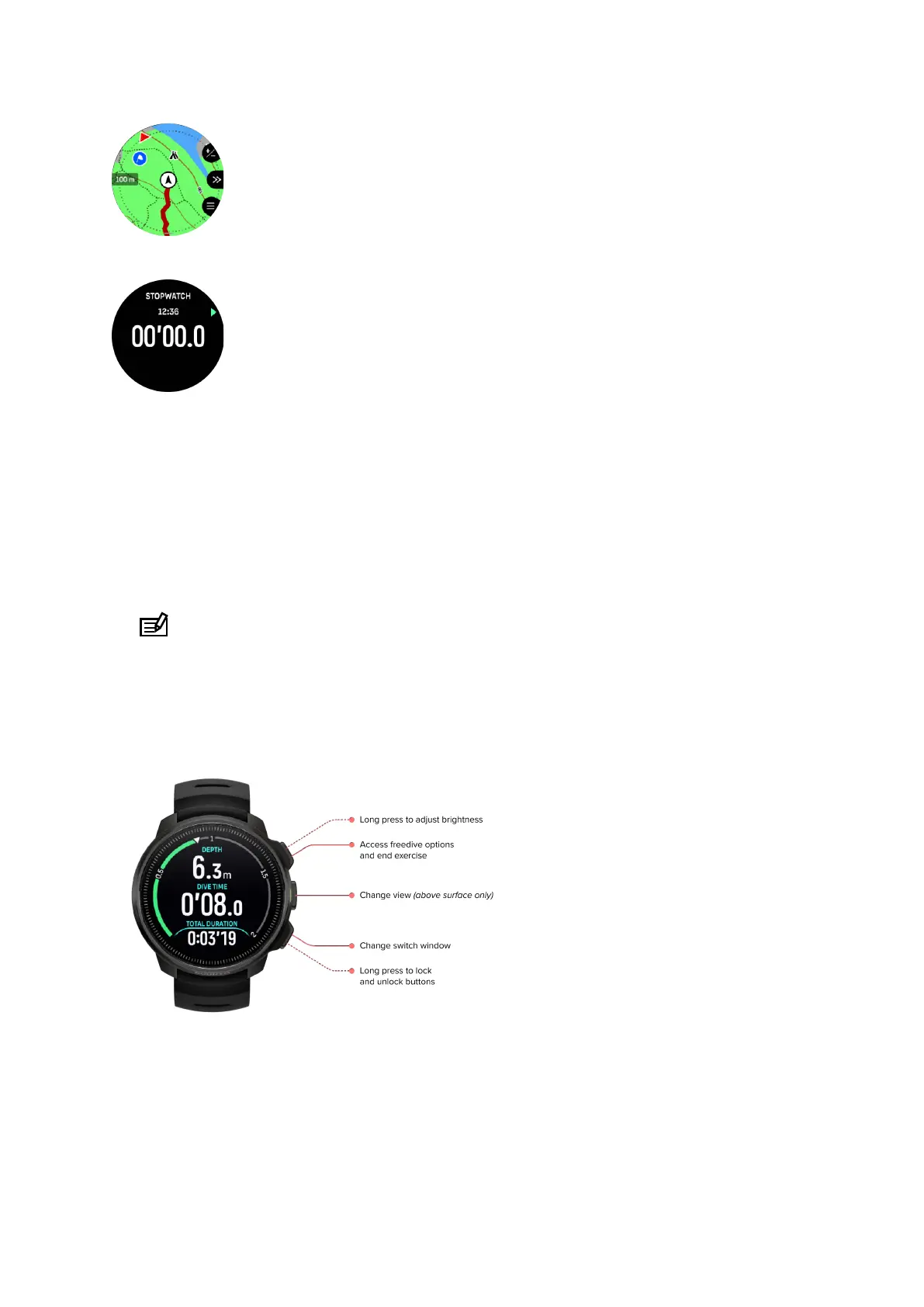
6.2. Button functions during freediving
Your Suunto Ocean has three buttons that have
dierent functionalities when short pressing
or long pressing them during the exercise.
In Freediving mode, the buttons have the following functions:
•
Upper button long press: Adjust brightness level (Low/Medium/High)
•
Upper button short press: Access the freedive options menu to stop exercise, use
flashlight or discard exercise.
NOTE: The menu is not accessible underwater.
•
Middle button short press: Change view (above surface only)
•
Lower button short press: Change switch window item
•
Lower button long press: Lock and unlock buttons
See 3.1. Button and screen lock.
6.3. Switch window for freediving
Similarly to scuba dive, the switch window at the bottom of the dive screen can contain
dierent types of information that can be changed by short pressing the lower button. The
following data can be found in the switch window:
Suunto Ocean
73















 To Next Page