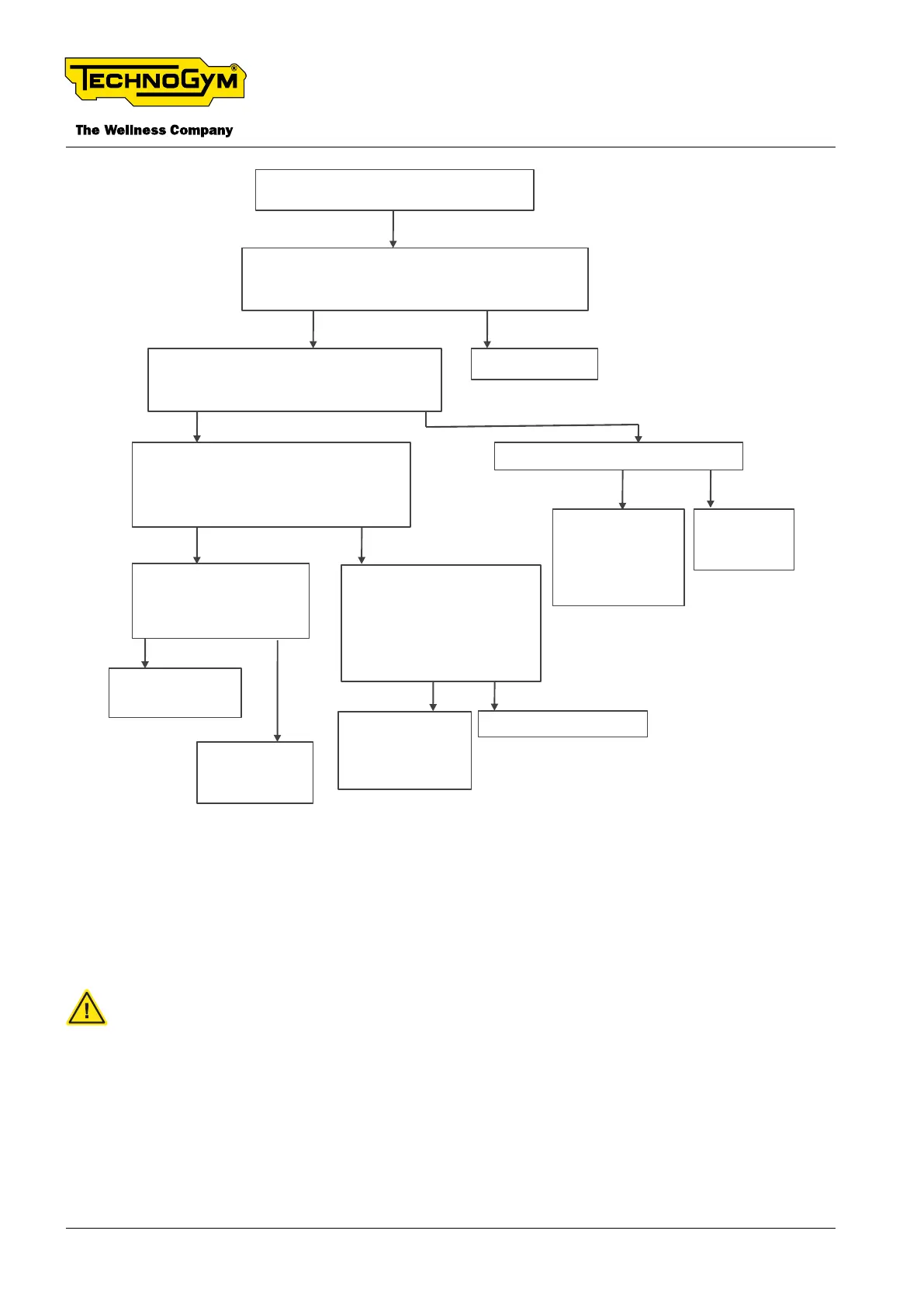
‘COM ERROR’ message, shown on the display
No
Check if the LED state of the Watt Sensor Board
is ‘green’ [1]. It means that the Watt Sensor is
powered. Is it green?
Switch OFF and ON the equipment. Upgrade the SW of
the High-Kit and the FW of the Low-kit. Is the problem
solved? [**]
Ok. Problem solved.
Yes
No
Replace the Display. [*][**]
Yes
Check the continuity (rx - tx). Is it ok?
No
Replace the
defective
cable(s). [*][**]
Replace the
display
cable.
[*][**]
No
Replace the defective
cable. [*][**]
Replace the Watt
Sensor Board.
[*][**] If the problem
persists, replace the
Display.[*][**]
Yes
Check the presence of about 5Vdc
between PIN 1 Red and PIN 2 Black of the
Flying connector 2x2, accessible after
removing the display group. [2] Is it present?
No
Yes
No
Check the presence of
about 5Vdc between PIN 29
yellow and Black wire of the
Display connector 20x2. [4]
Is it present?
Yes
Check the continuity of the
RPM/Watt sensor cable
(0WCU1068xx) [3]. Is there
continuity?
Replace the spiral
cable.
[*][**]
Yes
Fig. 32
[*]: When replacing components see §”6.1 Procedure to follow when replacing components”.
[**]: Make sure the problem is solved. See §”6.2 Equipment testing after the intervention of techni-
cal service”.
powered. Switch o the machine and disconnect the power cable.












 To Next Page