RUN XT: Service & Maintenance Manual - rev. 2.0
Page 7.19
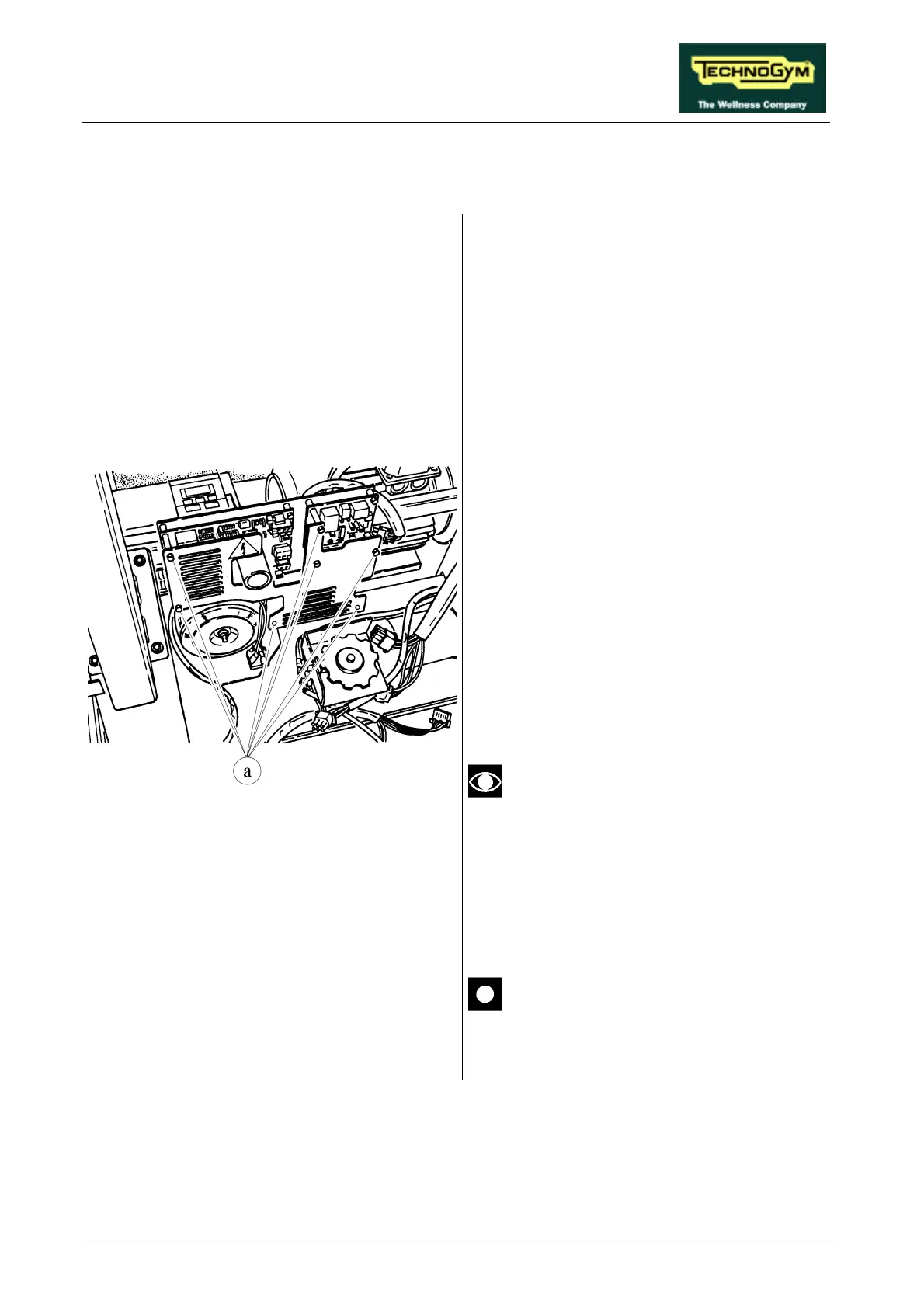
7.12. DISASSEMBLING THE ELECTRONIC CIRCUIT BOARDS
Figure 7.12-1
1. Carry out the procedures described in
paragraphs 7.7. “Disassembling the motor
guard” and 7.8. “Disassembling the front
plate”.
2. Cut any straps fixing the cables to the grille
protecting the ELECTRONIC CIRCUIT
BOARDS.
3. Unscrew the 7 plastic hexagonal-head screws
a which secure the protective grille using a 7-
mm wrench.
4. Remove the protective grille.
To disassemble an ELECTRONIC CIRCUIT
BOARD:
5. Disconnect all the connectors.
6. Unscrew the screws fixing it to the plate
support using a 7-mm socket wrench.
7. Manually unscrew the fixing studs of the
protective grille.
8. Remove the ELECTRONIC CIRCUIT
BOARD.
To remove the up-down board it is
sufficient to disconnect the red and
black cables; the yellow cables pertain to
the transformer.
To reassemble the ELECTRONIC CIRCUIT
BOARDS, carry out the above steps in reverse
order.
After reassembling the inverter interface
board, calibrate the speed as instructed
in paragraph 8.7. .











 To Next Page