34
WiFi (WiFi model only):
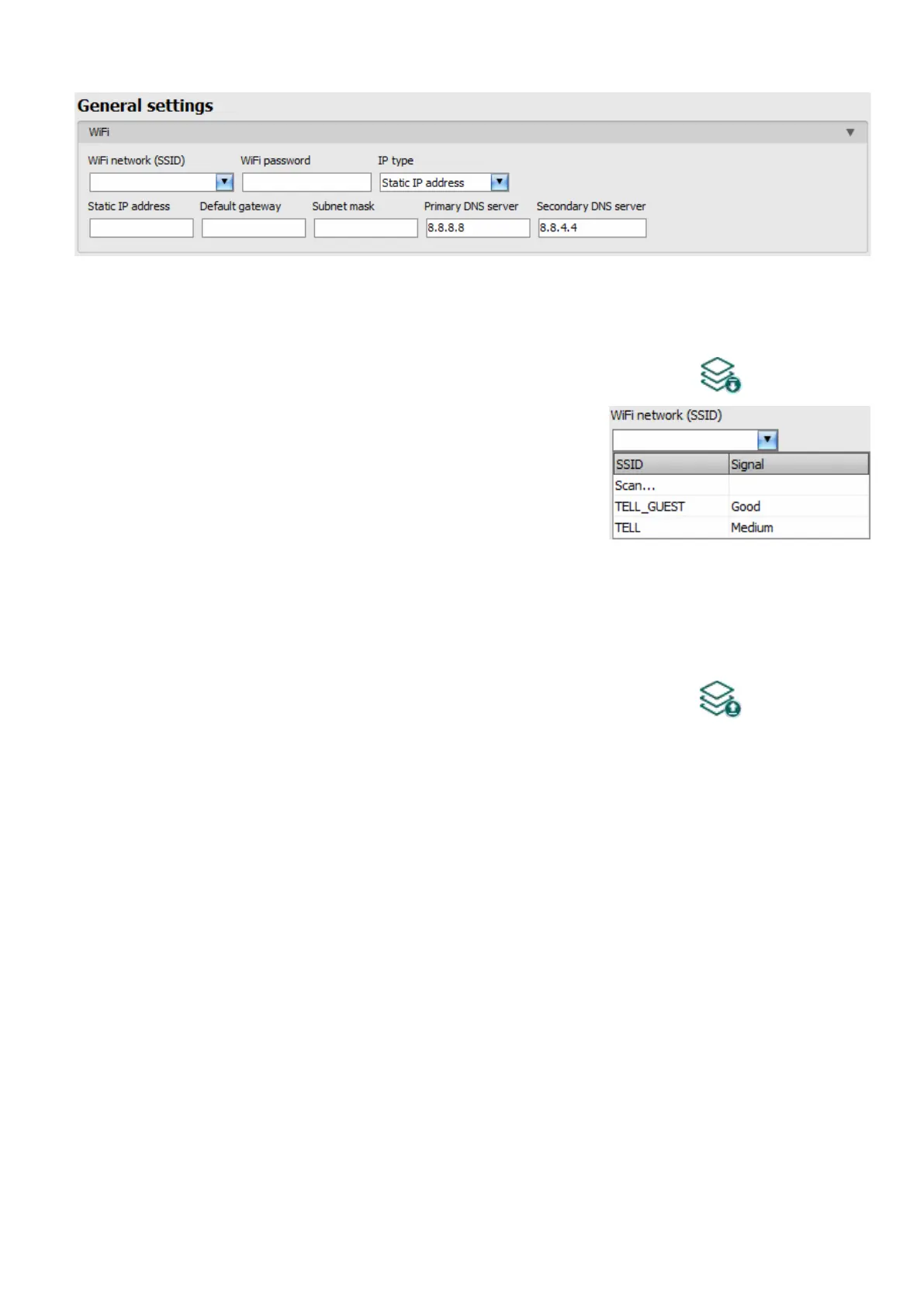
WiFi settings are available in the “General” device settings menu when you connect the WiFi
product model.
Configuring the WiFi settings:
• Read the settings from the device by clicking on the “Read settings” button.
• Select the “Scan…” option in the “WiFi network (SSID)”
drop-down menu to start scanning available WiFi
networks. The network scan assistant will guide you
through the scan process.
(If you know the name of the network you want to use,
you can either enter the network name and the WiFi
password directly in the “WiFi network (SSID)” and
“WiFi password” fields without running a network scan or run a network scan and select
the network and provide the password along the scan process in the assistant.)
• Check the signal of the given network and move the antenna of the device in a better place
if necessary.
• If you want to use a static IP instead of DHCP, configure the further network settings too in
the “WiFi” section.
• Write the changes into the device by clicking on the “Write settings” button.
WiFi settings:
WiFi network (SSID): scan available WiFi networks and select the network you want to use.
WiFi password: you can enter the password of the selected WiFi network in this field.
IP type:
- DHCP: requesting and applying network settings automatically.
- Static IP-address: using a fix IP address and configuring the network settings manually.
If you have selected the “Static IP address” option in the “IP type” section, the following network
settings become available:
Static IP address: you can configure a static IP address for the device in this section.
Default gateway: the default gateway IP address.
Subnet mask: the applied subnet mask.
Primary DNS server: the IP address of the primary DNS server.
Secondary DNS server: the IP address of the secondary DNS server.



 To Next Page