98
• Software settings:
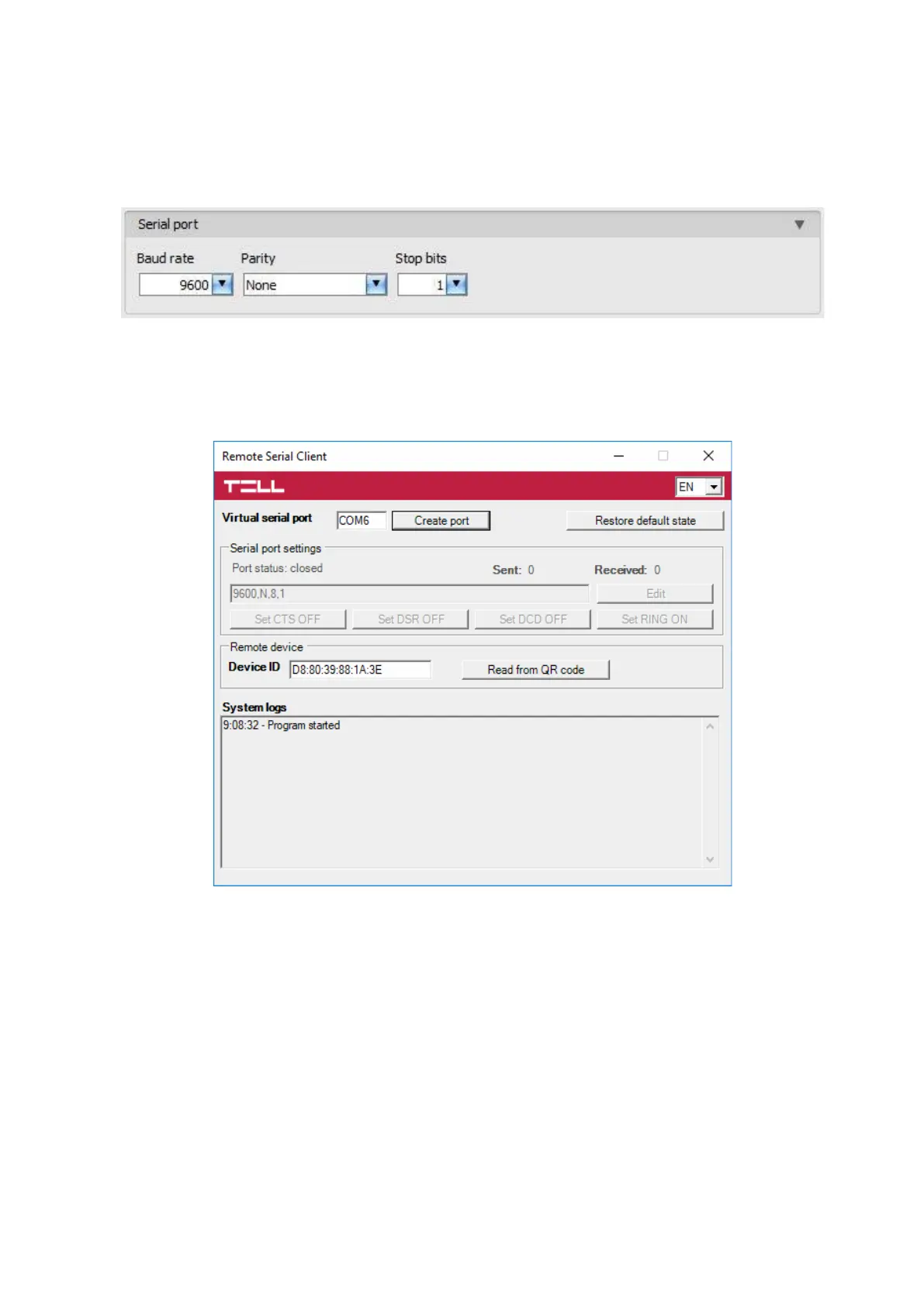
Configure the serial port settings in the “Serial port” section of the “General” menu, in the
Adapter2 programming software, as shown in the figure below.
For Spectra alarm control panels: Baud rate=9600, Parity=None, Stopbits=1
For EVO alarm control panels: Baud rate=57600, Parity=None, Stopbits=1
To establish the connection between the alarm control panel and its programming software,
it is necessary to install the Remote Serial Client software. This client software ensures the
connection between the PC and the Adapter2 device, as well as it creates a virtual serial port for
the programming software of the alarm system.
Open the Remote Serial Client software and configure the settings in the order below:
Device ID: enter the device identifier (6x2 hexadecimal characters separated by colons)
of the Adapter2 device connected to the alarm control panel.
Using the “Read from QR code” button, you can also read the device ID from the image file saved
from the programming software, that contains the QR code with the device ID.
Virtual serial port: enter the number of the virtual port you wish to create (e.g.: COM6).
System logs: shows information about program operation and displays data received through the
serial port.
Create port: click on this button to create the configured virtual serial port, then select the created
port in at the serial communication settings in the programming software of the alarm system.
Please note that the Adapter2 device should be online to create the virtual serial port.



 To Next Page