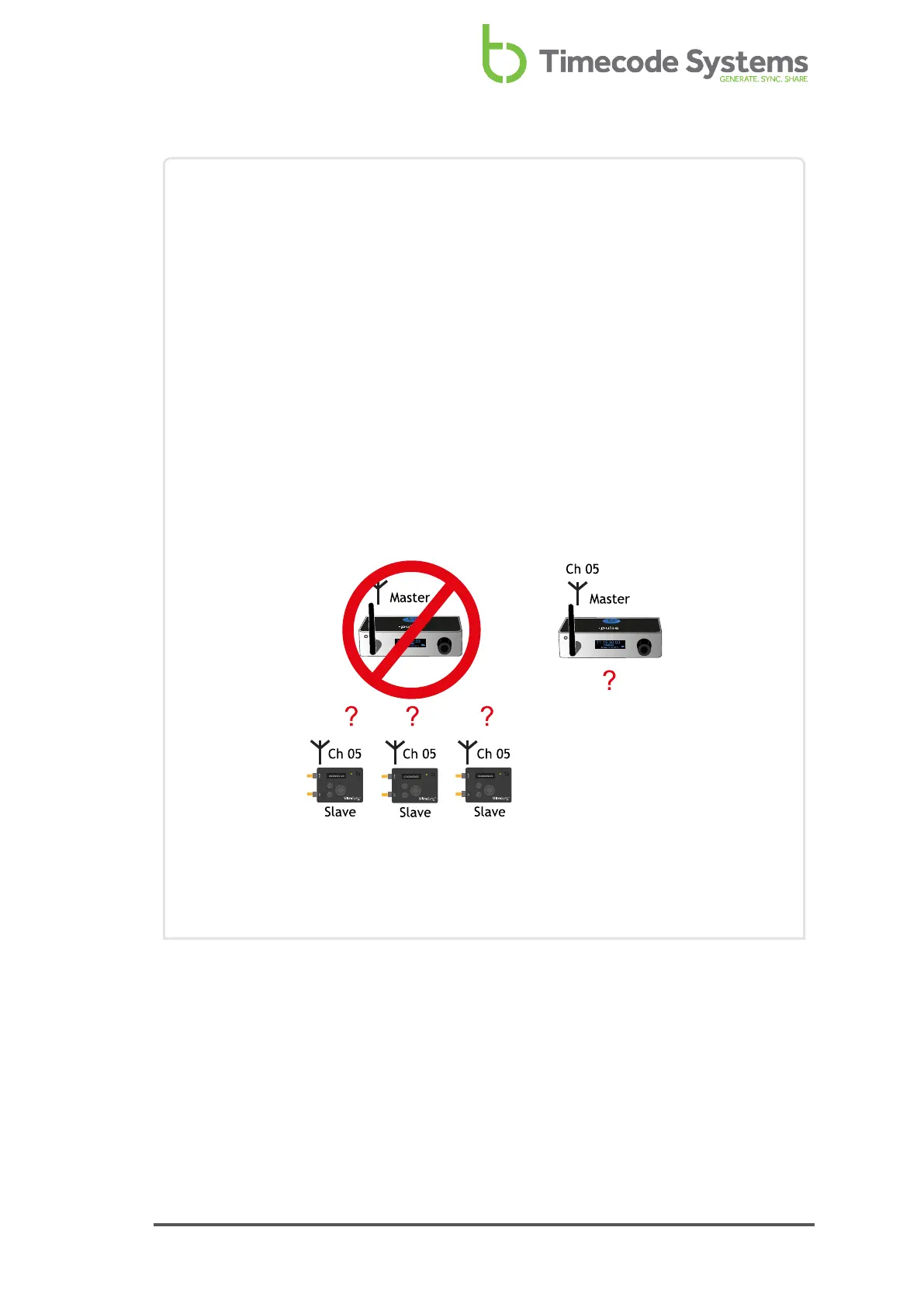
Example 3: Replacing a Master in an RF Network
If you need to change the master device in an RF network, you may need to
set the RF channels again. This is because the slaves store the master and
channel details in memory, and need to be refreshed if a different master is
used.
Let's say you have a :pulse as master and three slave UltraSync ONEs. They are
all set to use RF Channel 05. The UltraSync ONEs all synchronise with the
master correctly and filming begins.
Unfortunately, there is an accident and the :pulse gets damaged. You have
another :pulse unit available, and so you swap it for the damaged one. You set
the new :pulse to use RF Channel 05, but the slave UltraSync ONEs do not
connect with it. This is because they are 'locked' to the :pulse that was
damaged.
To get them to connect to the replacement :pulse, you can either turn the
UltraSync ONE slaves off and then on again to refresh their memory.
Alternatively, you can try setting them to use RF Channel 5 again.
For details on country/area, see Set the RF Country/Area on page 64.
For details on RF Slave mode, see Set the Timecode Mode on page 65.
UltraSync ONE User Guide 71



 To Next Page