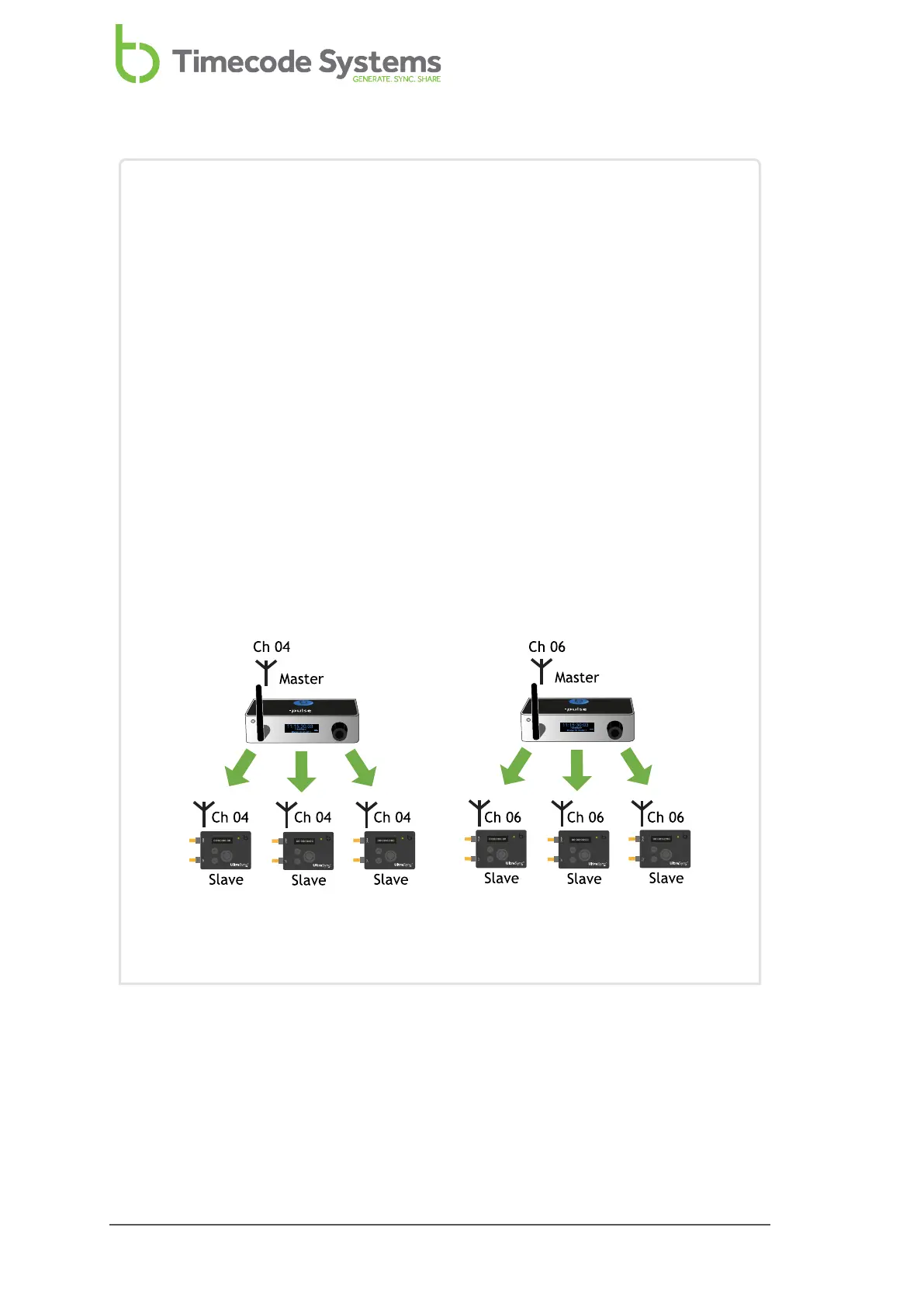
Example 2: Multiple RF networks in range
Let's say you have six UltraSync ONEs and two :pulse units and you want to
arrange them in separate RF networks. For the purpose of this example, we
will assume you want three UltraSync ONEs in each network, but you could
allocate them differently if you wanted.
For the first network, you set the :pulse and the three UltraSync ONEs to have
the correct country/area setting and to use RF Channel 4. You set the :pulse
to run as the master and the UltraSync ONEs to run in RF Slave mode. The
:pulse and the three UltraSync ONEs are all in the RF Channel 4 BLINK
network.
For the second network, you set the :pulse and the three UltraSync ONEs to
have the correct country/area setting and to use RF Channel 6. You set the
:pulse to run as the master and the UltraSync ONEs to run in RF Slave mode.
The :pulse and the three UltraSync ONEs are all in the RF Channel 6 BLINK
network.
The two networks are completely separate and the devices in one network
will not communicate with devices in another network.
70 UltraSync ONE User Guide



 To Next Page