11
4. BASIC OPERATION
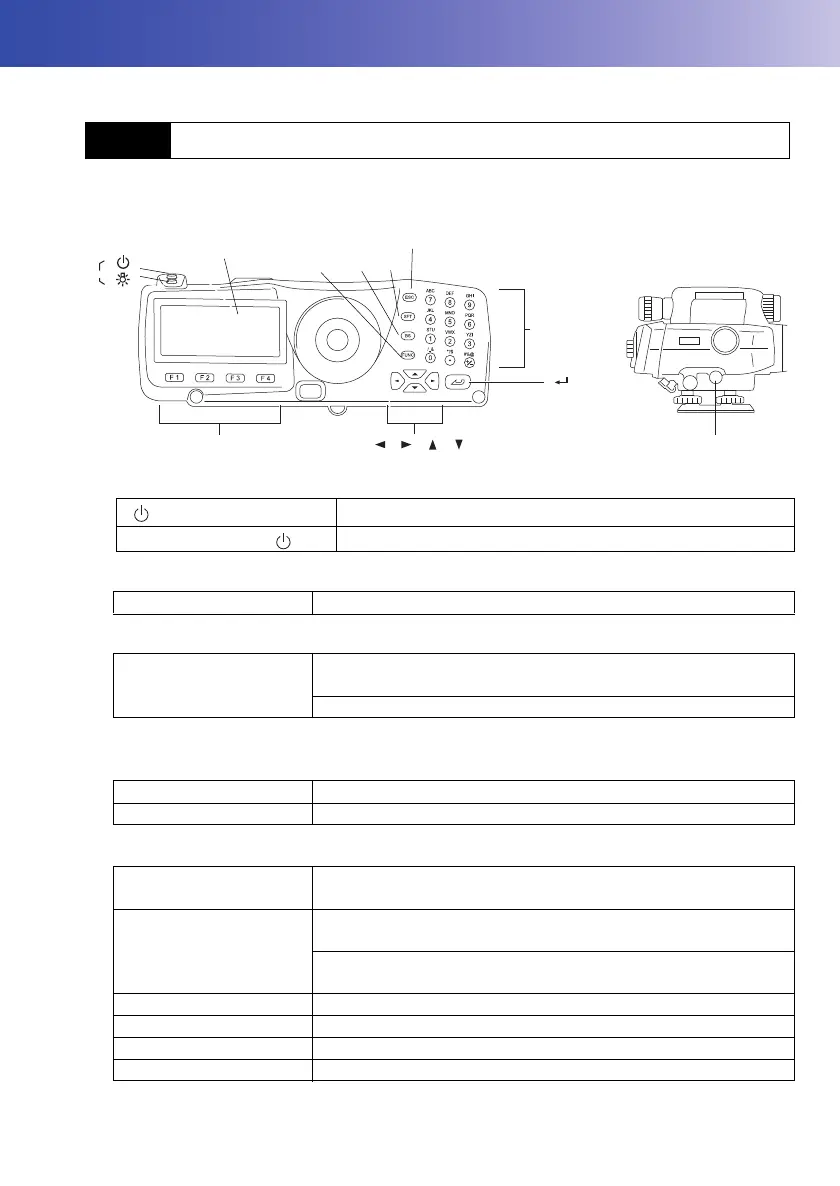
Learn basic key operations here before you read each measurement procedure.
Power ON/OFF
Switching screen/key backlight ON/OFF
Measurement (Auto Focus)
Softkey operation
Softkeys are displayed on the bottom line of the screen.
Inputting letters/figures
4.1 Basic Key Operation
{} (Press and hold)
Power ON
{} while pressing {}
Power OFF
{} Switches the screen backlight/key backlight ON/OFF
Measure key
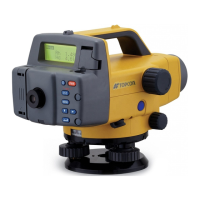
Automatically focuses on the staff and starts measurement. (DL-
501 Advanced)
Starts measurement (DL-501 Standard)
{F1} to {F4} Select the function matching the softkeys
{FUNC} Toggle between softkey pages
{SFT} Switch between numeric and alphabetic (upper/lower case)
characters.
{0} to {9} Input numeral or symbol printed above the key (during numeric
input mode)
Input alphabetic character in the order they are listed (in
alphabetic input mode)
{.} Input a decimal point (during numeric input mode)
{+/-} Input a plus or minus sign (during numeric input mode)
{}/{} Right and left cursor/Select other option.
{ESC} Cancel the input data.
OFF
{0} to {9}
{ }
{ } { } { }
{ }
{ }
{ }
{.} to {+/-}
Display
{FUNC}
{BS}
{SFT}
{ESC}
Softkey selection
Measure key
DL-501_E.book 11 ページ 2015年9月17日 木曜日 午後1時21分



 To Next Page