8 CHECK AND ADJUSTMENT
8-13
8.7 How to Set the Instrument Constant Value
To set the Instrument constant which is obtained in section 8.1 -Checking and Adjusting of Instrument
Constant, follow as below.
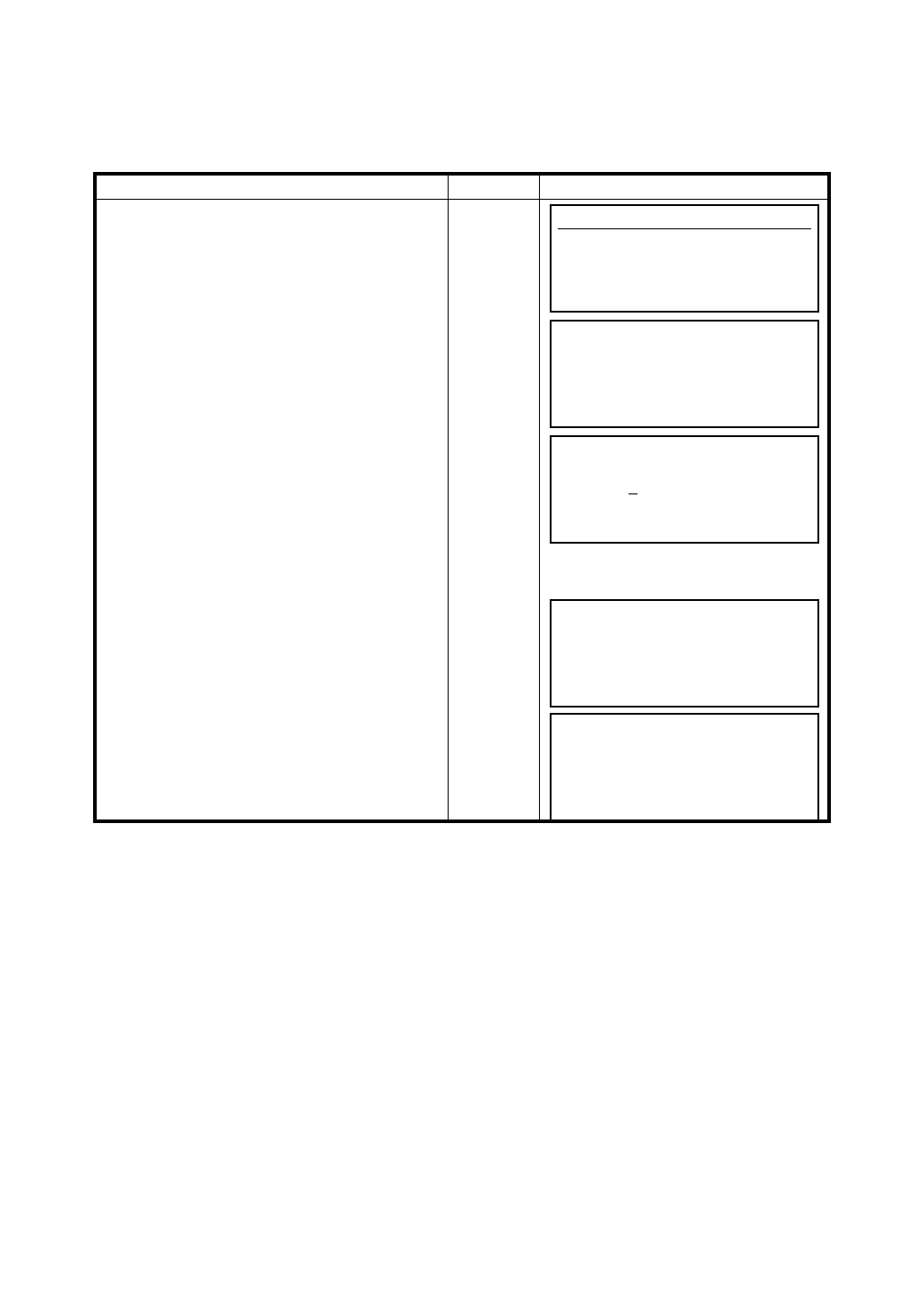
Operating procedure Operation Display
1 Press the [F5] key from the main menu.
[F5]
2 Press [F4] (Instrument constant) key.
(GTS-600AF series needs to get to next page
by pressing the [F6](↓) key.
[F4]
3 Press [F5] (YES) key .
[F5]
4 Input value and press [ENT] key.
Input
value
[ENT]
5 Press [F5](OK) key.
The display returns to main menu.
[F5]
Adjustment
F1 V0/Axis (Measurement)
F2 V0/Axis (Constant list)
F3 Date Time
F4 Instrument constant ↓
Instrument Constant
EDM OFFSET (mm)
0.0
Modify
YES NO
Instrument Constant
EDM OFFSET (mm)
0
.0
EXIT BS
Instrument Constant
EDM OFFSET (mm)
1.2
OK CANCEL
Complete



 To Next Page