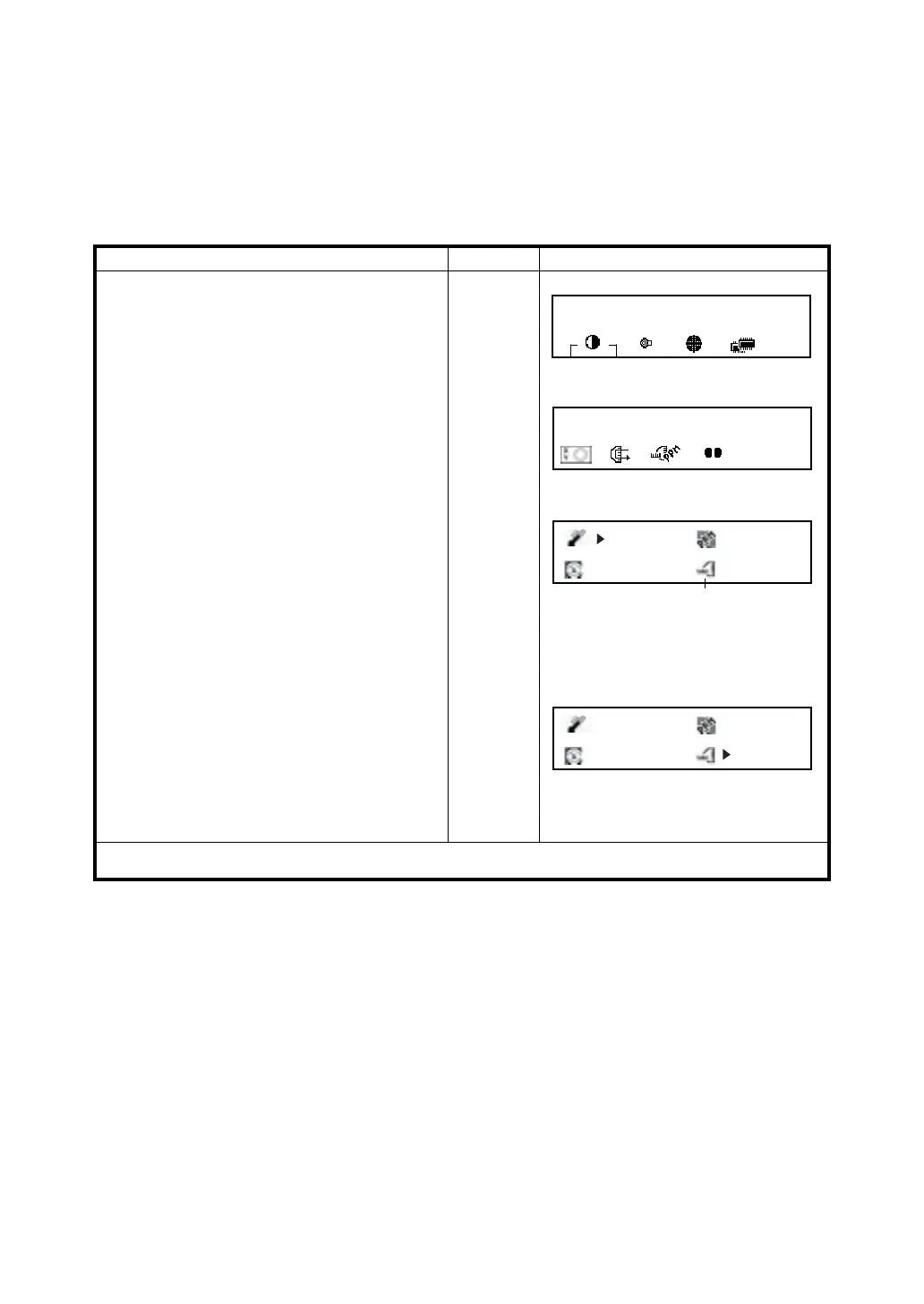
9 SETTING THE PRISM CONSTANT VALUE
9-1
9 SETTING THE PRISM CONSTANT VALUE
The prism constant value of Topcon is set to zero. When using prism other than Topcon's, it is
necessary to set the prism constant correction value of that specific prism.
Once you set the correction value for prism constant, it is retained after power is OFF.
●
Setting the prism constant value is in the STAR key (★) mode.
● Setting example : The prism constant value : -14mm
Operating procedure Operation Display
1 Press STAR (★) key.
[★]
2 Press [F6] (↓)key to get the function as in
page 2.
[F6]
3 Press [F3] key.
Current setting value is displayed.
[F3]
4 Move the cursor (>) to the prism constant
correction icon by pressing [F5](→, ←) key or
[F6](↓,↑) key.
Move
cursor
5 Input the Prism constant correction value.
*1)
Enter
value
The display returns STAR key menu.
[ENT]
*1) Input range : -99.9mm to +99.9mm, 0.1mm step
2001-07-10 14:30:40
1
↓
3
2001-07-10 14:30:40
2
↓
20.0 °C
5.1ppm
0.0 mm
1012.0hPa
Prism constant correction icon
20.0 °C
5.1ppm
+14.0 mm
1012.0hPa








 To Next Page