4-39
4 PROGRAM MODE
4.7 Line Measurement (LINE)
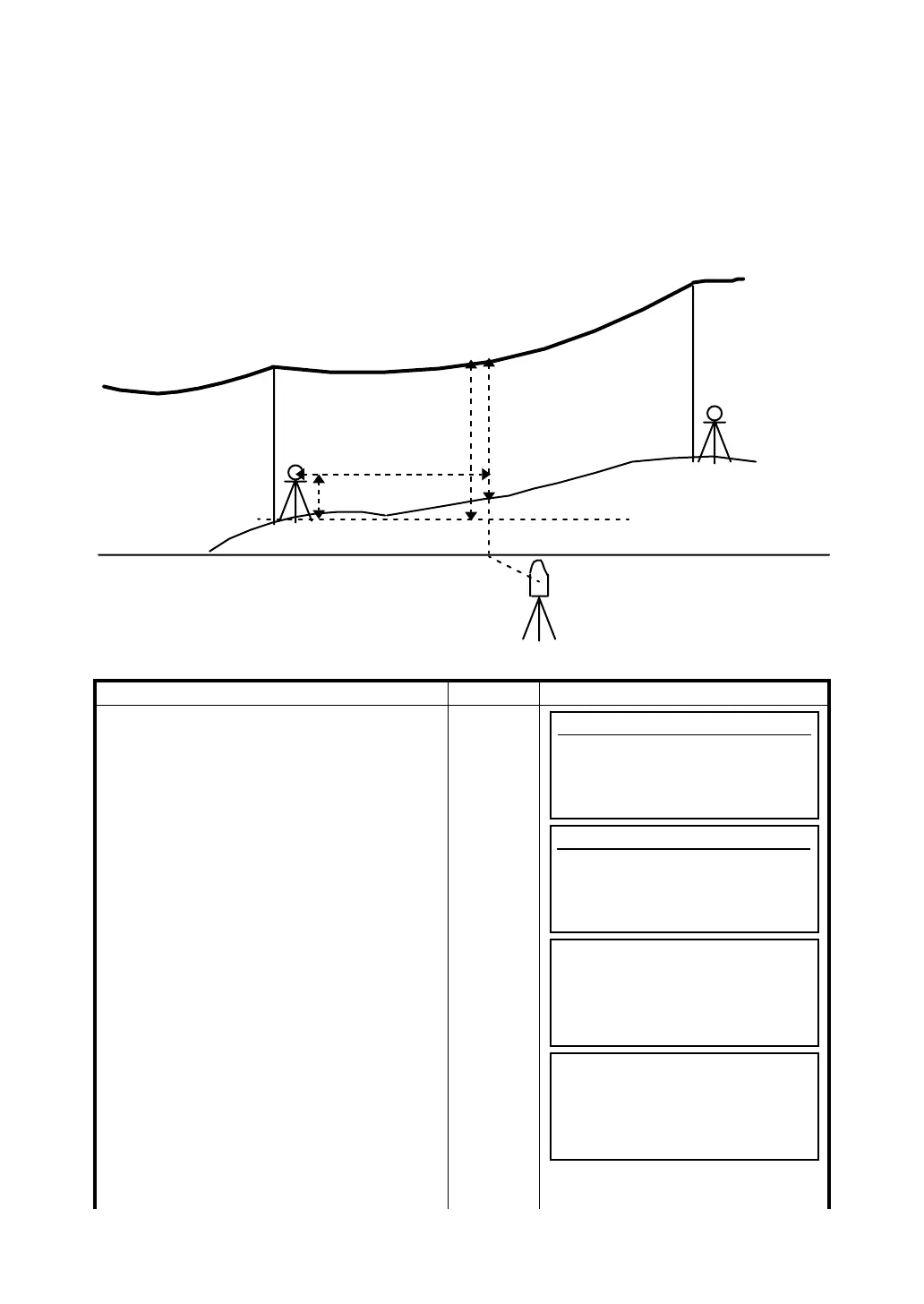
The Line Measurement program allows the user to measure the height of an inaccessible object above
a point. Both the inaccessible object and the point are located along an established base line. Two
prisms, A and B, are set up apart from each other below the object to established the base line. The
horizontal distance is measured and set in the instrument for both prism A and B. The screen then
shows the vertical distance from prism A and B, the horizontal distance from the instrument to prism B,
and the distance along the base line and the screen will display the vertical distance from prism A to
that point, the horizontal distance from that point. Additionally, the vertical distance between two points
on the base line, Points G and L in the diagram, can be measured.
[Example:Input of prism height]
Operating procedure Operation Display
1 Press [F6](MORE) key from programs menu
to get the next page of programs.
[F6]
2 Press [F2](LINE) key.
[F2]
3 Press [F1](YES) key.
[F1]
HD
VD
P. h
Prism A
Off
G
L
Prism B
Instrument
LH
Programs
F1 BS p 4/8
F2 STORE p
F3 REM p
F4 MLM p MORE
Programs
F1 REP p 8/8
F2 LAYOUT p
F3 LINE p
F4 LOADER p MORE
LINE
Prism height
1 YES
2 NO
LINE
Prism height
P.h: m
EXIT BS








 To Next Page