4-38
4 PROGRAM MODE
Layout with Guide Feature
Refer to the previous section 4.6.2- Setting a Direction Angle and Layout a Point (step 1-11).
At the layout screen, the example below will pick up at the Guide feature.
Operating procedure Operation Display
1 From the angle and distance layout screen,
press [F5] (GUIDE).
2 The next screen will display the distance to
move right or left to the layout point and to
move back toward the instrument or away
from the instrument. The cut (DOWN) or fill
(UP), on the last line of information, is
calculated using the rod height previously
entered.
[F5]
3 When the measuring point is within ±5mm
from standard layout point, the word “KEEP”
and (+) or (-) signs are displayed.
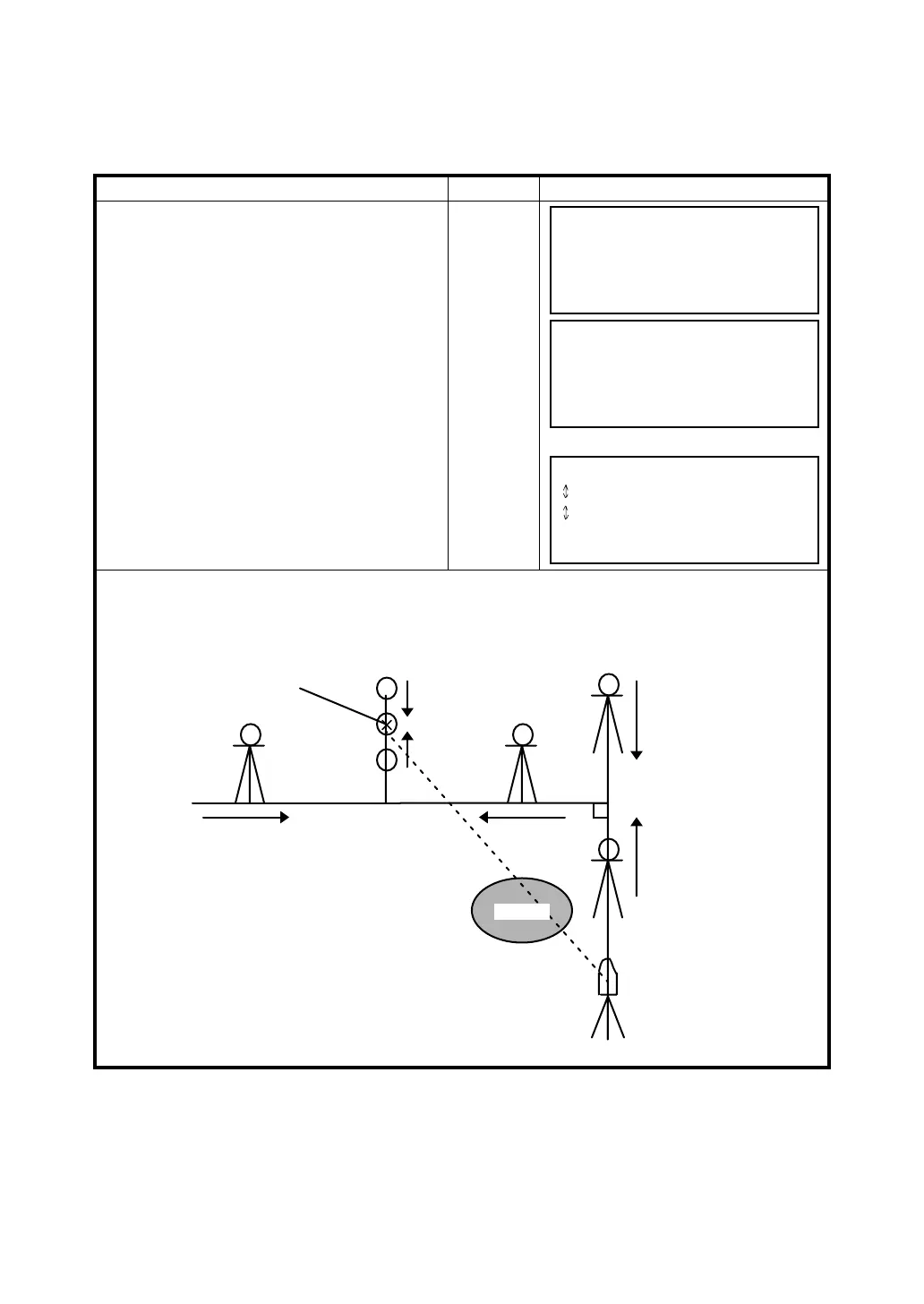
Function of GUIDANCE
Using the function of guidance, it is possible to guide a person of prism side as shown below.
This function is useful when it is difficult to collimate the layout point (P1) directly during executing a
layout mode.
dHR = 52°10'16"
dHD = 20.234 m
ANG DIST F/C NEZ GUIDE NEXT
→ RIGHT 1.448 m
↑ GO 0.923 m
↑ UP 1.234 m
ANG DIST F/C NEZ GUIDE NEXT
↔ KEEP 0.003 m
KEEP -0.002 m
KEEP 0.001 m
ANG DIST F/C NEZ GUIDE NEXT
Instrument
Prism
DOWN (dZ>0)
LEFT (dHR>0)
BACK (dHD>0)
GO (dHD<0)
RIGHT (dHR<0)
UP (dZ<0)
Layout point (P1)
Bush








 To Next Page