10 SETTING ATMOSPHERIC CORRECTION
10-2
●
How to Set the Atmospheric Correction Value Directly
Measure the temperature and air pressure to find atmospheric correction value(PPM) from the chart or
correction formula.
5
Input Pressure value, and press [ENT].
[Example] Pres. :1020.0hPa.
The display returns previous mode.
*1) *2)
Enter
Pres.
[ENT]
*1) Range : Temp. -30.0
°
C ~ +60.0
°
C (0.1
°
C step)
Pres. 315.0 ~1066.0hPa (0.1hPa step) , 420.0 ~800.0mmHg (0.1mmHg step)
16.5 ~ 31.5inHg (0.1inHg step)
*2) When the atmospheric correction value, which is calculated from the input temperature and pressure
values, exceeds the range ± 999.9ppm, the operating procedure returns to step
3
automatically. Input
values again.
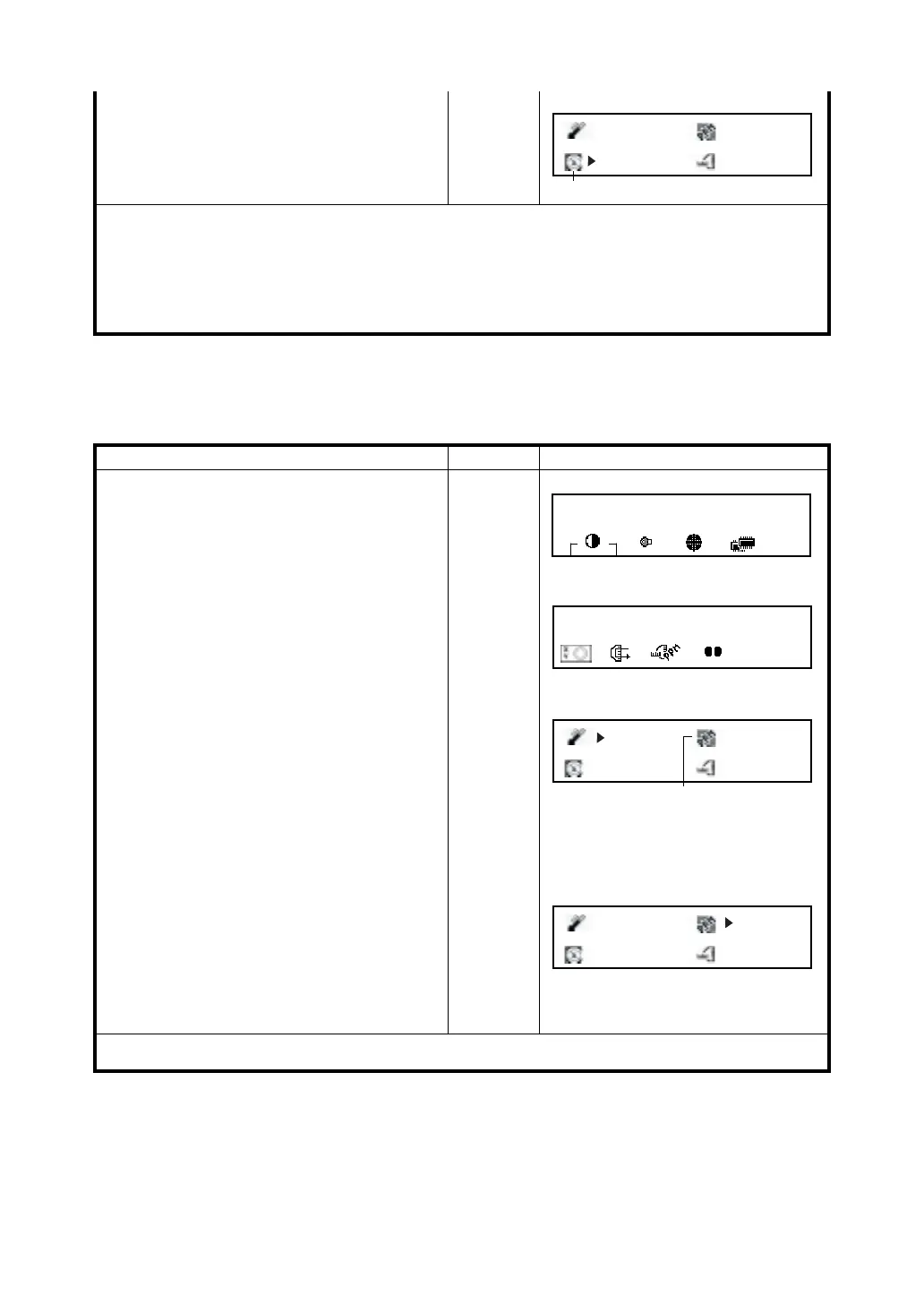
Operating procedure Operation Display
1
Press STAR (
★
) key.
[
★
]
2
Press [F6] (
↓
)key to get the function as in
page 2.
[F6]
3
Press [F3] key.
Current setting value is displayed.
[F3]
4
Move the cursor (>) to PPM setting by
pressing [F5](
→
) key.
Move
cursor
5
Enter atmospheric correction value and press
[ENT] key. *1)
Enter
PPM
[ENT]
The display returns previous mode.
*1) Input range : -999.9mm ~ +999.9mm, 0.1mm step
20.0 °C
5.1ppm
0.0 mm
1012.0hPa
Pressure setting
2001-07-10 14:30:40
1
↓
3
2001-07-10 14:30:40
2
↓
20.0 °C
5.1ppm
0.0 mm
1012.0hPa
PPM setting
20.0 °C
5.1ppm
+14.0 mm
1012.0hPa



 To Next Page