P/N 7010-0526
A-3
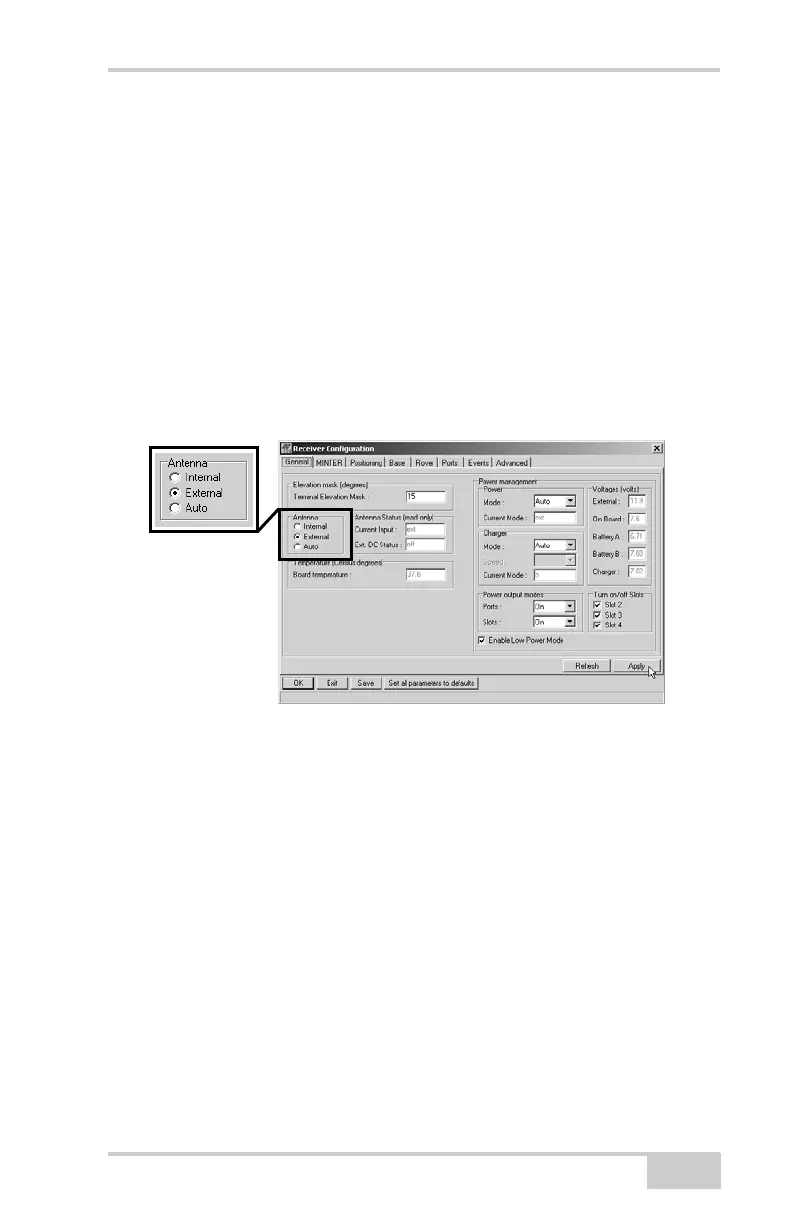
The receiver antenna default is set to Auto, allowing the receiver to
detect automatically the available antenna (whether internal or
external). If you have changed this setting, or the receiver does not
detect the external antenna, use the procedure below to set the
External Antenna detection option.
1. Connect your receiver and computer, then start PC-CDU. See
“Connecting the Receiver and a Computer” on page 2-14 for this
procedure.
2. Click ConfigurationReceiver.
3. On the General tab, select the External Antenna option and click
Apply (Figure A-3).
Figure A-3. Select External Antenna Option
4. Click FileDisconnect, then FileExit to quit PC-CDU.



 To Next Page