HiPer+ Configuration
HiPer+ Operator’s Manual
3-10
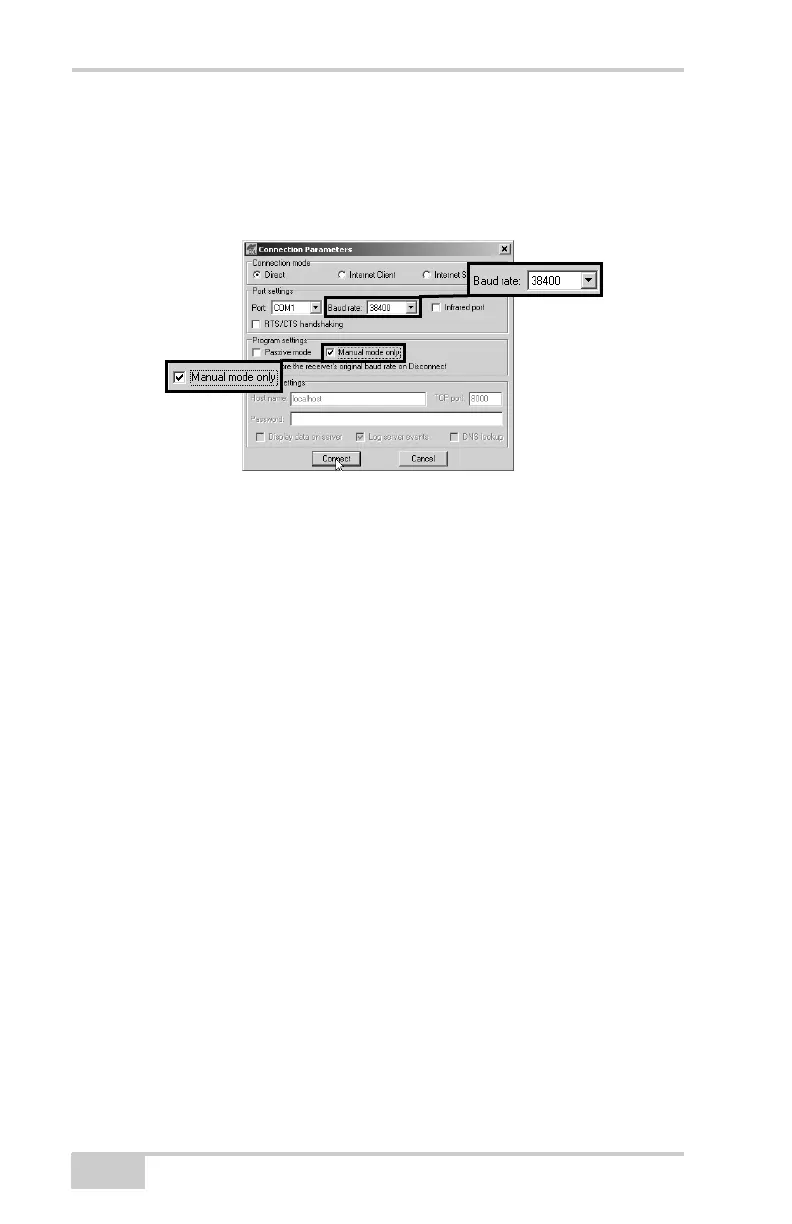
16. Open PC-CDU and click FileConnect.
17. On the Connection Parameters screen, select a baud rate of
38400 and enable the Manual mode only check box
(Figure 3-9), then click Connect.
Figure 3-9. Connection Parameters – Manual Mode Only
18. On the Manual Mode screen, type the following commands,
pressing Enter (or clicking Send command) after each
command. When finished, you should have five responses
(Figure 3-10 on page 3-11).
QUIT
%%set,cur/term/imode,cmd
%%set,dev/ser/c/echo,/dev/null
%%set,dev/ser/c/imode,cmd
%%set,dev/ser/c/rate,38400
%%set,cur/term/rate,115200
19. When done, click Disconnect (Figure 3-10 on page 3-11).



 To Next Page