Configuring the Radio Modem
P/N 7010-0526
3-9
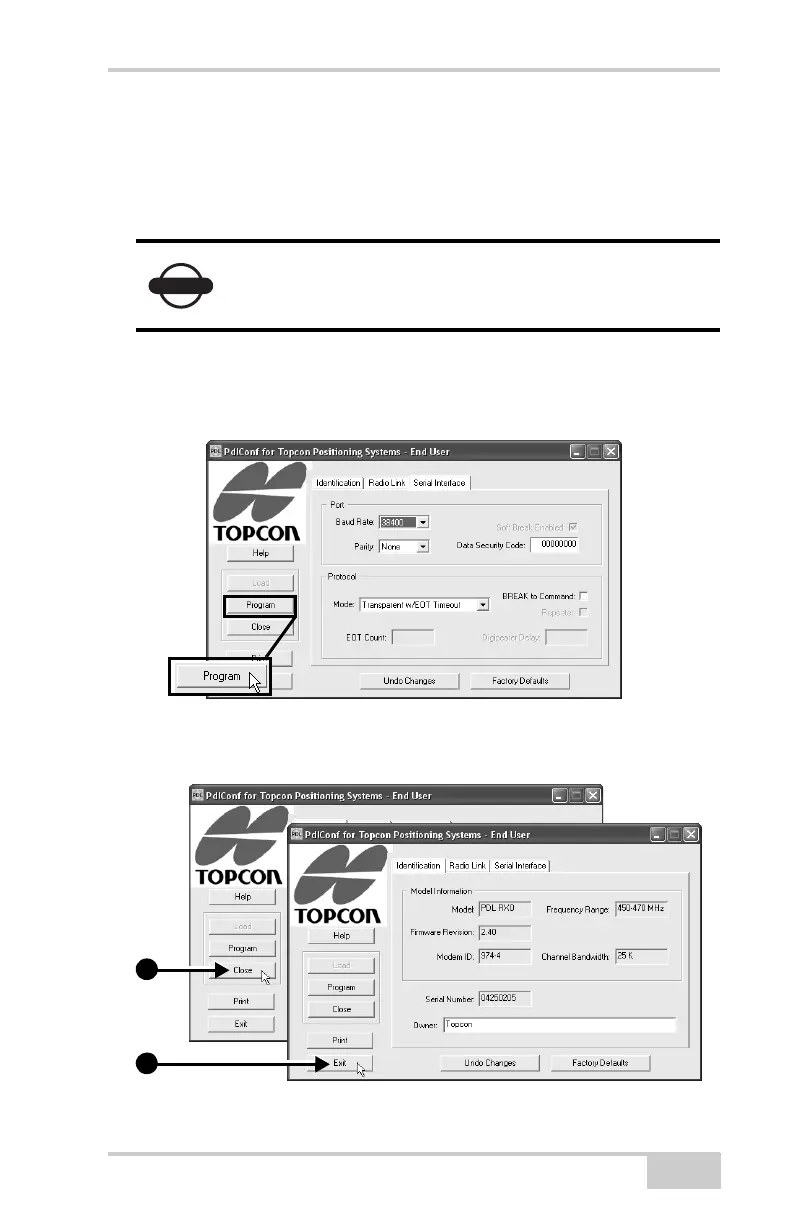
13. On the Serial Interface tab and set the following parameters
(Figure 3-7):
• Baud Rate – 38400
• Parity – None
• Mode – Transparent w/EOT Timeout
14. If you made changes, click Program on the left of the screen to
save them to the modem’s memory (Figure 3-7).
Figure 3-7. Configure Serial Interface and Apply Changes
15. Click Close and then Exit to quit the program (Figure 3-8).
Figure 3-8. Click Close then Exit
NOTICE
Parity should always be set to None.
1
2



 To Next Page