HiPer+ Configuration
HiPer+ Operator’s Manual
3-28
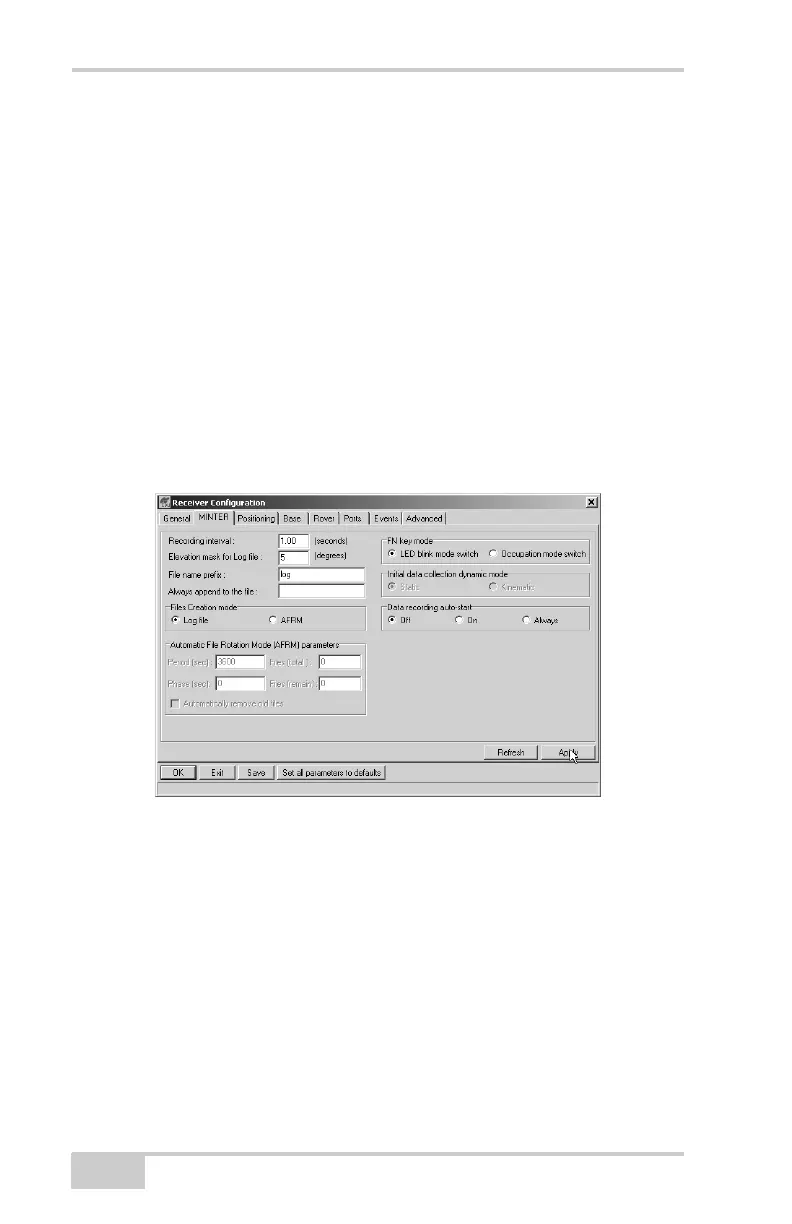
5. Click ConfigurationReceiver then click the MINTER tab, set
the following parameters and click Apply (Figure 3-28). See the
following pages for descriptions of these parameters.
• Recording interval on page 3-28
• Elevation mask for log file on page 3-28
• File name prefix on page 3-29
• Always append to the file on page 3-29
• Files Creation mode on page 3-29
• Automatic File Rotation Mode (AFRM) on page 3-29
• FN key mode on page 3-30
• Initial data collection dynamic mode on page 3-31
• Data recording auto-start on page 3-31
Figure 3-28. Receiver Configuration – MINTER Tab
Recording Interval parameter This parameter specifies the message
output interval into the log file when the MINTER FN button (pressed
for 1–5 seconds) activates data logging. This setting is used for both
logging a single log file and logging receiver data in AFRM mode.
Values are 1–86400 seconds. The default value is one second.
Elevation Mask for Log File parameter This parameter specifies the
minimum elevation angle for the satellites whose data will be put in
the receiver files logged when pressing FN. The default value is five
degrees.



 To Next Page