Calibration
MachineCalibration
41
X‐63/X‐63i/X‐62/X‐33/X‐32InstallationandCalibrationManual P/N:7010‐0697
CAN Termination
Toensurepropercommunicationbetweenthesensorsandthecontrolbox,thelastsensorphysically
connectedmustusethehardterminatorprovidedwiththeexcavatorsystems.Typically,thishard
terminatorconnectstothebucketsensor(orthedog‐boneandtiltbucketsensors).
Figure55:HardTerminatoronSensorFurthestfromtheDis play
Sensor Filtering
Thefilterlevelforeachsensorcanbechangeddependingontheapplicationandoperator’schoice.Avalue
of4(heavyfiltering)willdampensensorreaction,whileavalueof1(lightfiltering)willcausefastersensor
reaction.Thedefaultfilterlevelis2.NotethatforTS‐i3sensors,orientationwillonlybeleftandright.
1. In3D‐MC,tapTopconMenuButtonControlMachinesetup.Selecttheapplicablemachine
fileandtapEdit.TapNexttonavigatetothemachineelementsensorscreen.
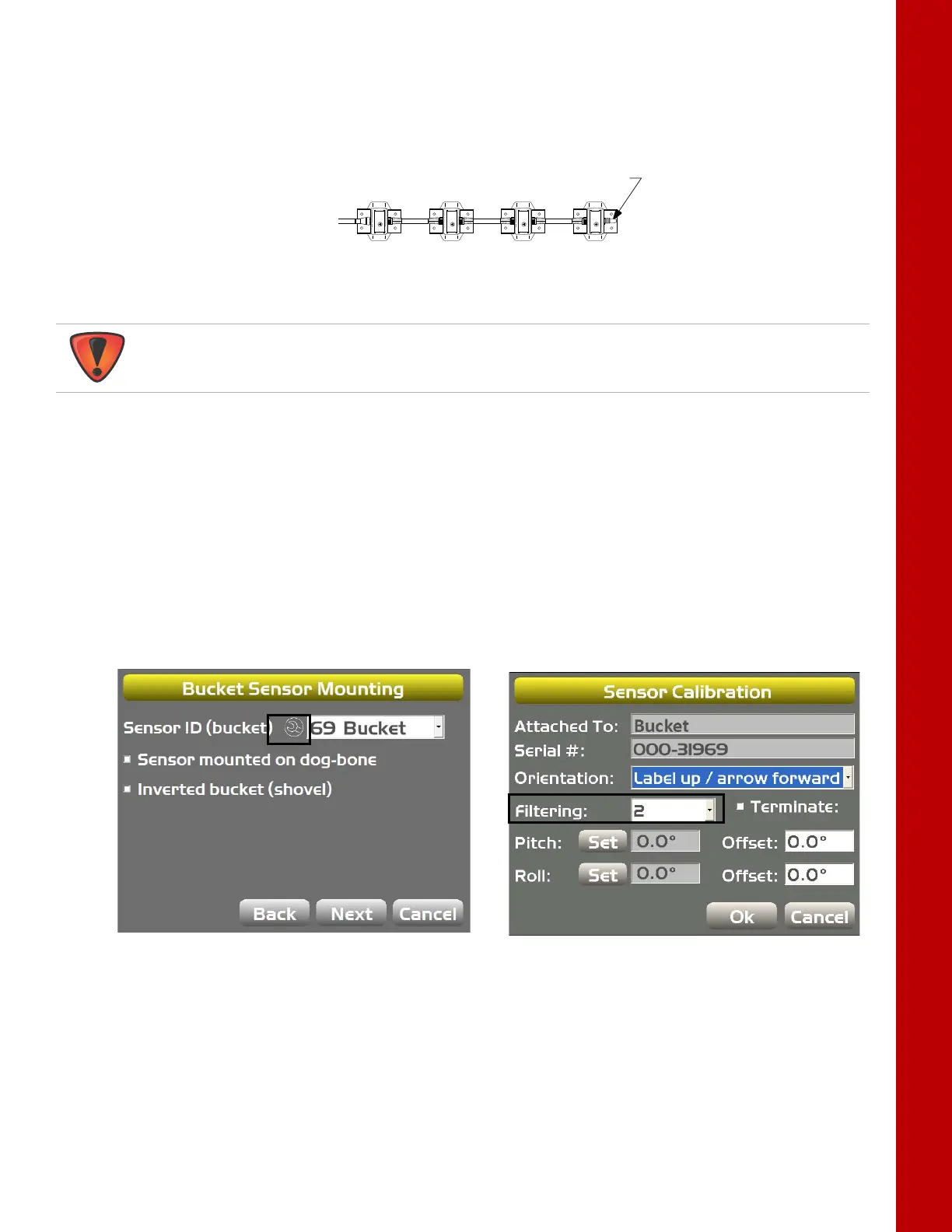
2. TaptheWrenchiconnexttoSensorID(bucket)(Figure56).
3. SelectafilteringlevelandtapOK(Figure56).
4. NavigatethroughtheremainingstepsofMachineSetup,thensavethefileandexit3D‐MC.
Figure56:SetFilteringLevel(BucketSensor)
BODY BOOM STICK BUCKET
SENSOR
TERMINATOR
Donotusethe3D‐MCsoftwaretoterminateanysensor.Useonlythehardterminator.



 To Next Page