Calibration
MachineCalibration
35
X‐63/X‐63i/X‐62/X‐33/X‐32InstallationandCalibrationManual P/N:7010‐0697
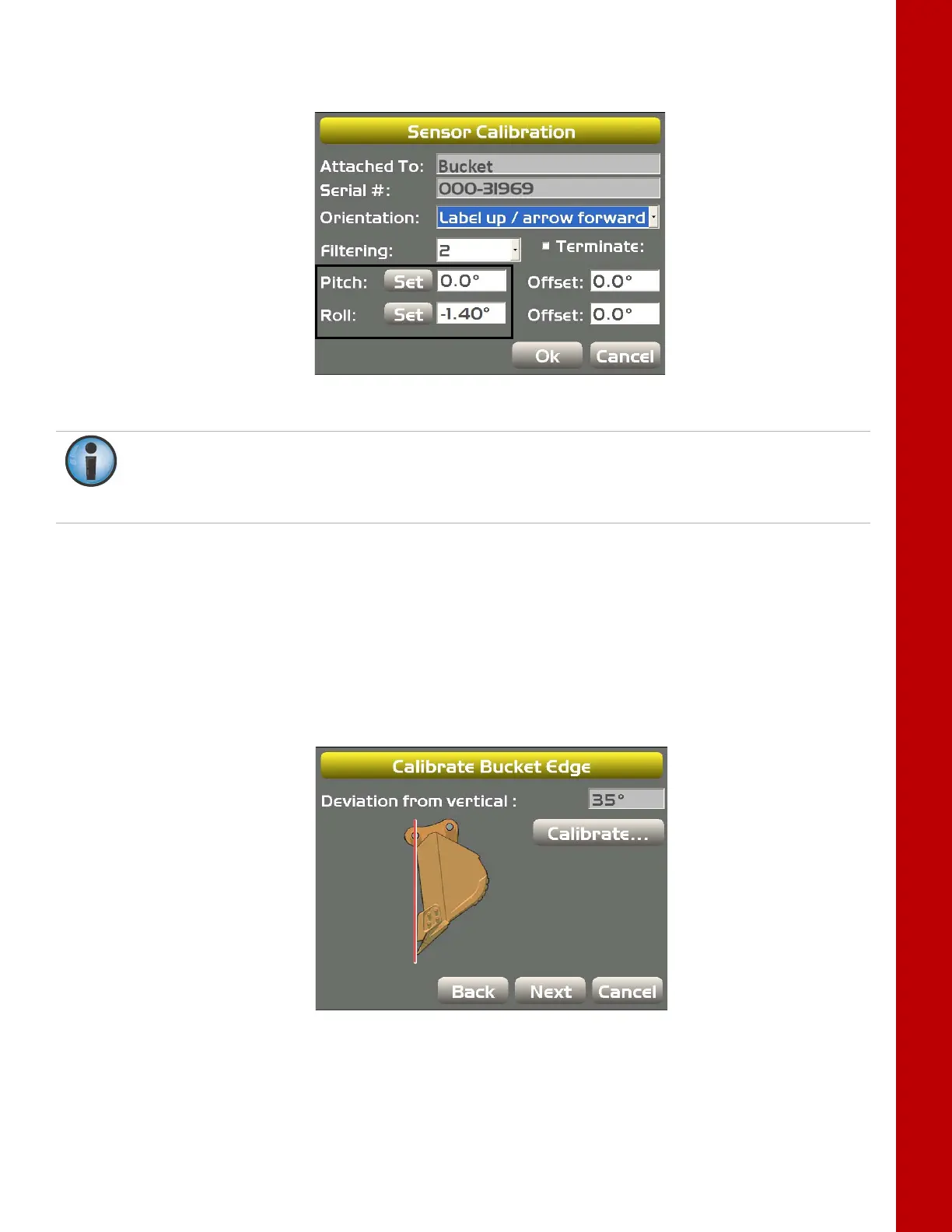
7. TapSetnexttoRoll,enterthebucketrollvaluetomatchthebodyrollvalue,andtapSetagain;
tapOKtocontinue(Figure44).
Figure44:SetBucketRollValuetoMatchBodyRollValue
8. Ifthisisthelastsensorphysicallyconnectedtothemachine,see“CANTermination”onpage41.
Bucket Edge Calibration
Performthefollowingbucketedgecalibrationproceduresforallbuckettypes.Thesecalibrationsmustalso
beperformedforeachindividualbucketwhenusingmultiple buckets.
1. SelectabucketfromtheExcavatorBucketsscreen.
2. Withthebucketplumb,tapCalibratefromtheCalibrateBucketEdgescreen(Figure45);tap
NexttogototheCalibrateBucketBasescreen.
Figure45:CalibrateBucketEdge
Ifthebodypitchandrollhasnotchangedfromwhenthebodysensorwascalibrated,enterthe
recordedbodyRollvalueforthebucketRollvalue.Ifthebodypitchandrollhaschanged,
navigatetothebodysensorandrecordthenewbodyRollvalue,andenterthatnewvaluefor
thebucketRollvalue.



 To Next Page